
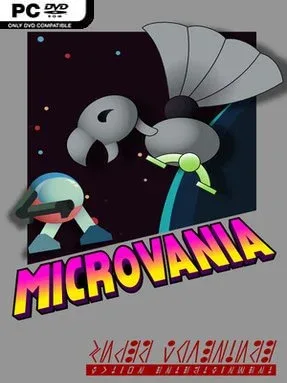
Microvania Cover Art

Microvania

INDIE 131.76 MB

Game Overview

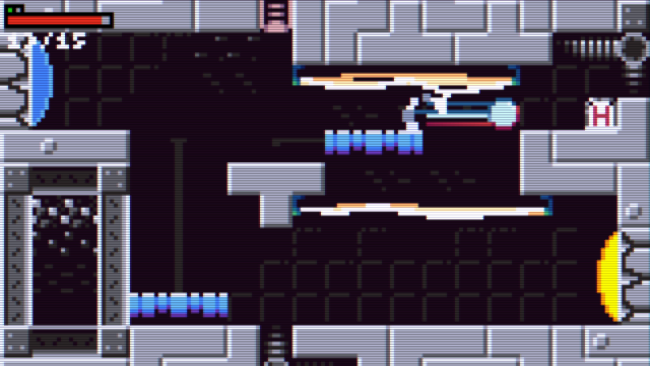
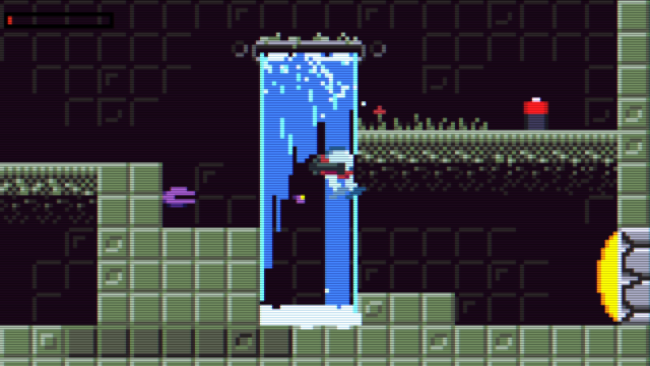
At a miniature 160×90 resolution, every cave wall, hostile creature, and concealed passage in Microvania has to earn its place. This compact indie adventure takes the familiar Metroidvania formula to planet Micronus, a world of underground caverns, overgrown jungle zones, abandoned laboratories, and ancient ruins. The mood balances lonely sci-fi exploration with the satisfying momentum of constantly uncovering one more route or upgrade. Its deliberately short length makes it an inviting single-session quest rather than a sprawling commitment.

Progress comes from pushing into blocked-off areas, collecting power-ups, defeating bosses, and returning to earlier rooms with new movement or combat options. Missiles, a claw ability, Ball-Mode, and other genre staples gradually broaden how you navigate the map and deal with threats, while hidden paths encourage close attention to even the smallest screens. Microcards add a useful layer of player choice by modifying weapons and abilities, though they require Microcells to stay powered, so build experimentation is tied to thorough exploration. Accessibility settings include rapid-fire and toggle controls, and a respawn-at-boss option cuts down the frustration of repeated attempts when a difficult encounter stalls your progress.

Microvania’s strongest idea is its scale: it delivers the pleasures of secret hunting, backtracking, and ability-gated exploration without turning them into a twenty-hour checklist. Nearly every room appears designed to reward curiosity, making completion-minded players likely to revisit areas until every suspicious wall and overlooked corner has been tested. The low-resolution presentation is more than a novelty, giving the world a sharply focused, pixel-sized identity while keeping navigation readable and brisk. Fans of classic exploration platformers such as Metroid, especially those wanting a concise alternative to larger modern entries, should find plenty to enjoy; newcomers also get a forgiving starting point thanks to its flexible accessibility tools.

Installation

  1. Click the green button below to be redirected to UploadHaven.
  2. Wait 15 seconds, then hit “Free Download.” (Free downloads may be slower — upgrade to UploadHaven Pro for faster speeds.)
  3. Once downloaded, right-click the .zip file and choose “Extract to Microvania.” (You’ll need 7-Zip for this.)
  4. Open the extracted folder and run the game as administrator.
  5. Enjoy! 🎮 If you see missing DLL errors, check the <strong>_Redist</strong> folder inside and install what’s needed.

System Requirements

  • OS: 10
  • Processor: Intel® Core(™) i3 CPU or AMD
  • Memory: 8 MB RAM
  • Graphics: ATI Radeon X1300/NVIDIA GeForce 6600 GT/Intel HD 3000 or better
  • DirectX: Version 9.0
  • Storage: 300 MB available space
  • Sound Card: Intel High Definition Audio

Setup Guide & Troubleshooting

How do I fix missing DLL errors for Microvania?

After extracting Microvania, navigate to the _Redist or _CommonRedist folder inside the game directory and install DirectX, Vcredist, and any other dependencies included.

What should I do if the downloaded file is corrupted?

The full archive is 131.76 MB — make sure your download completed fully before extracting. Use 7-Zip to extract the files. If you still see a "file corrupted" error, re-download and try again.

Why should I run the game as administrator?

Right-click the game executable and select "Run as Administrator" to avoid save file issues and permission errors. This is especially important on the first launch.

How do I update my GPU drivers for this game?

Microvania requires a ATI Radeon X1300/NVIDIA GeForce 6600 GT/Intel HD 3000 or better or equivalent. Update your NVIDIA or AMD drivers to the latest version for the best performance.

The game won't launch — what should I try?

This game requires Version 9.0. Try running in compatibility mode, install the latest DirectX runtime, or install the All-in-One VC Redist Package.

My antivirus is blocking the game — is it safe?

Antivirus false positives are common with pre-installed games. Temporarily pause your antivirus during extraction to prevent it from quarantining game files. You can re-enable it after the extraction completes.

Need more help? Browse our FAQ & Troubleshooting Guide for solutions to common issues.
Looking for something else? Explore all games on Steam Unlocked