
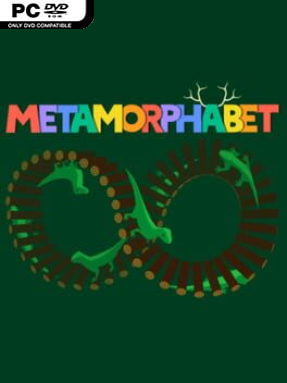
Game Overview
Letters become toys, creatures, machines, and little visual jokes in this playful interactive alphabet experience. Rather than teaching through worksheets or repetition, it turns every character into a tactile miniature scene waiting to be prodded, pulled, spun, or otherwise disturbed. The mood is bright, curious, and gently surreal, with clean colors and expressive animation that make learning feel like experimenting inside a picture book. Metamorphabet works as both a charming early-learning tool and a short-form art toy for anyone who enjoys clever interactive design.
Each letter presents a self-contained activity built around a word and an action, encouraging players to touch the screen or use a mouse to see what happens. A simple input can trigger a chain of transformations: objects stretch, hatch, bounce, multiply, or reveal unexpected new forms, making cause and effect the real lesson. There are no enemies, fail states, timers, or conventional progression systems to worry about; the reward is uncovering every response and revisiting favorite letters to test their playful logic. The pacing stays relaxed and accessible, so young children can experiment freely while older players appreciate the timing, sound work, and visual wit behind each sequence.
What separates Metamorphabet from most alphabet software is its confidence in letting animation and interaction carry the educational value. Its hand-crafted presentation feels closer to an interactive gallery piece than a classroom app, using each letter’s shape as part of the joke instead of treating the alphabet as a static list. The experience is brief, but its individual vignettes are memorable, polished, and ideal for shared play between parents and children. Fans of inventive digital toys such as Windosill, or anyone looking for a calm, imaginative introduction to letters, finds far more personality here than in a standard educational game.
Installation
- Click the green button below to be redirected to UploadHaven.
- Wait 15 seconds, then hit “Free Download.” (Free downloads may be slower — upgrade to UploadHaven Pro for faster speeds.)
- Once downloaded, right-click the .zip file and choose “Extract to Metamorphabet.” (You’ll need 7-Zip for this.)
- Open the extracted folder and run the game as administrator.
- Enjoy! 🎮 If you see missing DLL errors, check the <strong>_Redist</strong> folder inside and install what’s needed.
System Requirements
- OS: Windows 7 or Windows 8 Classic
- Processor: 2.33GHz or faster x86-compatible processor, or Intel Atom™ 1.6GHz or faster processor for netbook class devices
- Memory: 512 MB RAM
- Storage: 100 MB available space
- Additional Notes: Performance may vary on older/slower machines.
Setup Guide & Troubleshooting
How do I fix missing DLL errors for Metamorphabet?
After extracting Metamorphabet, navigate to the _Redist or _CommonRedist folder inside the game directory and install DirectX, Vcredist, and any other dependencies included.
What should I do if the downloaded file is corrupted?
The full archive is 88.51 MB — make sure your download completed fully before extracting. Use 7-Zip to extract the files. If you still see a "file corrupted" error, re-download and try again.
Why should I run the game as administrator?
Right-click the game executable and select "Run as Administrator" to avoid save file issues and permission errors. This is especially important on the first launch.
How do I update my GPU drivers for this game?
Update your NVIDIA or AMD drivers to the latest version for the best performance and compatibility.
The game won't launch — what should I try?
Try running in compatibility mode, install the latest DirectX runtime, or install the All-in-One VC Redist Package.
My antivirus is blocking the game — is it safe?
Antivirus false positives are common with pre-installed games. Temporarily pause your antivirus during extraction to prevent it from quarantining game files. You can re-enable it after the extraction completes.