
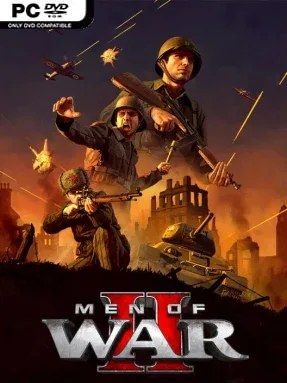
Game Overview
World War II becomes a tense, destructive sandbox where a single well-placed anti-tank gun or badly timed advance can decide an entire battle. Men of War II is a real-time strategy game built around commanding infantry, armor, artillery, and support units across the Eastern and Western Fronts, with a strong emphasis on historical equipment and battlefield tactics. Its campaigns frame the conflict through large-scale operations, while skirmishes and multiplayer matches provide the more open-ended military toybox. The mood is serious and demanding, rewarding careful commanders rather than players who simply rush units toward an objective.
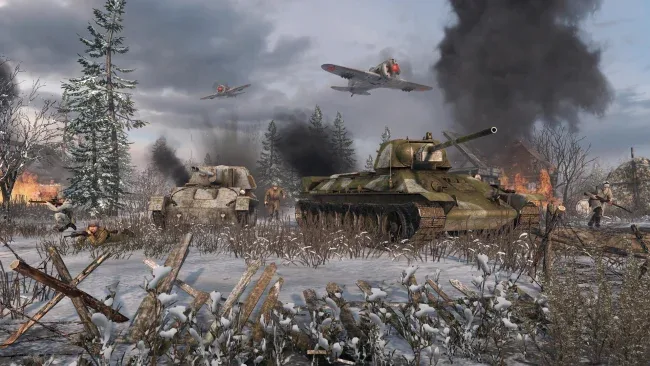
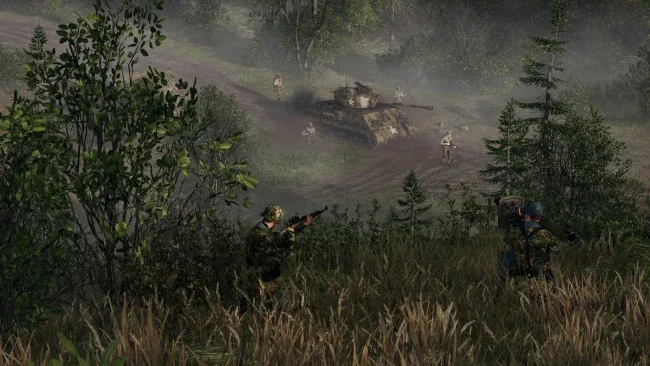
Battles revolve around capturing positions, managing sightlines, using cover, and exploiting the individual strengths of a huge range of troops and vehicles. Infantry can dig in, throw grenades, crew captured weapons, repair equipment, and seize enemy tanks; armor needs screening from anti-tank threats, while artillery can level defensive positions from afar. The signature Direct Control system lets you take manual command of a chosen soldier, vehicle, or gun, making it possible to aim a tank shot, steer through a dangerous gap, or position a sniper with unusual precision. Destructible structures, trenches, bunkers, mines, and other fortifications make maps feel changeable rather than static, and adjustable settings allow battles to lean toward hardcore simulation or a more accessible RTS pace.
What separates Men of War II from broader strategy series such as Company of Heroes is its obsession with granular control and emergent battlefield stories. A seemingly lost engagement can turn around when a squad commandeers an abandoned gun, ambushes a convoy, or holds a ruined house long enough for reinforcements to arrive. Narrative campaigns, dynamic scenarios, custom lobbies, ranked multiplayer, and cooperative options give it considerable longevity, although the amount of micromanagement can be intimidating at first. It suits World War II enthusiasts and RTS veterans best, but patient newcomers willing to learn its systems will find one of the genre’s most flexible and detailed modern war games.
Screenshots
Installation
- Select the <strong>Download</strong> button at the top of this page to open UploadHaven.
- On UploadHaven, wait for any countdown, then select <strong>Free Download</strong>. Optional: UploadHaven Pro for faster downloads.
- When complete, extract the archive to a <strong>Men of War II</strong> folder using 7-Zip.
- Open the extracted folder and start the game normally.
- For errors, check <strong>Setup Guide & Troubleshooting</strong> below. Keep your security software enabled.
System Requirements
- Requires a 64-bit processor and operating system
- OS *: Windows 7 64bit
- Processor: Intel Core i5 2300
- Memory: 8 GB RAM
- Graphics: Nvidia GeForce GTX 660 2GB
- DirectX: Version 11
- Storage: 25 GB available space
- Additional Notes: Requires persistent internet connection of at least 2Mbit/s.
Setup Guide & Troubleshooting
How do I fix missing DLL errors for Men of War II (v1.042 & ALL DLC)?
After extracting Men of War II (v1.042 & ALL DLC), navigate to the _Redist or _CommonRedist folder inside the game directory and install DirectX, Vcredist, and any other dependencies included.
What should I do if the downloaded file is corrupted?
The full archive is 23.18 GB — make sure your download completed fully before extracting. Use 7-Zip to extract the files. If you still see a "file corrupted" error, re-download and try again.
Why should I run the game as administrator?
Right-click the game executable and select "Run as Administrator" to avoid save file issues and permission errors. This is especially important on the first launch.
How do I update my GPU drivers for this game?
Men of War II (v1.042 & ALL DLC) requires a Nvidia GeForce GTX 660 2GB or equivalent. Update your NVIDIA or AMD drivers to the latest version for the best performance.
The game won't launch — what should I try?
This game requires Version 11. Try running in compatibility mode, install the latest DirectX runtime, or install the All-in-One VC Redist Package.
My antivirus is blocking the game — is it safe?
Antivirus false positives are common with pre-installed games. Temporarily pause your antivirus during extraction to prevent it from quarantining game files. You can re-enable it after the extraction completes.