
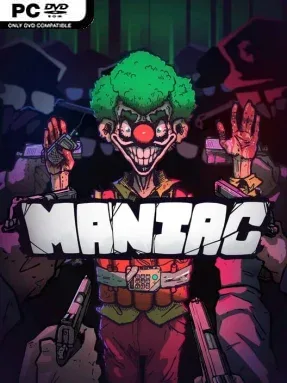
Game Overview
Top-down streets become a playground for wrecked cars, stolen armor, and escalating police attention in Maniac, an indie action game built around unapologetic destruction. Its tone channels the gleeful lawlessness of the earliest Grand Theft Auto games, but the pace is far more arcade-like and survival-focused. Rather than treating chaos as a side activity, it makes mayhem the entire point: steal something loud, cause a spectacular pileup, and stay mobile before the authorities shut you down. The result is a deliberately ridiculous collision of criminal sandbox action, vehicle carnage, and score-chasing pressure.
Runs revolve around choosing from six unstable characters, each bringing their own abilities and room for growth, then tearing through a world that continually changes around you. You hijack civilian vehicles and emergency services alike, graduating from buses and police cars to bulldozers, tanks, and other heavy hardware that turns traffic into ammunition. Weapons, gear, character options, and vehicle upgrades unlock over time, giving repeated sessions a progression loop beyond simply surviving another chase. The central challenge is balancing aggression with escape routes: every smashed object and reckless stunt invites more trouble, and getting busted ends the spree.
What separates Maniac from a standard open-world crime game is its compact, high-energy structure and its apparent love of systems-driven disasters. It combines the overhead freedom and wanted-level tension of classic GTA with the constant enemy pressure associated with Vampire Survivors, while its vehicular focus carries the absurd momentum of Fast & Furious. The ever-changing setting should keep players adapting rather than memorizing one safe route or one ideal vehicle. Anyone who wants a serious crime story should look elsewhere, but players who enjoy roguelite repetition, explosive vehicles, and turning a city block into a catastrophic chain reaction will find plenty to like.
Installation
- Click the green button below to be redirected to UploadHaven.
- Wait 15 seconds, then hit “Free Download.” (Free downloads may be slower — upgrade to UploadHaven Pro for faster speeds.)
- Once downloaded, right-click the .zip file and choose “Extract to Maniac.” (You’ll need 7-Zip for this.)
- Open the extracted folder and run the game as administrator.
- Enjoy! 🎮 If you see missing DLL errors, check the <strong>_Redist</strong> folder inside and install what’s needed.
System Requirements
- OS *: Windows 7 (SP1+)
- Processor: X64 architecture with SSE2 instruction set support
- Memory: 1 GB RAM
- Graphics: DX10, DX11, and DX12-capable GPUs
- DirectX: Version 10
- Storage: 200 MB available space
Setup Guide & Troubleshooting
How do I fix missing DLL errors for Maniac (v1.0.9)?
After extracting Maniac (v1.0.9), navigate to the _Redist or _CommonRedist folder inside the game directory and install DirectX, Vcredist, and any other dependencies included.
What should I do if the downloaded file is corrupted?
The full archive is 438.76 MB — make sure your download completed fully before extracting. Use 7-Zip to extract the files. If you still see a "file corrupted" error, re-download and try again.
Why should I run the game as administrator?
Right-click the game executable and select "Run as Administrator" to avoid save file issues and permission errors. This is especially important on the first launch.
How do I update my GPU drivers for this game?
Maniac (v1.0.9) requires a DX10, DX11, and DX12-capable GPUs or equivalent. Update your NVIDIA or AMD drivers to the latest version for the best performance.
The game won't launch — what should I try?
This game requires Version 10. Try running in compatibility mode, install the latest DirectX runtime, or install the All-in-One VC Redist Package.
My antivirus is blocking the game — is it safe?
Antivirus false positives are common with pre-installed games. Temporarily pause your antivirus during extraction to prevent it from quarantining game files. You can re-enable it after the extraction completes.