
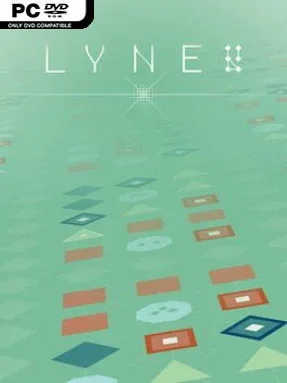
LYNE Cover Art

LYNE

INDIE 75.67 MB v1.3.2.30

Game Overview

A quiet grid of colored shapes becomes a surprisingly demanding logic challenge, asking you to draw clean paths between matching symbols while covering every available tile. LYNE strips puzzle design down to its essentials: no story, no timers, and no visual clutter, just increasingly intricate boards that reward patience and careful planning. Its calm presentation, soft shifting soundtrack, and elegant color schemes create a meditative mood even when a single misplaced line leaves the entire solution tangled. The result feels less like a traditional brain-training app and more like a focused digital puzzle book built for short breaks or long, absorbed sessions.

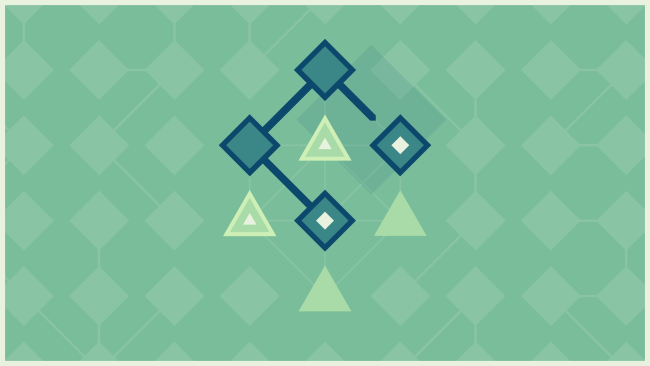
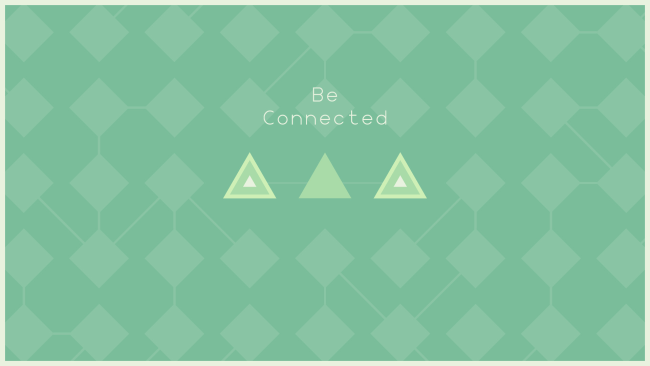
Each board gives you pairs of shapes that must be connected with uninterrupted lines, and every square on the grid needs to be filled before the puzzle is complete. Paths cannot cross, so solving a layout means working out which connections must be made first, where a route can safely bend, and how to avoid trapping other symbols behind your choices. Early stages teach the rules with small, readable grids, but later puzzles demand spatial reasoning and occasional trial-and-error as boards expand and path options become deceptively limited. Hundreds of handcrafted challenges provide a substantial core campaign, while daily generated puzzles give returning players a fresh board without changing the game’s approachable rules.

What makes LYNE memorable is its restraint: it trusts a few simple rules to produce puzzles with real depth, then supports that design with an exceptionally clean interface. Unlockable palettes alter the board’s atmosphere without compromising clarity, and the dynamic audio keeps failures from feeling punishing. There is no competitive multiplayer or elaborate progression system, but the endless daily content gives solitary puzzle fans a reliable ritual. Players who enjoy the elegant deduction of Sudoku, Flow Free, or minimalist games such as Mini Metro should find plenty to like, while newcomers can learn the basics in minutes and gradually build toward the most demanding layouts.

Installation

  1. Click the green button below to be redirected to UploadHaven.
  2. Wait 15 seconds, then hit “Free Download.” (Free downloads may be slower — upgrade to UploadHaven Pro for faster speeds.)
  3. Once downloaded, right-click the .zip file and choose “Extract to LYNE.” (You’ll need 7-Zip for this.)
  4. Open the extracted folder and run the game as administrator.
  5. Enjoy! 🎮 If you see missing DLL errors, check the <strong>_Redist</strong> folder inside and install what’s needed.

System Requirements

  • OS: Windows 10
  • Processor: 2.0 GHz Dual Core CPU
  • Memory: 1 GB RAM
  • Graphics: 256MB Graphics Card
  • DirectX: Version 9.0c
  • Storage: 150 MB available space

Setup Guide & Troubleshooting

How do I fix missing DLL errors for LYNE (v1.3.2.30)?

After extracting LYNE (v1.3.2.30), navigate to the _Redist or _CommonRedist folder inside the game directory and install DirectX, Vcredist, and any other dependencies included.

What should I do if the downloaded file is corrupted?

The full archive is 75.67 MB — make sure your download completed fully before extracting. Use 7-Zip to extract the files. If you still see a "file corrupted" error, re-download and try again.

Why should I run the game as administrator?

Right-click the game executable and select "Run as Administrator" to avoid save file issues and permission errors. This is especially important on the first launch.

How do I update my GPU drivers for this game?

LYNE (v1.3.2.30) requires a 256MB Graphics Card or equivalent. Update your NVIDIA or AMD drivers to the latest version for the best performance.

The game won't launch — what should I try?

This game requires Version 9.0c. Try running in compatibility mode, install the latest DirectX runtime, or install the All-in-One VC Redist Package.

My antivirus is blocking the game — is it safe?

Antivirus false positives are common with pre-installed games. Temporarily pause your antivirus during extraction to prevent it from quarantining game files. You can re-enable it after the extraction completes.

Need more help? Browse our FAQ & Troubleshooting Guide for solutions to common issues.
Looking for something else? Explore all games on Steam Unlocked