
Game Overview
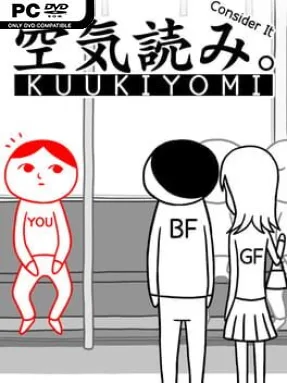
Social awkwardness becomes a rapid-fire party puzzle in Kuukiyomi: Consider It, a deadpan Japanese indie game about reading the room when nobody explains the rules. Every scene presents an everyday situation—a crowded train, a date, a workplace moment, an absurd public spectacle—and asks whether you can recognize the unspoken expectation. Its humor comes from the gap between obvious manners, bizarre logic, and the player’s willingness to make a situation spectacularly worse. The tone stays playful rather than punishing, with simple visuals that keep attention on each escalating social gag.
Play consists almost entirely of moving a red object around the screen, then deciding when and where to use it. That object usually represents your character, but it can also become an item, a bystander, or whatever the scenario needs, so each brief challenge has its own tiny twist. Across 100 situations, the game judges your choices and assigns a consideration score, encouraging repeat runs to see which jokes and alternate outcomes you miss. Controls are deliberately accessible, making it easy to pick up for a few minutes, while the two-player Consider It Together mode lets friends share a controller and negotiate their instincts—or expose how incompatible they are.
What separates it from conventional puzzle games is that success often depends less on strict logic than on social intuition and comic timing. The minimalist presentation resembles a collection of interactive cartoons, while its quick scenes make failure entertaining instead of frustrating. Multiplayer turns the premise into a clever conversation starter, since players can debate what the “right” response even means before committing to it. Anyone who enjoys WarioWare-style microgames, Japanese absurdist comedy, or low-pressure party games finds plenty to like here, though puzzle veterans expecting deep systems should approach it as a humorous personality test rather than a demanding brainteaser.
Installation
- Click the green button below to be redirected to UploadHaven.
- Wait 15 seconds, then hit “Free Download.” (Free downloads may be slower — upgrade to UploadHaven Pro for faster speeds.)
- Once downloaded, right-click the .zip file and choose “Extract to Kuukiyomi: Consider It.” (You’ll need 7-Zip for this.)
- Open the extracted folder and run the game as administrator.
- Enjoy! 🎮 If you see missing DLL errors, check the <strong>_Redist</strong> folder inside and install what’s needed.
System Requirements
- OS: Windows 7 SP1+
- Processor: 2 Ghz Dual Core
- Memory: 1 GB RAM
- Graphics: Graphics card with DX10 (shader model 4.0) capabilities
- DirectX: Version 10
- Storage: 500 MB available space
Setup Guide & Troubleshooting
How do I fix missing DLL errors for Kuukiyomi: Consider It?
After extracting Kuukiyomi: Consider It, navigate to the _Redist or _CommonRedist folder inside the game directory and install DirectX, Vcredist, and any other dependencies included.
What should I do if the downloaded file is corrupted?
The full archive is 90.91 MB — make sure your download completed fully before extracting. Use 7-Zip to extract the files. If you still see a "file corrupted" error, re-download and try again.
Why should I run the game as administrator?
Right-click the game executable and select "Run as Administrator" to avoid save file issues and permission errors. This is especially important on the first launch.
How do I update my GPU drivers for this game?
Kuukiyomi: Consider It requires a Graphics card with DX10 (shader model 4.0) capabilities or equivalent. Update your NVIDIA or AMD drivers to the latest version for the best performance.
The game won't launch — what should I try?
This game requires Version 10. Try running in compatibility mode, install the latest DirectX runtime, or install the All-in-One VC Redist Package.
My antivirus is blocking the game — is it safe?
Antivirus false positives are common with pre-installed games. Temporarily pause your antivirus during extraction to prevent it from quarantining game files. You can re-enable it after the extraction completes.