
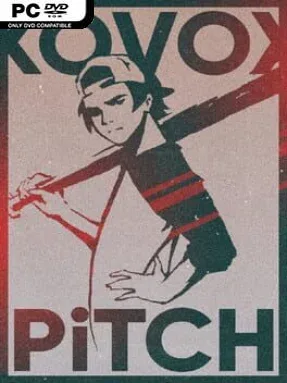
Game Overview
Baseball timing meets rhythm-game precision in a colorful indie challenge built around reading beats and hitting them cleanly. Rather than simulating a full ballgame, Kovox Pitch turns batting into a musical test of coordination, asking players to follow songs while reacting to incoming notes across a shifting 2.5D playfield. The two-lane setup gives the action a distinctive sense of depth, with players swapping lines to stay aligned with the rhythm and avoid treating every sequence as a simple straight-on prompt. Its tone is energetic and arcade-focused, but the Story Mode adds a reason to keep pushing beyond high scores by gradually revealing more of its narrative.
The central loop is about listening, watching, and making accurate decisions at speed: hit notes in time, move between the two available lines, and learn each song’s particular pattern. Tracks and stages unlock through Story Mode, so progress introduces fresh music and new challenges instead of leaving the game as a single-score-attack experience. Once songs are available, Free Play lets players revisit them without the campaign structure, making it easier to practice difficult sections or chase cleaner runs. A dedicated Track Editor also opens the door to custom rhythm levels, allowing players to build stages around their own music rather than relying only on the included soundtrack.
Kovox Pitch stands out because its baseball framing is not just decoration; the lane-switching mechanic gives the usual rhythm-game formula a spatial wrinkle that demands attention as well as timing. The 2.5D presentation should appeal to players who enjoy the visual readability of arcade rhythm games but want something less familiar than standard falling-note lanes. Its campaign, unlock structure, free-play options, and editor provide more variety than a short novelty rhythm title, particularly for players who like mastering songs repeatedly. Fans of compact, score-driven games in the vein of Rhythm Doctor or other mechanically focused music titles are the natural audience, while newcomers can use the early Story Mode tracks to learn its unusual rules before tackling more demanding patterns.
Installation
- Click the green button below to be redirected to UploadHaven.
- Wait 15 seconds, then hit “Free Download.” (Free downloads may be slower — upgrade to UploadHaven Pro for faster speeds.)
- Once downloaded, right-click the .zip file and choose “Extract to Kovox Pitch.” (You’ll need 7-Zip for this.)
- Open the extracted folder and run the game as administrator.
- Enjoy! 🎮 If you see missing DLL errors, check the <strong>_Redist</strong> folder inside and install what’s needed.
System Requirements
- OS: Microsoft® Windows® XP / Vista / 7
- Processor: 1.2GHz processor
- Memory: 512 MB RAM
- Graphics: DirectX 8-compatible graphics card with at least 32MB of video memory
- DirectX: Version 9.0
- Storage: 500 MB available space
Setup Guide & Troubleshooting
How do I fix missing DLL errors for Kovox Pitch?
After extracting Kovox Pitch, navigate to the _Redist or _CommonRedist folder inside the game directory and install DirectX, Vcredist, and any other dependencies included.
What should I do if the downloaded file is corrupted?
The full archive is 644.46 MB — make sure your download completed fully before extracting. Use 7-Zip to extract the files. If you still see a "file corrupted" error, re-download and try again.
Why should I run the game as administrator?
Right-click the game executable and select "Run as Administrator" to avoid save file issues and permission errors. This is especially important on the first launch.
How do I update my GPU drivers for this game?
Kovox Pitch requires a DirectX 8-compatible graphics card with at least 32MB of video memory or equivalent. Update your NVIDIA or AMD drivers to the latest version for the best performance.
The game won't launch — what should I try?
This game requires Version 9.0. Try running in compatibility mode, install the latest DirectX runtime, or install the All-in-One VC Redist Package.
My antivirus is blocking the game — is it safe?
Antivirus false positives are common with pre-installed games. Temporarily pause your antivirus during extraction to prevent it from quarantining game files. You can re-enable it after the extraction completes.