
Game Overview
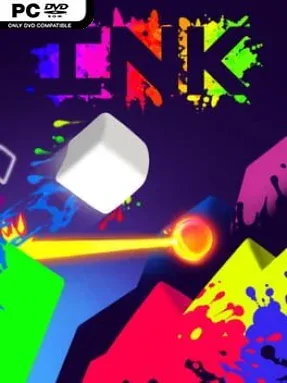
A stark, nearly invisible obstacle course turns every jump into an act of discovery. INK is a demanding precision platformer built around a simple but clever twist: the levels begin hidden, leaving players to reveal walls, floors, hazards, and routes by splashing them with color. Its mood sits somewhere between playful and punishing, with bright paint bursts cutting through black-and-white spaces as failed attempts gradually turn confusion into a readable map. Reaching the exit matters, but many rooms first demand that you stomp every enemy standing in the way.
Movement is fast, tight, and immediately familiar to fans of tough 2D platformers. Running, jumping, wall movement, enemy stomps, and a revealing double jump form the foundation, while the double jump throws paint outward to expose nearby terrain. Crashing into a surface or dying also leaves a permanent splash in the room, so each failure provides useful information rather than resetting all progress; repeated deaths literally build a guide for the next run. Across 75 levels, players learn to read partial clues, avoid spikes and pits, clear enemy-filled chambers, and eventually take on boss encounters that demand sharper reactions and route planning.
What makes INK memorable is how it turns limited visibility into the main puzzle without making success feel random. The paint system gives the game an unusual rhythm: early attempts are reconnaissance, while later ones become confident speedruns through a level you have physically uncovered. Its minimalist presentation keeps attention on clean silhouettes, vibrant color, and responsive controls, while the persistent paint ensures that even brutal rooms feel fairer than their first impression suggests. Anyone who enjoys Super Meat Boy, Celeste-style retry loops, or compact challenge-platformers will find plenty to like, though newcomers should expect deaths to be part of the learning process rather than a sign they are playing badly.
Installation
- Click the green button below to be redirected to UploadHaven.
- Wait 15 seconds, then hit “Free Download.” (Free downloads may be slower — upgrade to UploadHaven Pro for faster speeds.)
- Once downloaded, right-click the .zip file and choose “Extract to INK.” (You’ll need 7-Zip for this.)
- Open the extracted folder and run the game as administrator.
- Enjoy! 🎮 If you see missing DLL errors, check the <strong>_Redist</strong> folder inside and install what’s needed.
System Requirements
- OS: Windows 7 or Later
- Processor: 2 GHz
- Memory: 1 GB RAM
- Graphics: 512 MB VRAM
- DirectX: Version 9.0c
- Storage: 30 MB available space
- Sound Card: Yes
- Additional Notes: The game runs at locked 30 FPS.
Setup Guide & Troubleshooting
How do I fix missing DLL errors for INK (v1.1)?
After extracting INK (v1.1), navigate to the _Redist or _CommonRedist folder inside the game directory and install DirectX, Vcredist, and any other dependencies included.
What should I do if the downloaded file is corrupted?
The full archive is 53.27 MB — make sure your download completed fully before extracting. Use 7-Zip to extract the files. If you still see a "file corrupted" error, re-download and try again.
Why should I run the game as administrator?
Right-click the game executable and select "Run as Administrator" to avoid save file issues and permission errors. This is especially important on the first launch.
How do I update my GPU drivers for this game?
INK (v1.1) requires a 512 MB VRAM or equivalent. Update your NVIDIA or AMD drivers to the latest version for the best performance.
The game won't launch — what should I try?
This game requires Version 9.0c. Try running in compatibility mode, install the latest DirectX runtime, or install the All-in-One VC Redist Package.
My antivirus is blocking the game — is it safe?
Antivirus false positives are common with pre-installed games. Temporarily pause your antivirus during extraction to prevent it from quarantining game files. You can re-enable it after the extraction completes.