
Game Overview
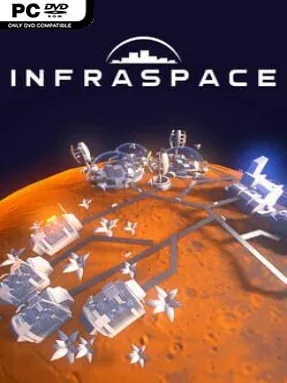
A remote colony survives on planning rather than money, turning a harsh corner of space into a functioning industrial settlement one delivery at a time. InfraSpace is a sci-fi city builder with the soul of a transport-management game: miners pull raw materials from the ground, factories refine them, and every colony district depends on those goods arriving when needed. Its clean, futuristic presentation masks a demanding logistical challenge where oxygen, food, housing, and manufacturing all rely on interconnected supply chains. The mood is methodical and satisfying, but a neglected bottleneck can quickly turn an orderly outpost into a gridlocked mess.
Players begin with a handful of astronauts and basic resource extraction, then expand into steel production, concrete works, farms, power infrastructure, and increasingly specialized industries. Nothing simply appears in storage: individual vehicles carry materials between mines, factories, warehouses, and habitats, making road design central to success. Building multilane routes, highways, roundabouts, intersections, and sensible industrial zones keeps traffic moving as demand rises. Population growth also introduces new needs, shifting the colony from rugged astronaut housing toward engineers, scientists, families, education, entertainment, and more advanced consumer goods. Expansion therefore means constantly balancing production capacity, delivery distance, worker requirements, and the needs of a growing population.
What separates InfraSpace from more relaxed city builders is its unusually granular traffic simulation. Watching each truck make its own trip gives every factory placement and road upgrade real consequences, closer to Cities: Skylines traffic management mixed with the production-chain thinking of Factorio or Anno. The colony grows in visible stages, so solving an early iron shortage can eventually lead to a far more complicated problem involving schools, high-tech products, or a freight network buckling under its own success. It suits players who enjoy diagnosing systems, optimizing layouts, and rebuilding inefficient infrastructure; newcomers can learn its basics gradually, while logistics veterans will find plenty of room to refine every route.
Installation
- Click the green button below to be redirected to UploadHaven.
- Wait 15 seconds, then hit “Free Download.” (Free downloads may be slower — upgrade to UploadHaven Pro for faster speeds.)
- Once downloaded, right-click the .zip file and choose “Extract to InfraSpace.” (You’ll need 7-Zip for this.)
- Open the extracted folder and run the game as administrator.
- Enjoy! 🎮 If you see missing DLL errors, check the <strong>_Redist</strong> folder inside and install what’s needed.
System Requirements
- Requires a 64-bit processor and operating system
- OS: Windows 7, Windows 10
- Processor: Intel i5
- Memory: 4 GB RAM
- Graphics: Intel HD 4000
- Storage: 1 GB available space
Setup Guide & Troubleshooting
How do I fix missing DLL errors for InfraSpace (v1.56.457)?
After extracting InfraSpace (v1.56.457), navigate to the _Redist or _CommonRedist folder inside the game directory and install DirectX, Vcredist, and any other dependencies included.
What should I do if the downloaded file is corrupted?
The full archive is 3.08 GB — make sure your download completed fully before extracting. Use 7-Zip to extract the files. If you still see a "file corrupted" error, re-download and try again.
Why should I run the game as administrator?
Right-click the game executable and select "Run as Administrator" to avoid save file issues and permission errors. This is especially important on the first launch.
How do I update my GPU drivers for this game?
InfraSpace (v1.56.457) requires a Intel HD 4000 or equivalent. Update your NVIDIA or AMD drivers to the latest version for the best performance.
The game won't launch — what should I try?
Try running in compatibility mode, install the latest DirectX runtime, or install the All-in-One VC Redist Package.
My antivirus is blocking the game — is it safe?
Antivirus false positives are common with pre-installed games. Temporarily pause your antivirus during extraction to prevent it from quarantining game files. You can re-enable it after the extraction completes.