
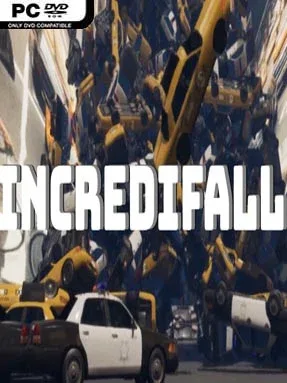
Game Overview
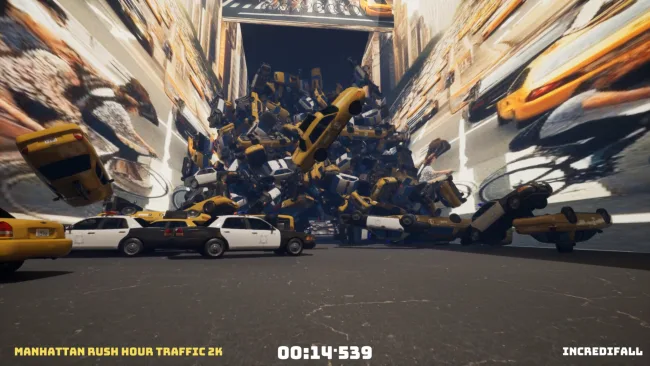
Thousands of tumbling objects turn each stage into a frantic arcade survival course where split-second reactions matter as much as route planning. Incredifall builds its identity around absurd visual clutter: one level may rain down pizzas and beach balls, while another fills the screen with taxis, zebras, furniture, animals, coins, or cardboard. The tone is playful and chaotic rather than grim, but the sheer volume of hazards makes the action surprisingly demanding. Every run asks you to reach the Incredifall marker at the finish while keeping your score high and your completion time low.
The central loop is simple to understand but difficult to master: shoot through one kind of falling object, absorb another for points, and carve a safe path through the constant cascade. Levels 1 through 30 contain around 2,000 spawned objects, while the later half of the campaign raises that pressure to roughly 4,000, creating much denser screens and less room for mistakes. Finishing a stage records both time and score, encouraging players to replay completed levels in pursuit of cleaner routes, faster clears, and stronger point totals. Falling patterns do not repeat exactly after a restart, so memorization only goes so far; adapting to each new avalanche is part of the challenge.
Its strongest feature is the commitment to turning random everyday nonsense into a score-attack obstacle course. Rather than relying on a conventional story or elaborate progression system, Incredifall focuses on immediate, repeatable arcade tension and the satisfaction of improving a personal best. The changing object combinations give the 60 levels a deliberately unpredictable character, and competitive time-and-score chasing adds replay value for players who enjoy leaderboard-minded challenges. It suits arcade veterans looking for a strange, high-pressure reaction test, while newcomers can appreciate the straightforward objective before the later stages begin overwhelming the screen.
Screenshots

Installation
- Select the <strong>Download</strong> button at the top of this page to open UploadHaven.
- On UploadHaven, wait for any countdown, then select <strong>Free Download</strong>. Optional: UploadHaven Pro for faster downloads.
- When complete, extract the archive to a <strong>Incredifall</strong> folder using 7-Zip.
- Open the extracted folder and start the game normally.
- For errors, check <strong>Setup Guide & Troubleshooting</strong> below. Keep your security software enabled.
System Requirements
- Memory: 4 GB RAM
- DirectX: Version 12
- Storage: 3 GB available space
Setup Guide & Troubleshooting
How do I fix missing DLL errors for Incredifall?
After extracting Incredifall, navigate to the _Redist or _CommonRedist folder inside the game directory and install DirectX, Vcredist, and any other dependencies included.
What should I do if the downloaded file is corrupted?
The full archive is 4.48 GB — make sure your download completed fully before extracting. Use 7-Zip to extract the files. If you still see a "file corrupted" error, re-download and try again.
Why should I run the game as administrator?
Right-click the game executable and select "Run as Administrator" to avoid save file issues and permission errors. This is especially important on the first launch.
How do I update my GPU drivers for this game?
Update your NVIDIA or AMD drivers to the latest version for the best performance and compatibility.
The game won't launch — what should I try?
This game requires Version 12. Try running in compatibility mode, install the latest DirectX runtime, or install the All-in-One VC Redist Package.
My antivirus is blocking the game — is it safe?
Antivirus false positives are common with pre-installed games. Temporarily pause your antivirus during extraction to prevent it from quarantining game files. You can re-enable it after the extraction completes.