
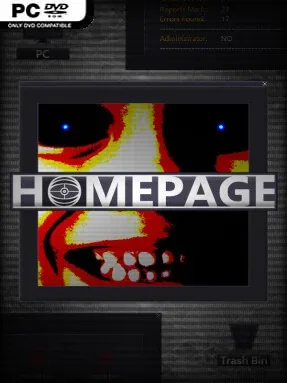
Game Overview
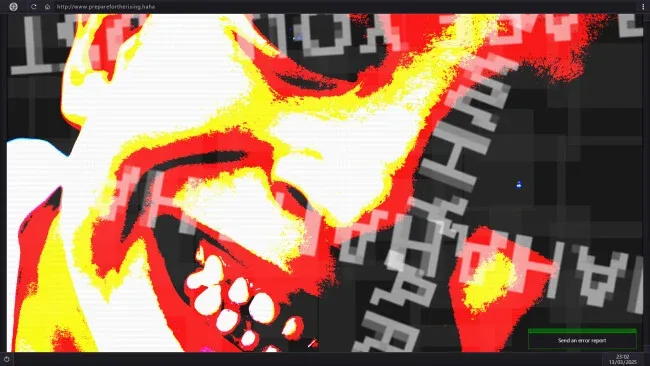
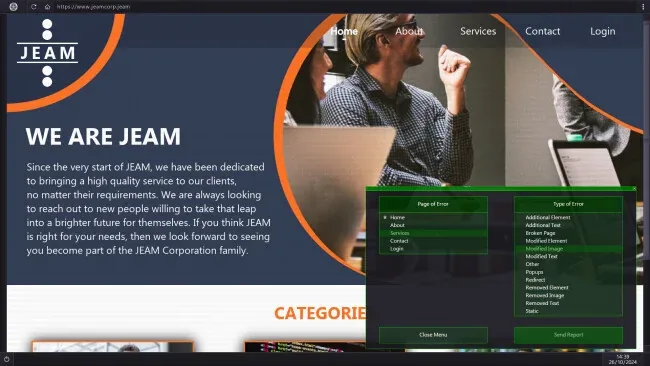
A mundane browser window becomes a nerve-racking workplace in this slow-burn horror mystery about monitoring compromised websites. You work for shadowy contractors who ask you to inspect their online pages, identify suspicious alterations, and stop escalating intrusions before their digital presence collapses. The premise turns familiar internet clutter—broken images, odd messages, corrupted links, and misplaced text—into potential threats, creating an uneasy atmosphere closer to an analogue horror investigation than a traditional haunted-house game.
Each assignment sends you through a simulated desktop packed with browser tabs, emails, folders, documents, and client correspondence. Your main task is to compare a site against what feels normal, spot anomalies hidden among its pages, then submit a report through the in-game system to remove the problem. Speed matters because prompt reports strengthen a site’s defenses and help bring a case to a close sooner, while overlooked changes allow the situation to deteriorate. With more than 200 possible abnormalities distributed across the available sites, success depends on patience, careful reading, visual attention, and a willingness to inspect every corner of the desktop.
What makes HOMEPAGE compelling is its use of mundane computer interaction as the source of tension: opening an email or following an innocuous link can feel far more dangerous than it should. Rather than relying on action or combat, it builds suspense through uncertainty, asking whether a strange detail is an innocent design choice, a technical fault, or evidence of something malicious. The hidden story surrounding the clients, the attacker, and their motives gives repeated investigations a larger purpose beyond chasing a high score. Fans of observation-focused horror such as I’m on Observation Duty, Stories Untold, or unsettling ARG-style mysteries should find plenty to like, especially if they prefer methodical detective work over jump-scare-heavy survival horror.
Screenshots
Installation
- Select the <strong>Download</strong> button at the top of this page to open UploadHaven.
- On UploadHaven, wait for any countdown, then select <strong>Free Download</strong>. Optional: UploadHaven Pro for faster downloads.
- When complete, extract the archive to a <strong>HOMEPAGE</strong> folder using 7-Zip.
- Open the extracted folder and start the game normally.
- For errors, check <strong>Setup Guide & Troubleshooting</strong> below. Keep your security software enabled.
System Requirements
- OS: Windows 10 or later
- Memory: 1 GB RAM
- Storage: 1 GB available space