
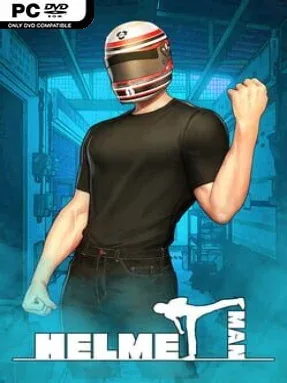
Game Overview
Old Town becomes a troubled urban battleground where a helmeted neighborhood hero takes on criminals, strange incidents, and the gang that has seized control of the district. Helmetman blends roguelike deckbuilding battles with a character-driven visual novel structure, so victories in combat sit alongside conversations, patrols, and story events. Its tone is more grounded than a typical cape-and-superpowers adventure: the protagonist feels like an ordinary person pushing through escalating danger rather than an invincible savior. The campaign’s central goal is clear—drive the Dokkaebi Gang out and win back the streets—but the people encountered along the way give the city its personality.
Combat revolves around building a useful deck, reading enemy threats, and turning individual cards into efficient chains of attacks, defenses, and special effects. Rather than simply playing the strongest card available, players look for combination abilities and combo opportunities that reward planning across a turn. RPG progression adds another layer, with experience gains unlocking skill choices that can shape a more aggressive, defensive, or synergy-focused approach. Food, relics, and other run-changing rewards help cover a deck’s weaknesses, while the roguelike mode strips away much of the narrative safety net and asks how far a carefully assembled build can survive.
What makes Helmetman appealing is the attempt to connect familiar card-battler tension with a street-level story full of cases, citizens, and recurring faces. Story Mode suits players who want context for every fight and enjoy visual-novel dialogue between tactical encounters, whereas Roguelike Mode is the better fit for repeated runs and high-level deck experimentation. Its systems should feel recognizable to fans of Slay the Spire, but the combo focus and urban Korean-inspired gang conflict give it a different flavor. Card-game newcomers can learn through the story-led structure, while deckbuilding veterans are likely to get the most from testing skill, relic, and card interactions.
Installation
- Click the green button below to be redirected to UploadHaven.
- Wait 15 seconds, then hit “Free Download.” (Free downloads may be slower — upgrade to UploadHaven Pro for faster speeds.)
- Once downloaded, right-click the .zip file and choose “Extract to Helmetman.” (You’ll need 7-Zip for this.)
- Open the extracted folder and run the game as administrator.
- Enjoy! 🎮 If you see missing DLL errors, check the <strong>_Redist</strong> folder inside and install what’s needed.
System Requirements
- Requires a 64-bit processor and operating system
- OS: Windows 7
- Processor: Intel Core i5-650 | AMD Phenom II X4 965
- Memory: 6 GB RAM
- Graphics: Nvidia GeForce GTX 650, 1 GB | AMD Radeon HD HD 6950, 2 GB
- DirectX: Version 11
- Storage: 2 GB available space
Setup Guide & Troubleshooting
How do I fix missing DLL errors for Helmetman?
After extracting Helmetman, navigate to the _Redist or _CommonRedist folder inside the game directory and install DirectX, Vcredist, and any other dependencies included.
What should I do if the downloaded file is corrupted?
The full archive is 1.67 GB — make sure your download completed fully before extracting. Use 7-Zip to extract the files. If you still see a "file corrupted" error, re-download and try again.
Why should I run the game as administrator?
Right-click the game executable and select "Run as Administrator" to avoid save file issues and permission errors. This is especially important on the first launch.
How do I update my GPU drivers for this game?
Helmetman requires a Nvidia GeForce GTX 650, 1 GB | AMD Radeon HD HD 6950, 2 GB or equivalent. Update your NVIDIA or AMD drivers to the latest version for the best performance.
The game won't launch — what should I try?
This game requires Version 11. Try running in compatibility mode, install the latest DirectX runtime, or install the All-in-One VC Redist Package.
My antivirus is blocking the game — is it safe?
Antivirus false positives are common with pre-installed games. Temporarily pause your antivirus during extraction to prevent it from quarantining game files. You can re-enable it after the extraction completes.