
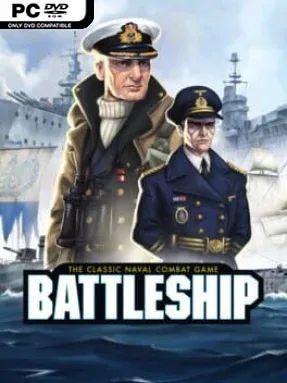
Game Overview
Naval warfare becomes a tense guessing game of grids, nerve, and calculated risks in Hasbro’s BATTLESHIP. Beneath its simple rules lies a sharp two-player duel: secretly arrange a fleet, call out coordinates, and hope the next missile finds steel rather than open water. The mood is competitive but approachable, capturing the satisfying rhythm of the tabletop classic while giving every hit, miss, and sunk vessel a little more dramatic flair. Matches move quickly, yet a single clever deduction can reverse an apparently hopeless battle.
Classic mode sticks closely to the familiar square-board format, asking opponents to hide ships efficiently and build a mental map from the evidence left by missed shots and successful strikes. Online head-to-head play lets friends challenge one another directly, with each round becoming a fresh contest of bluffing, pattern recognition, and probability. A second, more tactical ruleset changes the formula through six commanders, each bringing a special attack that can reveal or devastate several spaces at once. Players fire row-clearing airstrikes, long-range torpedoes, 3×3 bombardments, scattered volleys, multi-cell cannon barrages, and precise finishing attacks while fighting on smaller grids with varied layouts.
What makes this adaptation more than a straightforward digital board game is the commander system’s ability to turn a familiar guessing contest into a battle of timing and power management. Special abilities force players to rethink safe ship placement, since clustering, edges, and open lanes all carry different risks depending on the enemy commander. Historical naval themes and distinct fleet presentations add character without burying the core rules under unnecessary complexity. Fans of the original Battleship, casual strategy players, and anyone looking for a quick competitive alternative to games like Uno or Catan-style tabletop duels will find plenty to enjoy, while experienced players can dig into the tactical mode for more unpredictable mind games.
Installation
- Click the green button below to be redirected to UploadHaven.
- Wait 15 seconds, then hit “Free Download.” (Free downloads may be slower — upgrade to UploadHaven Pro for faster speeds.)
- Once downloaded, right-click the .zip file and choose “Extract to Hasbro's BATTLESHIP.” (You’ll need 7-Zip for this.)
- Open the extracted folder and run the game as administrator.
- Enjoy! 🎮 If you see missing DLL errors, check the <strong>_Redist</strong> folder inside and install what’s needed.
System Requirements
- OS: Windows 7
- Processor: 2 GHz single core processor
- Graphics: DirectX 10 class GPU [1280 x 720]
- Storage: 2 GB available space
- Sound Card: Integrated sound card
Setup Guide & Troubleshooting
How do I fix missing DLL errors for Hasbro’s BATTLESHIP?
After extracting Hasbro’s BATTLESHIP, navigate to the _Redist or _CommonRedist folder inside the game directory and install DirectX, Vcredist, and any other dependencies included.
What should I do if the downloaded file is corrupted?
The full archive is 285.68 MB — make sure your download completed fully before extracting. Use 7-Zip to extract the files. If you still see a "file corrupted" error, re-download and try again.
Why should I run the game as administrator?
Right-click the game executable and select "Run as Administrator" to avoid save file issues and permission errors. This is especially important on the first launch.
How do I update my GPU drivers for this game?
Hasbro’s BATTLESHIP requires a DirectX 10 class GPU [1280 x 720] or equivalent. Update your NVIDIA or AMD drivers to the latest version for the best performance.
The game won't launch — what should I try?
Try running in compatibility mode, install the latest DirectX runtime, or install the All-in-One VC Redist Package.
My antivirus is blocking the game — is it safe?
Antivirus false positives are common with pre-installed games. Temporarily pause your antivirus during extraction to prevent it from quarantining game files. You can re-enable it after the extraction completes.