
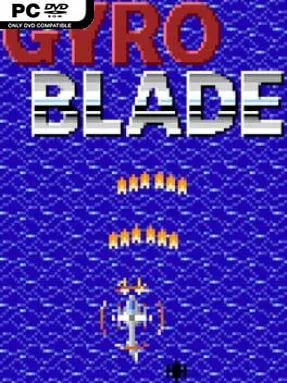
Game Overview
Retro arcade action drives GyroBlade, a compact vertical-scrolling shooter built around pixel-art visuals and immediate, no-frills challenge. Enemy formations, incoming fire, and constantly advancing stages keep the screen busy as you pilot a small craft through eight distinct levels. Its tone is closer to an old-school score-chasing cabinet shooter than a modern bullet-hell epic: fast, readable, and focused on clean survival. The limited scope works in its favor, delivering short runs that ask players to learn patterns and improve with every attempt.
Combat centers on the main weapon rather than a complicated arsenal of bombs, drones, or special systems. Pickups increase its strength, with standard difficulties allowing five power levels while Classic mode uses a more restricted two-level upgrade structure. Players choose between straight shots for concentrated damage and wide shots for covering more of the screen, making weapon choice a practical response to enemy placement rather than a cosmetic preference. Four difficulty settings—Easy, Normal, Hard, and Classic—let newcomers get comfortable with the pace while giving genre regulars a harsher, more traditional test.
GyroBlade stands out through restraint: it takes the familiar vertical shooter formula and avoids burying it beneath elaborate progression systems. The retro presentation supports that philosophy, using clear pixel sprites and scrolling action to keep attention on dodging and shooting. Eight stages make it a lean experience, but the difficulty options and contrasting shot styles encourage repeat runs, especially for players chasing more efficient clears. Fans of classic arcade shoot-’em-ups such as 1942 or early vertical shooters will appreciate its direct design, while newcomers looking for an approachable entry point can begin on Easy before tackling its more demanding modes.
Installation
- Click the green button below to be redirected to UploadHaven.
- Wait 15 seconds, then hit “Free Download.” (Free downloads may be slower — upgrade to UploadHaven Pro for faster speeds.)
- Once downloaded, right-click the .zip file and choose “Extract to GyroBlade.” (You’ll need 7-Zip for this.)
- Open the extracted folder and run the game as administrator.
- Enjoy! 🎮 If you see missing DLL errors, check the <strong>_Redist</strong> folder inside and install what’s needed.
System Requirements
- OS: Windows
- Storage: 71.42 MB available space
- License: Free
Setup Guide & Troubleshooting
How do I fix missing DLL errors for GyroBlade (v1.2.1)?
After extracting GyroBlade (v1.2.1), navigate to the _Redist or _CommonRedist folder inside the game directory and install DirectX, Vcredist, and any other dependencies included.
What should I do if the downloaded file is corrupted?
The full archive is 71.42 MB — make sure your download completed fully before extracting. Use 7-Zip to extract the files. If you still see a "file corrupted" error, re-download and try again.
Why should I run the game as administrator?
Right-click the game executable and select "Run as Administrator" to avoid save file issues and permission errors. This is especially important on the first launch.
How do I update my GPU drivers for this game?
GyroBlade (v1.2.1) requires a 1280 x 720 or equivalent. Update your NVIDIA or AMD drivers to the latest version for the best performance.
The game won't launch — what should I try?
Try running in compatibility mode, install the latest DirectX runtime, or install the All-in-One VC Redist Package.
My antivirus is blocking the game — is it safe?
Antivirus false positives are common with pre-installed games. Temporarily pause your antivirus during extraction to prevent it from quarantining game files. You can re-enable it after the extraction completes.