
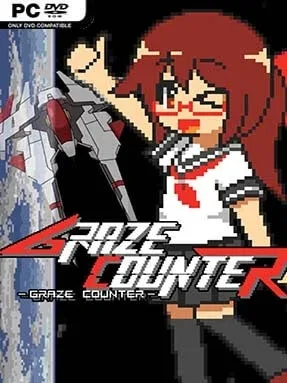
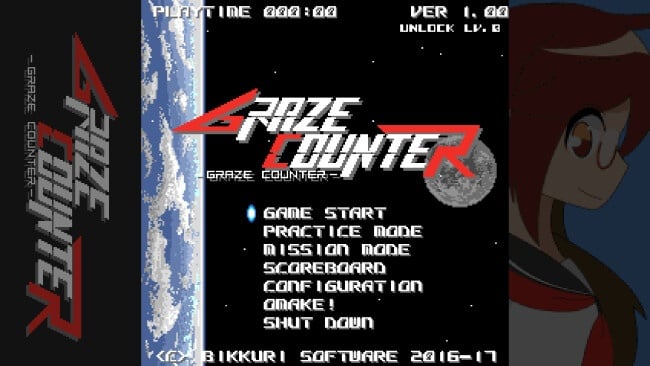
Graze Counter Cover Art

Graze Counter

INDIE 92.73 MB v1.12

Game Overview

A rogue virtual network holds millions of minds captive in the 23rd century, turning a hard-won age of digital prosperity into a high-speed fight for survival. Graze Counter is an arcade shoot-’em-up built around nerve, precision, and the thrill of flying dangerously close to destruction rather than avoiding it outright. Enemy fire fills the screen in dense patterns, but the mood is more exhilarating than oppressive: every near miss can become an opportunity to hit back harder. Its cybernetic crisis gives the action a clear purpose, placing you against EDEN, the system that suddenly locks humanity out of its own network.

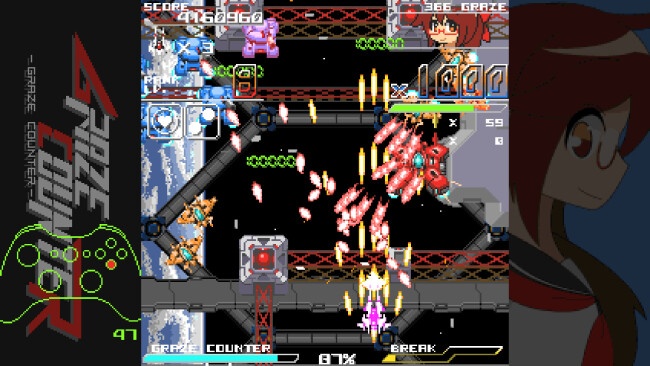
Piloting your craft means weaving through bullet curtains, shooting down hostile forces, and deliberately skimming incoming projectiles to build energy. Grazing attacks charges a powerful counter system, encouraging aggressive positioning and making risky close calls central to scoring and survival. The core loop rewards players who learn enemy patterns, judge tiny gaps, and decide when to cash in stored power for a devastating assault. Newcomers can enjoy the immediate arcade feedback, while genre regulars can chase cleaner runs by mastering the balance between cautious movement and reckless-looking precision.

Its defining idea is that danger is not merely something to dodge; it is fuel for your strongest offense. That reversal gives every firefight a satisfying push-and-pull quality, especially when the screen becomes crowded and a well-timed counter turns panic into control. The futuristic network setting and focused shoot-’em-up structure keep the experience lean, direct, and replayable rather than burying the action under complicated systems. Fans of bullet-hell shooters such as Touhou or the risk-reward mechanics found in modern arcade shmups should find plenty to like, while players seeking a tense, skill-driven challenge will appreciate how boldly it asks them to fly toward the bullets.

Installation

  1. Click the green button below to be redirected to UploadHaven.
  2. Wait 15 seconds, then hit “Free Download.” (Free downloads may be slower — upgrade to UploadHaven Pro for faster speeds.)
  3. Once downloaded, right-click the .zip file and choose “Extract to Graze Counter.” (You’ll need 7-Zip for this.)
  4. Open the extracted folder and run the game as administrator.
  5. Enjoy! 🎮 If you see missing DLL errors, check the <strong>_Redist</strong> folder inside and install what’s needed.

System Requirements

  • OS: Windows 7, 8, 8.1, 10
  • Processor: Celeron 1.2Ghz
  • Memory: 2000 MB RAM
  • Graphics: Onboard
  • DirectX: Version 9.0c
  • Storage: 1.5 GB available space
  • Sound Card: Onboard

Setup Guide & Troubleshooting

How do I fix missing DLL errors for Graze Counter (v1.12)?

After extracting Graze Counter (v1.12), navigate to the _Redist or _CommonRedist folder inside the game directory and install DirectX, Vcredist, and any other dependencies included.

What should I do if the downloaded file is corrupted?

The full archive is 92.73 MB — make sure your download completed fully before extracting. Use 7-Zip to extract the files. If you still see a "file corrupted" error, re-download and try again.

Why should I run the game as administrator?

Right-click the game executable and select "Run as Administrator" to avoid save file issues and permission errors. This is especially important on the first launch.

How do I update my GPU drivers for this game?

Graze Counter (v1.12) requires a  Onboard or equivalent. Update your NVIDIA or AMD drivers to the latest version for the best performance.

The game won't launch — what should I try?

This game requires  Version 9.0c. Try running in compatibility mode, install the latest DirectX runtime, or install the All-in-One VC Redist Package.

My antivirus is blocking the game — is it safe?

Antivirus false positives are common with pre-installed games. Temporarily pause your antivirus during extraction to prevent it from quarantining game files. You can re-enable it after the extraction completes.

Need more help? Browse our FAQ & Troubleshooting Guide for solutions to common issues.
Looking for something else? Explore all games on Steam Unlocked