
Game Overview
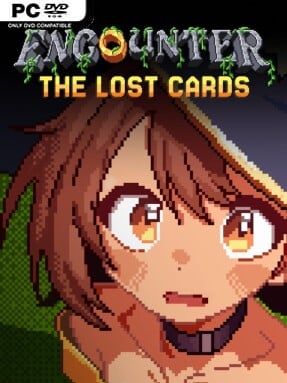
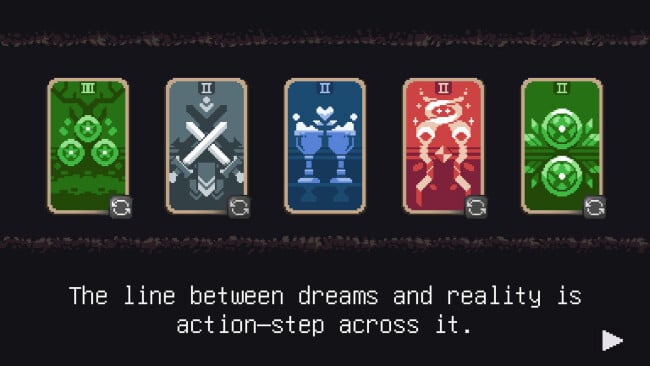
Fate arrives as a shuffled Tarot deck in this compact, turn-based roguelike, where every card can offer salvation, trouble, or a difficult compromise. Encounter: The Lost Cards trades a conventional overworld for a run built from unpredictable situations, giving its pixel-art adventure a tense, tabletop-like rhythm. One draw may introduce a hostile opponent, while the next asks you to negotiate with a stranger, accept a curse, or sacrifice something valuable for a chance at survival. The mood is playful on the surface, but its decision-making is unforgiving enough to make every lucky break feel earned.
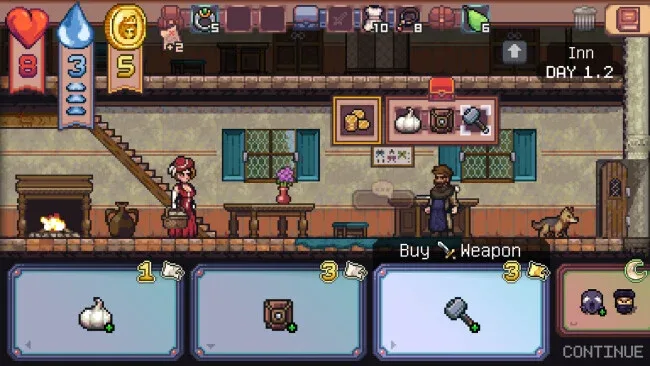
Runs begin with limited supplies and quickly become exercises in reading danger before it becomes fatal. Combat revolves around an action economy, so attacks, items, and defensive plays all compete for finite energy and resources rather than allowing mindless damage spam. Players collect equipment, improve stats, manipulate the encounter deck, and assemble synergies that let a weak-looking build survive a brutal sequence of cards. Inventory space, food, breakable gear, and scarce consumables matter constantly; taking an item usually means deciding what no longer deserves a slot, while retreating or taking a short-term loss can preserve a run for later.
Its strongest idea is how naturally deck-driven randomness and survival management feed into one another. More than 100 encounters adapt to your condition, meaning an event that feels like a generous opportunity early on can become a genuine disaster once supplies run thin, and over 250 items support a wide range of improvised builds. Nostalgic pixel visuals keep the presentation approachable, but the systems reward careful action sequencing, experimentation, and a willingness to learn from failed runs. Fans of Slay the Spire-style route planning, traditional roguelike scarcity, and turn-based RPG fights should find plenty to chew on, while newcomers can grasp the basics quickly before uncovering the deeper tactical layers.
Screenshots
Installation
- Click the green button below to be redirected to UploadHaven.
- Wait 15 seconds, then hit “Free Download.” (Free downloads may be slower — upgrade to UploadHaven Pro for faster speeds.)
- Once downloaded, right-click the .zip file and choose “Extract to Encounter: The Lost Cards.” (You’ll need 7-Zip for this.)
- Open the extracted folder and run the game as administrator.
- Enjoy! 🎮 If you see missing DLL errors, check the <strong>_Redist</strong> folder inside and install what’s needed.
System Requirements
- Requires a 64-bit processor and operating system
- OS *: Windows 7/8/10/11 (64-bit)
- Processor: Intel Core i3 or equivalent (2.4 GHz)
- Memory: 1 GB RAM
- Graphics: Integrated graphics card
- DirectX: Version 10
- Network: Broadband Internet connection
- Storage: 200 MB available space
Setup Guide & Troubleshooting
How do I fix missing DLL errors for Encounter: The Lost Cards (v1.3.5)?
After extracting Encounter: The Lost Cards (v1.3.5), navigate to the _Redist or _CommonRedist folder inside the game directory and install DirectX, Vcredist, and any other dependencies included.
What should I do if the downloaded file is corrupted?
The full archive is 245.33 MB — make sure your download completed fully before extracting. Use 7-Zip to extract the files. If you still see a "file corrupted" error, re-download and try again.
Why should I run the game as administrator?
Right-click the game executable and select "Run as Administrator" to avoid save file issues and permission errors. This is especially important on the first launch.
How do I update my GPU drivers for this game?
Encounter: The Lost Cards (v1.3.5) requires a Integrated graphics card or equivalent. Update your NVIDIA or AMD drivers to the latest version for the best performance.
The game won't launch — what should I try?
This game requires Version 10. Try running in compatibility mode, install the latest DirectX runtime, or install the All-in-One VC Redist Package.
My antivirus is blocking the game — is it safe?
Antivirus false positives are common with pre-installed games. Temporarily pause your antivirus during extraction to prevent it from quarantining game files. You can re-enable it after the extraction completes.