
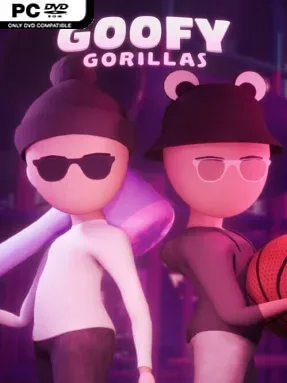
Game Overview
A colourful virtual play centre forms the backdrop for a chaotic social multiplayer experience built around childhood games, oversized toys, and friendly sabotage. Goofy Gorillas casts players as playful primates loose in an indoor venue packed with ball pits, slides, sports areas, and hidden distractions. Its mood stays deliberately silly rather than competitive-serious, whether you are quietly hiding from friends or bashing them with inflatable equipment. The appeal lies in having a shared digital hangout where a casual conversation can suddenly become a full-scale dodgeball ambush.
Matches revolve around variations of hide-and-seek and free-for-all battles, with dodgeballs, inflatable hammers, and boxing gloves turning pursuit into slapstick combat. Players earn Goofy Points through activities and games, then level up to unlock cosmetic rewards for customizing their gorilla and showing off in public spaces. Outside the main modes, the venue supports unstructured play: kick a ball around on the football pitch, bowl on two lanes, shoot basketballs, or race through the ball pits and slides. That social-hub focus means there is still something to do when a group does not want the pressure of a formal match.
Rather than chasing the precision movement or tense survival of Gorilla Tag, Goofy Gorillas leans into the atmosphere of an old indoor playground and treats its minigames as excuses to laugh with friends. The environment sounds designed for experimentation, with sports facilities tucked into the larger play area and simple toys that encourage players to invent their own diversions. Cosmetic progression gives regular groups a reason to keep returning, although the game’s long-term strength naturally depends on having friends or an active community online. It suits players looking for a lighthearted social sandbox, especially fans of party games such as Rec Room or Gang Beasts who prefer goofy interaction over high-stakes competition.
Installation
- Click the green button below to be redirected to UploadHaven.
- Wait 15 seconds, then hit “Free Download.” (Free downloads may be slower — upgrade to UploadHaven Pro for faster speeds.)
- Once downloaded, right-click the .zip file and choose “Extract to Goofy Gorillas.” (You’ll need 7-Zip for this.)
- Open the extracted folder and run the game as administrator.
- Enjoy! 🎮 If you see missing DLL errors, check the <strong>_Redist</strong> folder inside and install what’s needed.
System Requirements
- Requires a 64-bit processor and operating system
- OS: 7, 8.1, 10, 11
- Processor: Quad-core Intel or AMD, 2.5 GHz.
- Memory: 8 GB RAM
- Graphics: GTX 1080
- DirectX: Version 12
- Storage: 600 MB available space
Setup Guide & Troubleshooting
How do I fix missing DLL errors for Goofy Gorillas (v2026.06.05)?
After extracting Goofy Gorillas (v2026.06.05), navigate to the _Redist or _CommonRedist folder inside the game directory and install DirectX, Vcredist, and any other dependencies included.
What should I do if the downloaded file is corrupted?
The full archive is 493.11 MB — make sure your download completed fully before extracting. Use 7-Zip to extract the files. If you still see a "file corrupted" error, re-download and try again.
Why should I run the game as administrator?
Right-click the game executable and select "Run as Administrator" to avoid save file issues and permission errors. This is especially important on the first launch.
How do I update my GPU drivers for this game?
Goofy Gorillas (v2026.06.05) requires a GTX 1080 or equivalent. Update your NVIDIA or AMD drivers to the latest version for the best performance.
The game won't launch — what should I try?
This game requires Version 12. Try running in compatibility mode, install the latest DirectX runtime, or install the All-in-One VC Redist Package.
My antivirus is blocking the game — is it safe?
Antivirus false positives are common with pre-installed games. Temporarily pause your antivirus during extraction to prevent it from quarantining game files. You can re-enable it after the extraction completes.