
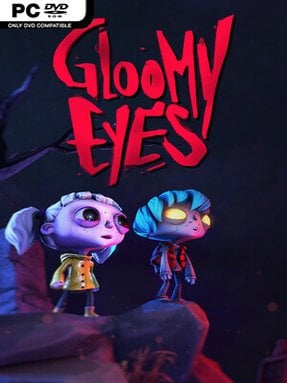
Game Overview
Eternal night turns a quarrel between humans and zombies into the backdrop for a surprisingly tender fairy tale. Gloomy Eyes follows Gloomy, a gentle zombie boy, and Nena, a rebellious human girl, as they form an outlawed friendship and search for the missing sun. Rather than leaning on gore or cheap shocks, the adventure builds its mood through crooked architecture, graveyard whimsy, and a melancholy storybook tone. An old gravekeeper narrates the tale, giving the journey the feel of a dark bedtime fable with real warmth beneath its gloomy surface.
Play revolves around guiding both heroes through compact environmental puzzle stages, swapping between them whenever an obstacle calls for a different talent. Gloomy and Nena each interact with the world in their own ways, so progress depends on positioning one character, opening a route, and then using the other to complete the next part of the chain. Levels encourage careful observation rather than fast reflexes, with mechanisms, hidden paths, and spatial challenges tucked into richly detailed miniature settings. It remains a strictly solo experience, but the two-character design gives every puzzle the cooperative rhythm of co-op without requiring a second player.
Its most distinctive feature is the presentation: every area resembles a handcrafted rotatable diorama that can be examined from several angles. Shifting the camera is more than decoration, since changing perspective reveals routes and secrets that are invisible from the wrong side of the scene. The visual language recalls Tim Burton’s playful gothic imagery, yet the story aims for heartfelt melancholy instead of horror, making it approachable for players who dislike frightening games. Fans of atmospheric puzzle adventures such as Little Nightmares, The Lost Vikings, or Creaks should find plenty to enjoy, especially if they value visual craft and gentle brainteasers over demanding action.
Installation
- Click the green button below to be redirected to UploadHaven.
- Wait 15 seconds, then hit “Free Download.” (Free downloads may be slower — upgrade to UploadHaven Pro for faster speeds.)
- Once downloaded, right-click the .zip file and choose “Extract to Gloomy Eyes.” (You’ll need 7-Zip for this.)
- Open the extracted folder and run the game as administrator.
- Enjoy! 🎮 If you see missing DLL errors, check the <strong>_Redist</strong> folder inside and install what’s needed.
System Requirements
- Requires a 64-bit processor and operating system
- OS *: Windows 7
- Processor: Intel i5-6400 or AMD FX-8350
- Memory: 8 GB RAM
- Graphics: NVIDIA GTX 1050 Ti or AMD Radeon RX 580
- Storage: 500 MB available space
Setup Guide & Troubleshooting
How do I fix missing DLL errors for Gloomy Eyes?
After extracting Gloomy Eyes, navigate to the _Redist or _CommonRedist folder inside the game directory and install DirectX, Vcredist, and any other dependencies included.
What should I do if the downloaded file is corrupted?
The full archive is 3.85 GB — make sure your download completed fully before extracting. Use 7-Zip to extract the files. If you still see a "file corrupted" error, re-download and try again.
Why should I run the game as administrator?
Right-click the game executable and select "Run as Administrator" to avoid save file issues and permission errors. This is especially important on the first launch.
How do I update my GPU drivers for this game?
Gloomy Eyes requires a NVIDIA GTX 1050 Ti or AMD Radeon RX 580 or equivalent. Update your NVIDIA or AMD drivers to the latest version for the best performance.
The game won't launch — what should I try?
Try running in compatibility mode, install the latest DirectX runtime, or install the All-in-One VC Redist Package.
My antivirus is blocking the game — is it safe?
Antivirus false positives are common with pre-installed games. Temporarily pause your antivirus during extraction to prevent it from quarantining game files. You can re-enable it after the extraction completes.