
Game Overview
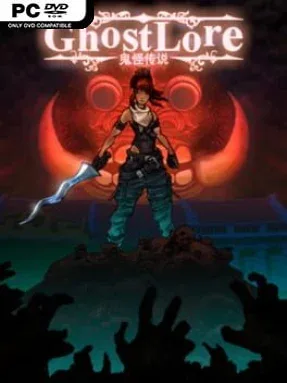
Southeast Asian folklore gives this action RPG a monster roster unlike the usual parade of skeletons and demons. Ghostlore casts players as a monster hunter travelling through a fictionalized region shaped by Singapore, Malaysia, Indonesia, and the wider maritime Southeast Asia, where hungry ghosts, cursed sorcerers, and flying entrail-draped horrors stalk the roads. Its mood lands somewhere between colourful pulp adventure and genuine supernatural unease, with grotesque creatures drawn from legends that rarely receive this kind of spotlight. The result feels familiar in its loot-driven structure but fresh in the stories it chooses to tell.
Combat revolves around fast clicks, active skills, evasive positioning, and the constant pursuit of better weapons, armour, and magical modifiers. Players choose a starting class, then build toward hybrid archetypes by combining masteries, allowing a fighter to pick up elemental magic, summons, ranged attacks, or more specialized defensive tools. Randomized zones, enemy packs, and drops keep repeated runs moving, while each creature type has its own behaviour and folklore-inspired identity rather than serving as a simple reskin. Between battles, food preparation provides temporary stat boosts, adding a distinctly regional twist to the usual cycle of clearing areas, returning to town, and refining a build.
The standout feature is its “Eastpunk” identity: hand-drawn isometric environments, local dishes, and regional myths make the world feel specific rather than generically exotic. Character customization goes deeper than the surface-level loot chase thanks to its flexible skill development and glyph-like systems that let players shape abilities around their preferred playstyle. Ghostlore has the approachable rhythm of Diablo II and Titan Quest, but its setting and enemy design give veteran ARPG players a reason to pay attention. It suits newcomers who want straightforward hack-and-slash action, while theorycrafters and repeat-run fans get enough build experimentation and procedural variation to stay engaged.
Installation
- Click the green button below to be redirected to UploadHaven.
- Wait 15 seconds, then hit “Free Download.” (Free downloads may be slower — upgrade to UploadHaven Pro for faster speeds.)
- Once downloaded, right-click the .zip file and choose “Extract to Ghostlore.” (You’ll need 7-Zip for this.)
- Open the extracted folder and run the game as administrator.
- Enjoy! 🎮 If you see missing DLL errors, check the <strong>_Redist</strong> folder inside and install what’s needed.
System Requirements
- Requires a 64-bit processor and operating system
- OS: Windows 7 or later
- Processor: Intel Core i3
- Memory: 4 GB RAM
- Storage: 500 MB available space
Setup Guide & Troubleshooting
How do I fix missing DLL errors for Ghostlore (v1.111b)?
After extracting Ghostlore (v1.111b), navigate to the _Redist or _CommonRedist folder inside the game directory and install DirectX, Vcredist, and any other dependencies included.
What should I do if the downloaded file is corrupted?
The full archive is 214.52 MB — make sure your download completed fully before extracting. Use 7-Zip to extract the files. If you still see a "file corrupted" error, re-download and try again.
Why should I run the game as administrator?
Right-click the game executable and select "Run as Administrator" to avoid save file issues and permission errors. This is especially important on the first launch.
How do I update my GPU drivers for this game?
Update your NVIDIA or AMD drivers to the latest version for the best performance and compatibility.
The game won't launch — what should I try?
Try running in compatibility mode, install the latest DirectX runtime, or install the All-in-One VC Redist Package.
My antivirus is blocking the game — is it safe?
Antivirus false positives are common with pre-installed games. Temporarily pause your antivirus during extraction to prevent it from quarantining game files. You can re-enable it after the extraction completes.