
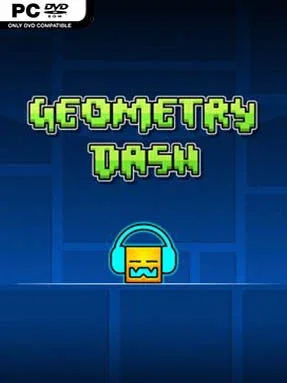
Game Overview
Neon hazard courses turn a single button into a demanding test of reflexes, memory, and rhythm. Geometry Dash is an unforgiving action platformer where a small geometric avatar races automatically through obstacle-filled levels synchronized to energetic electronic tracks. Spikes, sawblades, narrow tunnels, and sudden gravity shifts make even short stages feel tense, while each collision sends you instantly back to the beginning or a practice checkpoint. The mood is bright and arcade-like, but its difficulty is famously relentless.
Players tap or click to jump, hold inputs to control certain vehicles, and react to rapid transformations that turn the cube into ships, balls, UFOs, waves, spiders, and more. Each form follows different movement rules, so a level constantly tests whether you can adapt to flying sections, inverted gravity, timed portals, and deceptively placed traps. Progress comes through repetition: practice mode lets you place checkpoints and learn dangerous sequences before attempting a clean full run. Completing stages unlocks icons, colors, achievements, and cosmetic options, while the core campaign steadily introduces more complicated rhythms and mechanics.
The standout feature is the enormous player-created level scene, supported by a robust in-game editor that lets creators build courses, time effects to music, and share their work online. That community turns the experience far beyond its official stages, ranging from approachable rhythm runs to elaborate visual showcases and brutally precise expert challenges. Its clean geometric presentation makes every hazard readable, even when the screen fills with flashing effects and movement, and the soundtrack gives successful runs a satisfying musical flow. Fans of Super Meat Boy’s repetition-driven challenge or rhythm games built around perfect timing find plenty to love, though newcomers should expect failure to be part of the learning process.
Installation
- Click the green button below to be redirected to UploadHaven.
- Wait 15 seconds, then hit “Free Download.” (Free downloads may be slower — upgrade to UploadHaven Pro for faster speeds.)
- Once downloaded, right-click the .zip file and choose “Extract to Geometry Dash.” (You’ll need 7-Zip for this.)
- Open the extracted folder and run the game as administrator.
- Enjoy! 🎮 If you see missing DLL errors, check the <strong>_Redist</strong> folder inside and install what’s needed.
System Requirements
- OS: Windows XP
- Processor: 2.0+ GHz
- Memory: 512 MB RAM
- Graphics: OpenGL 2.0 support
- Storage: 100 MB available space
Setup Guide & Troubleshooting
Is Geometry Dash (2.2081) free to download on Steam Unlocked?
Yes, Geometry Dash (2.2081) is available as a full-version direct download on Steam Unlocked with verified mirror links and complete release files.
How do I install Geometry Dash without errors?
Download the complete archive from the mirror links, extract using 7-Zip or WinRAR into a path without special characters, install any required runtime redistributables, and launch the main executable.
Does this release of Geometry Dash include the latest updates?
This listing provides build 2.2081 of Geometry Dash, tested for offline play and compatibility with modern operating systems and emulators.
What should I do if Geometry Dash crashes on startup?
Verify that your GPU drivers and Visual C++ / DirectX runtimes are updated, run the executable as administrator, and ensure your antivirus did not block any extracted game files.