
Game Overview
Disk space becomes a genuine enemy once a library includes several modern open-world releases, and this utility tackles that problem without asking players to uninstall anything. Game Compressor is a focused Windows storage-management tool that applies NTFS-level LZX compression to installed game files, reducing their physical footprint while leaving them usable in their normal folders. The appeal is practical rather than flashy: it is built for SSD owners, Windows handheld users, and anyone tired of choosing which 100GB game has to go. Compression happens outside the game itself, so there are no archive files to unpack before launching.
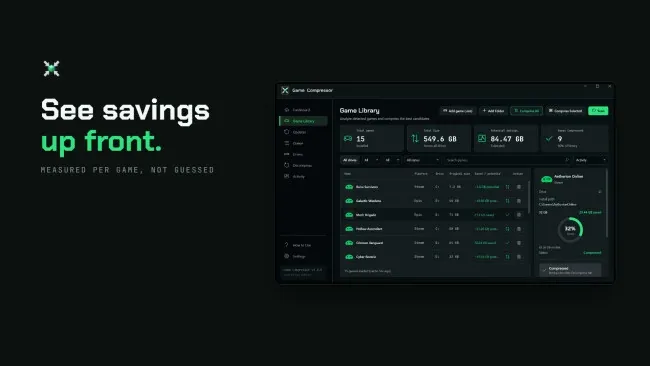
The main loop begins with a library scan, after which the software lists installed games, their current size, compression status, and an estimate of the storage each one may recover. That estimate matters because many games already ship with tightly packed assets, while others can surrender a meaningful amount of space; the tool helps identify worthwhile candidates before committing to a lengthy operation. Selected titles enter a queue for sequential processing, and Windows continues to present compressed files normally to the launcher and game executable. An update-tracking section flags titles whose patches add or replace files, letting users run compression again, while a decompression option restores any chosen installation to its ordinary disk usage.
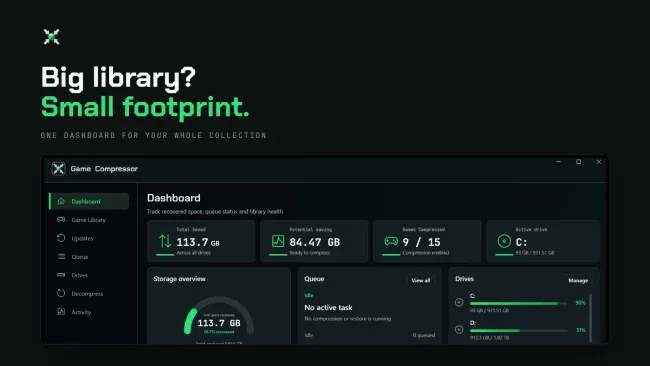
What separates it from generic archive software is its transparent approach: games stay installed, launch normally, and do not need extraction every time they are played. The interface also centralizes multiple libraries and drives, total saved capacity, operation history, and warnings, making it more useful for maintaining a large collection than firing off one-off command-line compression jobs. Results naturally vary by file type, and compression can involve some CPU overhead during file access, so it is not a miracle solution for every title. Players comfortable with Windows storage tools may find it convenient rather than essential, but for limited-capacity SSDs and devices like the ROG Ally, Game Compressor is a sensible, reversible way to keep more games ready to play.
Screenshots
Installation
- Select the <strong>Download</strong> button at the top of this page to open UploadHaven.
- On UploadHaven, wait for any countdown, then select <strong>Free Download</strong>. Optional: UploadHaven Pro for faster downloads.
- When complete, extract the archive to a <strong>Game Compressor</strong> folder using 7-Zip.
- Open the extracted folder and start the game normally.
- For errors, check <strong>Setup Guide & Troubleshooting</strong> below. Keep your security software enabled.
System Requirements
- Requires a 64-bit processor and operating system
- OS: Windows 10 (64-bit)
- Processor: Intel Core i3 or AMD equivalent
- Memory: 4 GB RAM
- Graphics: DirectX 11 compatible graphics card
- Storage: 500 MB available space