
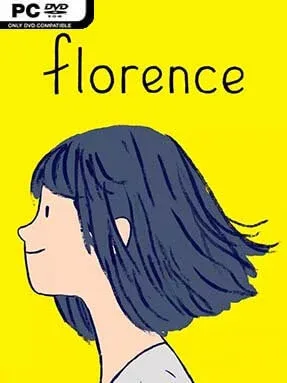
Game Overview
A quiet commute, a dead-end office routine, and the glow of a phone screen frame an intimate story about a young woman whose life has become painfully repetitive. Florence follows 25-year-old Florence Yeoh as a chance encounter with Krish, a cellist chasing his own creative ambitions, brings colour and uncertainty back into her days. Rather than treating romance as a grand fantasy, it focuses on the small, recognizable moments that define a relationship: awkward first conversations, shared routines, arguments, compromise, and the difficult reality of change. The tone is warm, melancholy, and deeply human, delivering an emotionally complete tale in roughly half an hour.
Interaction comes through a series of short, context-sensitive minigames instead of conventional exploration or dialogue trees. Early conversations ask players to assemble speech bubbles like puzzle pieces, with the pieces becoming larger and simpler as Florence and Krish grow more comfortable together. Everyday actions—brushing teeth, packing belongings, playing music, scrolling through social feeds, and sorting memories—become tactile little scenes that communicate feeling without needing much text. Later sequences cleverly reshape those mechanics to reflect tension and distance, making even simple inputs feel heavier when the relationship begins to strain. There is no combat, fail state, or demanding challenge; the focus stays firmly on pacing, observation, and emotional participation.
Its hand-drawn art, expressive animation, and restrained use of words give the story a graphic-novel intimacy that remains memorable long after the credits. Florence understands that love can be meaningful even when it is temporary, and it avoids easy villains or melodramatic twists in favor of honest emotional detail. Players who enjoy the narrative sensitivity of Gris, the wordless storytelling of Journey, or the relationship-focused atmosphere of Life is Strange find much to appreciate, though the experience is far shorter and more linear than any of them. It is an excellent choice for newcomers to interactive fiction and veterans looking for a focused, reflective game that respects their time.
Installation
- Click the green button below to be redirected to UploadHaven.
- Wait 15 seconds, then hit “Free Download.” (Free downloads may be slower — upgrade to UploadHaven Pro for faster speeds.)
- Once downloaded, right-click the .zip file and choose “Extract to Florence.” (You’ll need 7-Zip for this.)
- Open the extracted folder and run the game as administrator.
- Enjoy! 🎮 If you see missing DLL errors, check the <strong>_Redist</strong> folder inside and install what’s needed.
System Requirements
- Requires a 64-bit processor and operating system
- OS: Windows 7, 64-bit
- Processor: 2.8GHz CPU Quad Core
- Memory: 8 GB RAM
- Graphics: Geforce GTX 860 or equivalent
- DirectX: Version 10
- Storage: 2 GB available space
- Sound Card: DirectX Compatible Sound Card
Setup Guide & Troubleshooting
How do I fix missing DLL errors for Florence (v1.0.1.4373)?
After extracting Florence (v1.0.1.4373), navigate to the _Redist or _CommonRedist folder inside the game directory and install DirectX, Vcredist, and any other dependencies included.
What should I do if the downloaded file is corrupted?
The full archive is 266.73 MB — make sure your download completed fully before extracting. Use 7-Zip to extract the files. If you still see a "file corrupted" error, re-download and try again.
Why should I run the game as administrator?
Right-click the game executable and select "Run as Administrator" to avoid save file issues and permission errors. This is especially important on the first launch.
How do I update my GPU drivers for this game?
Florence (v1.0.1.4373) requires a Geforce GTX 860 or equivalent or equivalent. Update your NVIDIA or AMD drivers to the latest version for the best performance.
The game won't launch — what should I try?
This game requires Version 10. Try running in compatibility mode, install the latest DirectX runtime, or install the All-in-One VC Redist Package.
My antivirus is blocking the game — is it safe?
Antivirus false positives are common with pre-installed games. Temporarily pause your antivirus during extraction to prevent it from quarantining game files. You can re-enable it after the extraction completes.