
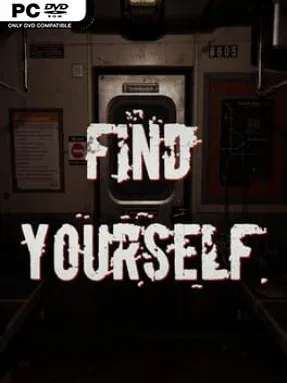
Game Overview
A claustrophobic subway becomes the stage for a psychological horror story about trauma, memory, and the fears that refuse to stay buried. Find Yourself follows a protagonist living with post-traumatic stress after childhood abuse, whose unusual ability lets him detach from his physical body and perceive an unsettling astral plane. The tone is deliberately slow, somber, and oppressive rather than action-heavy, using dim train cars and empty stations to make ordinary public spaces feel hostile. Its horror comes from anticipation, disturbing sound design, and the uncomfortable sense that the past is always close behind.
Progress revolves around carefully moving through subway carriages, examining environments, and uncovering fragments of the protagonist’s history as locations shift around him. Astral separation is the central hook: leaving the body opens another layer of reality, allowing the player to hear or notice events that are obscured in the physical world. Expect a walking-simulator structure built around observation and environmental storytelling rather than combat, with hidden details rewarding players who take time to search corners and revisit their assumptions. The journey repeatedly forces the hero toward phobias he has spent years managing, making each new space feel like both a real location and a reflection of his mental state.
What stands out is the way the subway setting serves as more than a backdrop; its confined corridors, repetitive architecture, and constant movement suit a story about being trapped in recurring memories. Changes in scenery communicate parts of the narrative, so the game trusts visual and audio cues as much as direct exposition. Players who enjoy the restrained, first-person unease of Layers of Fear, P.T.-style corridor horror, or narrative-focused indie walking simulators will find the strongest appeal here. It is best suited to patient horror fans who prefer psychological tension and secret-hunting over chases, weapons, and traditional survival-horror systems.
Installation
- Click the green button below to be redirected to UploadHaven.
- Wait 15 seconds, then hit “Free Download.” (Free downloads may be slower — upgrade to UploadHaven Pro for faster speeds.)
- Once downloaded, right-click the .zip file and choose “Extract to Find Yourself.” (You’ll need 7-Zip for this.)
- Open the extracted folder and run the game as administrator.
- Enjoy! 🎮 If you see missing DLL errors, check the <strong>_Redist</strong> folder inside and install what’s needed.
System Requirements
- Requires a 64-bit processor and operating system
- OS: WINDOWS® 7, 8, 8.1, 10 (64-BIT Required)
- Processor: Intel® Core™ i5-3470 or AMD Ryzen™ 3 1200
- Memory: 8 GB RAM
- Graphics: NVIDIA® GeForce® GTX 760 2GB / AMD Radeon R9 280 3GB
- DirectX: Version 11
- Storage: 9 GB available space
Setup Guide & Troubleshooting
How do I fix missing DLL errors for Find Yourself (v1.1.7)?
After extracting Find Yourself (v1.1.7), navigate to the _Redist or _CommonRedist folder inside the game directory and install DirectX, Vcredist, and any other dependencies included.
What should I do if the downloaded file is corrupted?
The full archive is 4.92 GB — make sure your download completed fully before extracting. Use 7-Zip to extract the files. If you still see a "file corrupted" error, re-download and try again.
Why should I run the game as administrator?
Right-click the game executable and select "Run as Administrator" to avoid save file issues and permission errors. This is especially important on the first launch.
How do I update my GPU drivers for this game?
Find Yourself (v1.1.7) requires a NVIDIA® GeForce® GTX 760 2GB / AMD Radeon R9 280 3GB or equivalent. Update your NVIDIA or AMD drivers to the latest version for the best performance.
The game won't launch — what should I try?
This game requires Version 11. Try running in compatibility mode, install the latest DirectX runtime, or install the All-in-One VC Redist Package.
My antivirus is blocking the game — is it safe?
Antivirus false positives are common with pre-installed games. Temporarily pause your antivirus during extraction to prevent it from quarantining game files. You can re-enable it after the extraction completes.