
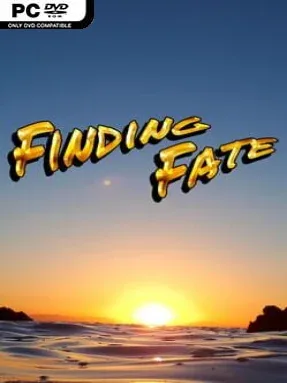
Game Overview
A journalist’s investigation becomes a personal reckoning in this episodic hidden-object mystery. Fate moves through photorealistic crime scenes, offices, streets, and other carefully cluttered locations while pursuing cases that gradually expose fragments of her own forgotten history. Each chapter introduces a fresh assignment and supporting cast, but the larger appeal lies in the continuing question of who Fate is and why her past refuses to stay buried. The mood balances accessible casual puzzling with a lightly noir, comic-book-styled detective story.
Most of the action revolves around studying detailed scenes for listed objects, then revisiting those environments as an investigation develops. Levels require multiple passes before a location is fully cleared, encouraging players to learn their layouts rather than simply make one quick sweep. Alternate variants keep familiar scenes from becoming routine: night mode reduces visibility, mirrored layouts scramble visual memory, and anagram or difference-finding challenges demand more attention than standard item hunts. A separate timed challenge mode rewards fast, accurate searches with medals, making it a solid fit for players who want to improve scores after completing the narrative material.
Finding Fate stands out through its television-like structure, combining self-contained cases with an ongoing protagonist mystery rather than treating every hidden-object board as unrelated filler. The contrast between realistic backgrounds and illustrated character portraits gives its investigations a distinctive presentation without sacrificing clarity when searching for items. Online progress storage also suits a game designed around returning for additional episodes and weekly-style challenges. Players who enjoy the casework of casual detective adventures, or the methodical scene-scanning of games like Hidden Folks’ more relaxed cousins, find an easy entry point here, while completionists have tougher modes and gold-medal pursuits to master.
Installation
- Click the green button below to be redirected to UploadHaven.
- Wait 15 seconds, then hit “Free Download.” (Free downloads may be slower — upgrade to UploadHaven Pro for faster speeds.)
- Once downloaded, right-click the .zip file and choose “Extract to Finding Fate.” (You’ll need 7-Zip for this.)
- Open the extracted folder and run the game as administrator.
- Enjoy! 🎮 If you see missing DLL errors, check the <strong>_Redist</strong> folder inside and install what’s needed.
System Requirements
- Requires a 64-bit processor and operating system
- OS: Windows 7
- Processor: 1 Ghz
- Memory: 4 GB RAM
- Network: Broadband Internet connection
- Storage: 200 MB available space
Setup Guide & Troubleshooting
How do I fix missing DLL errors for Finding Fate?
After extracting Finding Fate, navigate to the _Redist or _CommonRedist folder inside the game directory and install DirectX, Vcredist, and any other dependencies included.
What should I do if the downloaded file is corrupted?
The full archive is 86.37 MB — make sure your download completed fully before extracting. Use 7-Zip to extract the files. If you still see a "file corrupted" error, re-download and try again.
Why should I run the game as administrator?
Right-click the game executable and select "Run as Administrator" to avoid save file issues and permission errors. This is especially important on the first launch.
How do I update my GPU drivers for this game?
Update your NVIDIA or AMD drivers to the latest version for the best performance and compatibility.
The game won't launch — what should I try?
Try running in compatibility mode, install the latest DirectX runtime, or install the All-in-One VC Redist Package.
My antivirus is blocking the game — is it safe?
Antivirus false positives are common with pre-installed games. Temporarily pause your antivirus during extraction to prevent it from quarantining game files. You can re-enable it after the extraction completes.