
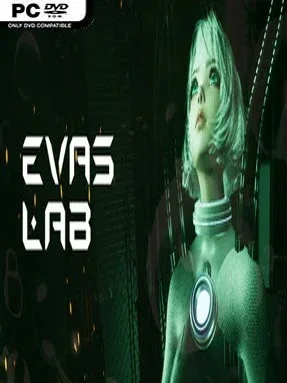
Game Overview
A sterile laboratory becomes a surprisingly elastic puzzle playground in Eva’s Lab, a first-person indie adventure built around manipulating force fields rather than firing weapons. You wake as Eva with little context, guided by the disembodied artificial intelligence Omega toward an apparent escape route. The mood starts clean, clinical, and mysterious, then gradually leans into the uneasy question of whether your helpful AI companion is telling the whole truth. Beneath the escape-room structure sits a light narrative about freedom, experimentation, and the purpose of the facility holding Eva captive.
Most of the challenge comes from a dual-function force field gun. Its blue shot creates a repulsive burst that can launch Eva upward, shove objects into place, redirect environmental elements, and create opportunities across otherwise inaccessible gaps. Red fields do the reverse, pulling Eva, balls, laser-related devices, and other interactive pieces toward the chosen point; success often depends on placing each field at exactly the right angle and distance. Players repeatedly survey compact test chambers, identify how switches, hazards, movable objects, and traversal routes connect, then recycle misplaced fields and try another solution. Early rooms teach the basic push-and-pull logic clearly, while later puzzles combine movement, timing, verticality, and environmental manipulation into more demanding setups.
Its main appeal is the way one simple tool supports both platforming and problem-solving, giving the levels a hands-on physics feel instead of reducing them to static switch hunts. The blue-and-red field concept recalls the spatial experimentation of Portal, though Eva’s Lab focuses more directly on attraction, repulsion, and using those forces to move through the room yourself. Optional collectible elements encourage players to inspect spaces rather than rushing from exit to exit, and the steadily expanding puzzle complexity makes it approachable for newcomers without becoming entirely passive for genre veterans. Anyone who enjoys compact first-person brainteasers, mysterious laboratories, and trial-and-error solutions should find a solid, focused escape experiment here.
Screenshots
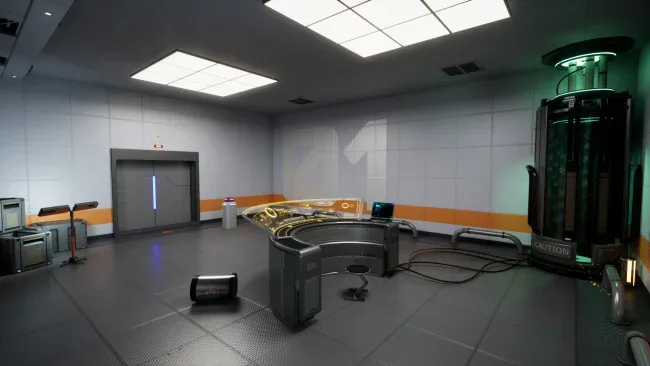
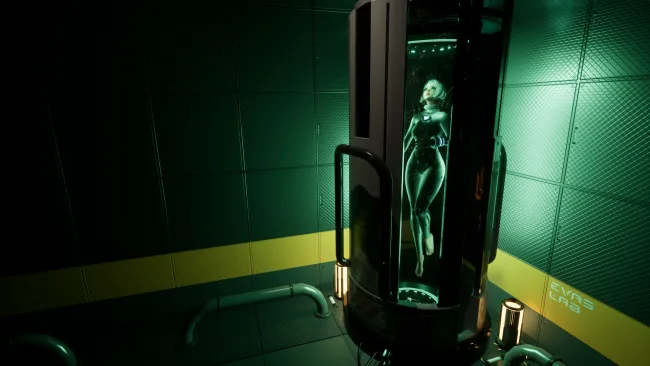
Installation
- Select the <strong>Download</strong> button at the top of this page to open UploadHaven.
- On UploadHaven, wait for any countdown, then select <strong>Free Download</strong>. Optional: UploadHaven Pro for faster downloads.
- When complete, extract the archive to a <strong>Eva's Lab</strong> folder using 7-Zip.
- Open the extracted folder and start the game normally.
- For errors, check <strong>Setup Guide & Troubleshooting</strong> below. Keep your security software enabled.
System Requirements
- Requires a 64-bit processor and operating system
- OS: win7/win10
- Processor: Inter Core i5-6400 or AMD FX 8320
- Memory: 8 GB RAM
- Graphics: NVIDIA GTX 960 or AMD Radeon R9 280
- DirectX: Version 11
- Storage: 3 GB available space
Setup Guide & Troubleshooting
How do I fix missing DLL errors for Eva’s Lab?
After extracting Eva’s Lab, navigate to the _Redist or _CommonRedist folder inside the game directory and install DirectX, Vcredist, and any other dependencies included.
What should I do if the downloaded file is corrupted?
The full archive is 2.01 GB — make sure your download completed fully before extracting. Use 7-Zip to extract the files. If you still see a "file corrupted" error, re-download and try again.
Why should I run the game as administrator?
Right-click the game executable and select "Run as Administrator" to avoid save file issues and permission errors. This is especially important on the first launch.
How do I update my GPU drivers for this game?
Eva’s Lab requires a NVIDIA GTX 960 or AMD Radeon R9 280 or equivalent. Update your NVIDIA or AMD drivers to the latest version for the best performance.
The game won't launch — what should I try?
This game requires Version 11. Try running in compatibility mode, install the latest DirectX runtime, or install the All-in-One VC Redist Package.
My antivirus is blocking the game — is it safe?
Antivirus false positives are common with pre-installed games. Temporarily pause your antivirus during extraction to prevent it from quarantining game files. You can re-enable it after the extraction completes.