
Game Overview
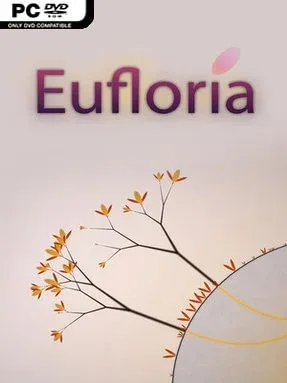
Asteroids become living footholds in a quiet, hypnotic war for territory, where swarms of seed-like creatures drift through deep space at your command. Eufloria HD is an ambient real-time strategy game built around growth, expansion, and elegant minimalist conflict rather than frantic unit micromanagement. Its clean, abstract visuals and Milieu’s soft electronic soundtrack give every match an almost meditative mood, even when rival colonies begin closing in from several directions. Beneath that calm surface sits a surprisingly tense battle for limited resources and planetary control.
Players send seedlings from asteroid to asteroid, colonizing new rocks and harvesting their energy to create larger armies. Captured asteroids grow biomechanical trees that produce more units, while their individual traits affect speed, toughness, and offensive potential, so choosing where to invest matters as much as sheer numbers. The basic controls are approachable: select a group, point it toward a target, and watch your fleet travel, defend, invade, or reinforce; the strategic layer comes from timing attacks, protecting production centers, and judging enemy strength before committing. A 25-level campaign gradually introduces its ideas, while skirmishes and procedurally arranged maps keep the territory-grabbing loop fresh after the story ends.
What separates Eufloria HD from conventional RTS games is its emphasis on readable systems and peaceful presentation without sacrificing tactical decision-making. Battles look like graceful currents of spores colliding around stark white asteroids, yet a careless expansion can quickly leave a colony isolated and overwhelmed. Relaxed Mode suits players who want to experiment at their own pace, whereas Dark Matter Mode offers a tougher, more hostile variation for experienced strategists. Fans of minimalist strategy games such as Galcon or the calmer side of Darwinia will find plenty to enjoy, and newcomers to the genre can learn its fundamentals without facing an intimidating wall of menus or complex commands.
Installation
- Click the green button below to be redirected to UploadHaven.
- Wait 15 seconds, then hit “Free Download.” (Free downloads may be slower — upgrade to UploadHaven Pro for faster speeds.)
- Once downloaded, right-click the .zip file and choose “Extract to Eufloria HD.” (You’ll need 7-Zip for this.)
- Open the extracted folder and run the game as administrator.
- Enjoy! 🎮 If you see missing DLL errors, check the <strong>_Redist</strong> folder inside and install what’s needed.
System Requirements
- OS *: Windows XP, Windows Vista, Windows 7, Windows 8
- Processor: 1GHz
- Memory: 512 MB RAM
- Graphics: 128MB 3D Graphics Card with OpenGL support
- Storage: 400 MB available space
Setup Guide & Troubleshooting
How do I fix missing DLL errors for Eufloria HD (v1.2.1)?
After extracting Eufloria HD (v1.2.1), navigate to the _Redist or _CommonRedist folder inside the game directory and install DirectX, Vcredist, and any other dependencies included.
What should I do if the downloaded file is corrupted?
The full archive is 1.95 GB — make sure your download completed fully before extracting. Use 7-Zip to extract the files. If you still see a "file corrupted" error, re-download and try again.
Why should I run the game as administrator?
Right-click the game executable and select "Run as Administrator" to avoid save file issues and permission errors. This is especially important on the first launch.
How do I update my GPU drivers for this game?
Eufloria HD (v1.2.1) requires a 128MB 3D Graphics Card with OpenGL support or equivalent. Update your NVIDIA or AMD drivers to the latest version for the best performance.
The game won't launch — what should I try?
Try running in compatibility mode, install the latest DirectX runtime, or install the All-in-One VC Redist Package.
My antivirus is blocking the game — is it safe?
Antivirus false positives are common with pre-installed games. Temporarily pause your antivirus during extraction to prevent it from quarantining game files. You can re-enable it after the extraction completes.