
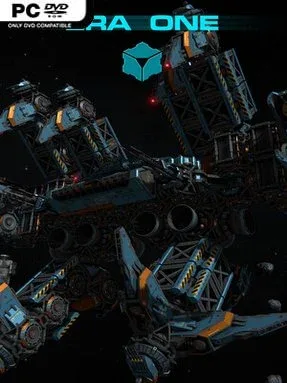
Game Overview
A collapsing interstellar civilization provides the backdrop for a strategy game built around engineering, expansion, and fleet-scale warfare. Humanity has traded planetary life for vast self-sustaining orbital cities, only to face dwindling supplies, mutated labor creatures, corporate conflict, and the breakdown of political order. At the center sits Alya De Shars, whose attempt to secure a crucial power source turns a desperate survival story into a wider struggle for a future beyond the Solar System. The mood is suitably grand and uneasy: gleaming stations and colossal ships exist in a universe where every resource and alliance can run dry.
Command begins with designing the machinery of survival. Players assemble spacecraft from modular components, shaping everything from practical work vessels to heavily armed warships, then construct stations, defensive bases, and city-sized installations in space. Real-time strategy management asks you to develop infrastructure, pursue new technology, and direct fleets when rival forces collide, while upgrades let individual ships improve their engines, shields, weapons, and scanners. That combination makes logistics matter alongside combat; a strong armada needs the industry, energy, and territorial support to sustain it. Exploration also plays a role, as better detection equipment helps reveal opportunities and threats beyond the immediate battlefield.
Era One stands apart through the scale of its construction fantasy: rather than simply choosing units from a production menu, you are encouraged to build a civilization’s hardware piece by piece. Its setting leans more toward industrial, post-collapse space opera than clean military sci-fi, giving its stations and fleets a sense of being improvised lifelines as much as weapons. Players who enjoy the base-building side of RTS games, the ship design freedom of titles such as Space Engineers, and large naval-style engagements should find plenty to appreciate. It suits strategy veterans who like planning efficient systems, but its modular focus also gives creative newcomers a tangible way to learn by building, testing, and refining their own fleet.
Installation
- Click the green button below to be redirected to UploadHaven.
- Wait 15 seconds, then hit “Free Download.” (Free downloads may be slower — upgrade to UploadHaven Pro for faster speeds.)
- Once downloaded, right-click the .zip file and choose “Extract to ERA ONE.” (You’ll need 7-Zip for this.)
- Open the extracted folder and run the game as administrator.
- Enjoy! 🎮 If you see missing DLL errors, check the <strong>_Redist</strong> folder inside and install what’s needed.
System Requirements
- Requires a 64-bit processor and operating system
- OS: Windows 10 (64-bit)
- Processor: Intel Core i5 o AMD Ryzen 5 (o equivalente)
- Memory: 8 GB RAM
- Graphics: NVIDIA GeForce GTX 1060 o AMD Radeon RX 580 (o equivalente) con almeno 4 GB di memoria dedicata
- DirectX: Version 11
- Network: Broadband Internet connection
- Storage: 6 GB available space
- Sound Card: Scheda audio compatibile con DirectX
Setup Guide & Troubleshooting
How do I fix missing DLL errors for Era One (v12.2)?
After extracting Era One (v12.2), navigate to the _Redist or _CommonRedist folder inside the game directory and install DirectX, Vcredist, and any other dependencies included.
What should I do if the downloaded file is corrupted?
The full archive is 7.14 GB — make sure your download completed fully before extracting. Use 7-Zip to extract the files. If you still see a "file corrupted" error, re-download and try again.
Why should I run the game as administrator?
Right-click the game executable and select "Run as Administrator" to avoid save file issues and permission errors. This is especially important on the first launch.
How do I update my GPU drivers for this game?
Era One (v12.2) requires a NVIDIA GeForce GTX 1060 o AMD Radeon RX 580 (o equivalente) con almeno 4 GB di memoria dedicata or equivalent. Update your NVIDIA or AMD drivers to the latest version for the best performance.
The game won't launch — what should I try?
This game requires Version 11. Try running in compatibility mode, install the latest DirectX runtime, or install the All-in-One VC Redist Package.
My antivirus is blocking the game — is it safe?
Antivirus false positives are common with pre-installed games. Temporarily pause your antivirus during extraction to prevent it from quarantining game files. You can re-enable it after the extraction completes.