
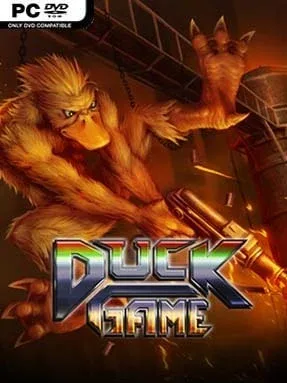
Game Overview
Neon-lit arenas and absurd weapons turn every match into a split-second comedy of errors, where armed ducks settle petty grudges with shotguns, lasers, swords, and musical instruments. Duck Game is a fast, lethal party brawler set in a deliberately strange vision of 1984, with matches that can swing from total control to instant disaster in a single misplaced jump. Its mood is loud, silly, and wonderfully competitive, but beneath the slapstick lies a genuinely sharp game of positioning, timing, and reading your opponents. One clean hit is enough to end a round, so no player stays safe for long.
Players scramble through compact, hazard-filled stages, grabbing whatever weapon appears first and deciding whether to attack, hide, disarm someone, or turn the environment against them. The enormous arsenal includes conventional firearms alongside net launchers, magnet guns, remote explosives, mind-control devices, and the famous saxophone, each creating its own opportunities for chaos. Movement is simple enough for newcomers to understand almost immediately, yet throwing weapons, catching falling gear, feigning surrender, and exploiting doors, lava, moving platforms, or teleporters reward repeat play. Local matches support two to four players, online play extends the rivalry beyond the couch, and Challenge Mode gives solo players a set of demanding scenarios to master.
What makes Duck Game endure is how much personality it packs into its tiny pixel-art rooms: ducks wear hats, quack at one another, and routinely win through accidents that somehow feel earned. Rather than relying on complex combos or long health bars, it creates memorable stories from quick rounds and unpredictable tools, closer in spirit to TowerFall or Nidhogg than a traditional fighting game. More than 50 levels and weapons provide plenty of built-in variety, while the level editor adds a strong reason to keep returning with friends. It suits casual groups looking for immediate laughs, but competitive players who enjoy mastering movement, map knowledge, and mind games find far more depth than its cartoon premise suggests.
Installation
- Click the green button below to be redirected to UploadHaven.
- Wait 15 seconds, then hit “Free Download.” (Free downloads may be slower — upgrade to UploadHaven Pro for faster speeds.)
- Once downloaded, right-click the .zip file and choose “Extract to Duck Game.” (You’ll need 7-Zip for this.)
- Open the extracted folder and run the game as administrator.
- Enjoy! 🎮 If you see missing DLL errors, check the <strong>_Redist</strong> folder inside and install what’s needed.
System Requirements
- OS: Windows 7
- Processor: 2.0GHZ
- Memory: 1 GB RAM
- Graphics: Pixel Shader 2.0
- DirectX: Version 9.0
- Storage: 150 MB available space
Setup Guide & Troubleshooting
How do I fix missing DLL errors for Duck Game (v1.5)?
After extracting Duck Game (v1.5), navigate to the _Redist or _CommonRedist folder inside the game directory and install DirectX, Vcredist, and any other dependencies included.
What should I do if the downloaded file is corrupted?
The full archive is 161.14 MB — make sure your download completed fully before extracting. Use 7-Zip to extract the files. If you still see a "file corrupted" error, re-download and try again.
Why should I run the game as administrator?
Right-click the game executable and select "Run as Administrator" to avoid save file issues and permission errors. This is especially important on the first launch.
How do I update my GPU drivers for this game?
Duck Game (v1.5) requires a Pixel Shader 2.0 or equivalent. Update your NVIDIA or AMD drivers to the latest version for the best performance.
The game won't launch — what should I try?
This game requires Version 9.0. Try running in compatibility mode, install the latest DirectX runtime, or install the All-in-One VC Redist Package.
My antivirus is blocking the game — is it safe?
Antivirus false positives are common with pre-installed games. Temporarily pause your antivirus during extraction to prevent it from quarantining game files. You can re-enable it after the extraction completes.