
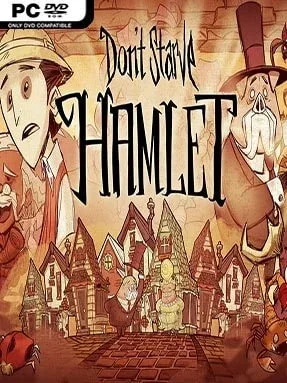
Game Overview
A tropical Pigman city replaces the lonely wilderness with crowded markets, aristocratic manners, and a constant sense that civilization is only barely holding together. Don’t Starve: Hamlet sends Wilson and other survivors into a jungle realm inspired by Victorian colonial adventure, where wealthy pig citizens shop, gossip, and demand coins while ancient ruins hide beneath the canopy. The bright, hand-drawn look remains charming, but poisonous wildlife, hostile guards, and the looming Aporkalypse keep the mood tense. Survival still means hunger, darkness, sanity, and death are never far away.
Daily life revolves around gathering supplies, crafting tools, cooking meals, and finding safe shelter before each dangerous night. Unlike the base game’s isolated campsites, players trade in town shops, sell relics, buy useful supplies, and eventually purchase and decorate a permanent house. Expeditions into jungle clearings, toxic swamps, and trap-filled ruins provide rare materials, but each trip risks encounters with predators, aggressive Pig Guards, and environmental hazards. Seasonal changes force new preparations, while the Aporkalypse creates a larger time-sensitive threat that rewards players who learn the world’s routes and systems.
Hamlet stands out because it turns survival crafting into a strange social adventure, balancing wilderness hardship with commerce, home ownership, and faction politics. Its interconnected biomes feel denser and more directed than the open-ended original, yet the punishing roguelike structure still makes every mistake matter. New playable characters, including Princess Wilba, the plant-like Wormwood, and adventurer Wheeler, bring distinct strengths and complications to repeat runs. Fans of Don’t Starve, survival sandboxes like Terraria, or unforgiving exploration games will find plenty to master here, though newcomers should expect a demanding learning curve rather than a relaxed building experience.
Installation
- Click the green button below to be redirected to UploadHaven.
- Wait 15 seconds, then hit “Free Download.” (Free downloads may be slower — upgrade to UploadHaven Pro for faster speeds.)
- Once downloaded, right-click the .zip file and choose “Extract to Don’t Starve Hamlet.” (You’ll need 7-Zip for this.)
- Open the extracted folder and run the game as administrator.
- Enjoy! 🎮 If you see missing DLL errors, check the <strong>_Redist</strong> folder inside and install what’s needed.
System Requirements
- OS:Windows XP/Vista/Windows 7/Windows 8
- Processor:1.7+ GHz or better
- Memory:1+ gigs of RAM GB RAM
- Graphics:Radeon HD5450 or better; 256 MB or higher
- DirectX®:9.0c
- Hard Drive:500 MB HD space
- Sound:100% DirectX9.0c compatible sound card and drivers
Setup Guide & Troubleshooting
How do I fix missing DLL errors for Don’t Starve Hamlet (v429404 & ALL DLC’s)?
After extracting Don’t Starve Hamlet (v429404 & ALL DLC’s), navigate to the _Redist or _CommonRedist folder inside the game directory and install DirectX, Vcredist, and any other dependencies included.
What should I do if the downloaded file is corrupted?
The full archive is 3.24 GB — make sure your download completed fully before extracting. Use 7-Zip to extract the files. If you still see a "file corrupted" error, re-download and try again.
Why should I run the game as administrator?
Right-click the game executable and select "Run as Administrator" to avoid save file issues and permission errors. This is especially important on the first launch.
How do I update my GPU drivers for this game?
Don’t Starve Hamlet (v429404 & ALL DLC’s) requires a Radeon HD5450 or better; 256 MB or higher or equivalent. Update your NVIDIA or AMD drivers to the latest version for the best performance.
The game won't launch — what should I try?
Try running in compatibility mode, install the latest DirectX runtime, or install the All-in-One VC Redist Package.
My antivirus is blocking the game — is it safe?
Antivirus false positives are common with pre-installed games. Temporarily pause your antivirus during extraction to prevent it from quarantining game files. You can re-enable it after the extraction completes.