
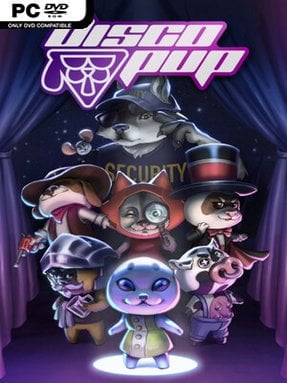
Game Overview
A late-night dash to the city’s hottest club becomes a compact comedy of disguise, deduction, and desperate party ambition. You play a seal with one goal: get through DiscoPup’s door before 2:00 a.m., despite the bouncer’s strict dogs-only policy. The answer lies in assembling a convincing canine look from whatever odd accessories the surrounding neighborhood can provide. Its mood is playful and absurd, with the tension of a ticking clock underneath every silly conversation and questionable fashion choice.
Progress centers on talking to locals, inspecting the environment, collecting costume pieces, and deciding how to spend a limited number of actions. Each interaction has a purpose—or wastes precious time—so success comes from paying attention to dialogue, following leads, and testing which items work together as part of your disguise. Rather than relying on reflexes or combat, DISCOPUP turns its central challenge into a small-scale adventure puzzle: determine what the bouncer expects a dog to look like, then find a way to fake it. The deadline encourages experimentation but also makes every detour feel consequential, giving the short journey a satisfying layer of route planning.
The cast provides much of the personality, from a tiny-talking mouse to a suspicious elderly wolf, a cowboy pup with an unusually notable paw, and a ferret who seems to know more than he should. Handcrafted character interactions and the premise’s cartoon logic give it the feel of a quirky point-and-click adventure distilled into a single evening. Replay value comes from learning which conversations, clues, and costume combinations lead efficiently toward the club, especially if an early attempt ends with the doors shut. Fans of humorous narrative puzzlers and offbeat indie adventures should find plenty to like, while newcomers benefit from its accessible, nonviolent focus on observation rather than genre expertise.
Installation
- Click the green button below to be redirected to UploadHaven.
- Wait 15 seconds, then hit “Free Download.” (Free downloads may be slower — upgrade to UploadHaven Pro for faster speeds.)
- Once downloaded, right-click the .zip file and choose “Extract to DISCOPUP.” (You’ll need 7-Zip for this.)
- Open the extracted folder and run the game as administrator.
- Enjoy! 🎮 If you see missing DLL errors, check the <strong>_Redist</strong> folder inside and install what’s needed.
System Requirements
- Requires a 64-bit processor and operating system
- OS: Windows 10 x64
- Processor: Intel Core i3-6006U 2,00 GHz or equivalent
- Memory: 4 GB RAM
- Graphics: Intel HD Graphics 520
- DirectX: Version 11
- Storage: 4 GB available space
Setup Guide & Troubleshooting
How do I fix missing DLL errors for DISCOPUP (v1.0.14)?
After extracting DISCOPUP (v1.0.14), navigate to the _Redist or _CommonRedist folder inside the game directory and install DirectX, Vcredist, and any other dependencies included.
What should I do if the downloaded file is corrupted?
The full archive is 806.44 MB — make sure your download completed fully before extracting. Use 7-Zip to extract the files. If you still see a "file corrupted" error, re-download and try again.
Why should I run the game as administrator?
Right-click the game executable and select "Run as Administrator" to avoid save file issues and permission errors. This is especially important on the first launch.
How do I update my GPU drivers for this game?
DISCOPUP (v1.0.14) requires a Intel HD Graphics 520 or equivalent. Update your NVIDIA or AMD drivers to the latest version for the best performance.
The game won't launch — what should I try?
This game requires Version 11. Try running in compatibility mode, install the latest DirectX runtime, or install the All-in-One VC Redist Package.
My antivirus is blocking the game — is it safe?
Antivirus false positives are common with pre-installed games. Temporarily pause your antivirus during extraction to prevent it from quarantining game files. You can re-enable it after the extraction completes.