
Game Overview
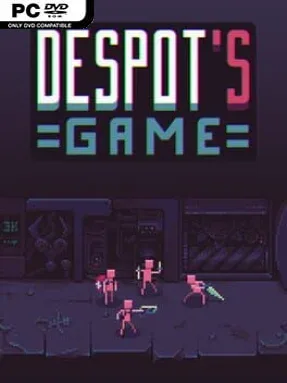
A deranged post-apocalyptic labyrinth turns a handful of naked, amnesiac survivors into disposable soldiers for an unseen tyrant’s amusement. Despot’s Game: Dystopian Battle Simulator blends roguelite dungeon crawling with hands-off tactical combat, wrapping its grim premise in absurd humor, mutant vegetables, and deliberately ridiculous unit classes. Every run begins with fragile humans and scavenged equipment, then quickly becomes a frantic effort to assemble a squad capable of surviving rooms full of monsters. The mood is brutal but playful: failure is expected, and the game finds plenty of creative ways to make your army’s demise entertaining.
Players recruit more humans, spend resources on food and gear, choose a route through randomized chambers, and position their forces before battles begin automatically. Weapons and items push units into specialized roles such as fighters, shooters, spellcasters, cultists, ninjas, and stranger professions, while perks and class synergies reward carefully planned combinations. Positioning matters as much as raw numbers; durable units hold the front line, fragile damage dealers need protection, and summoners or support troops can completely reshape a formation. Runs steadily escalate through unpredictable loot, dangerous encounters, shops, and events, demanding adaptation rather than a single reliable build.
Its strongest hook arrives after a successful labyrinth run, when your final squad can face armies assembled by other players in asynchronous endgame battles. That PvP layer gives each build a purpose beyond merely reaching the next room, while the huge pool of classes, mutations, gear, and upgrades keeps experimentation central. Combat has the readability and synergy-chasing appeal of an auto battler, but its roguelite structure makes each attempt feel more personal and volatile than a standard competitive match. Fans of Backpack Battles, Teamfight Tactics, and loop-based strategy roguelites should feel at home, while newcomers can enjoy it as long as they accept that spectacularly failed runs are part of the design.
Installation
- Click the green button below to be redirected to UploadHaven.
- Wait 15 seconds, then hit “Free Download.” (Free downloads may be slower — upgrade to UploadHaven Pro for faster speeds.)
- Once downloaded, right-click the .zip file and choose “Extract to Despot's Game: Dystopian Battle Simulator.” (You’ll need 7-Zip for this.)
- Open the extracted folder and run the game as administrator.
- Enjoy! 🎮 If you see missing DLL errors, check the <strong>_Redist</strong> folder inside and install what’s needed.
System Requirements
- Requires a 64-bit processor and operating system
- OS: Windows 7+
- Processor: 2GHz+, SSE2 support
- Memory: 1024 MB RAM
- Graphics: Intel HD Graphics 4000
- DirectX: Version 11
- Storage: 300 MB available space
Setup Guide & Troubleshooting
How do I fix missing DLL errors for Despot’s Game: Dystopian Battle Simulator (v1.9.12 & ALL DLC)?
After extracting Despot’s Game: Dystopian Battle Simulator (v1.9.12 & ALL DLC), navigate to the _Redist or _CommonRedist folder inside the game directory and install DirectX, Vcredist, and any other dependencies included.
What should I do if the downloaded file is corrupted?
The full archive is 517.74 MB — make sure your download completed fully before extracting. Use 7-Zip to extract the files. If you still see a "file corrupted" error, re-download and try again.
Why should I run the game as administrator?
Right-click the game executable and select "Run as Administrator" to avoid save file issues and permission errors. This is especially important on the first launch.
How do I update my GPU drivers for this game?
Despot’s Game: Dystopian Battle Simulator (v1.9.12 & ALL DLC) requires a Intel HD Graphics 4000 or equivalent. Update your NVIDIA or AMD drivers to the latest version for the best performance.
The game won't launch — what should I try?
This game requires Version 11. Try running in compatibility mode, install the latest DirectX runtime, or install the All-in-One VC Redist Package.
My antivirus is blocking the game — is it safe?
Antivirus false positives are common with pre-installed games. Temporarily pause your antivirus during extraction to prevent it from quarantining game files. You can re-enable it after the extraction completes.