
Game Overview
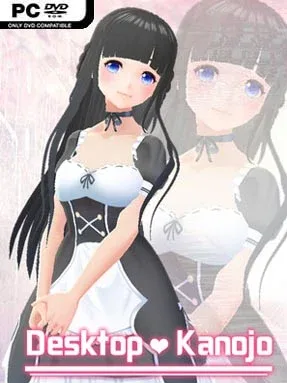
A cheerful anime companion sits directly on your desktop, turning an ordinary workspace into something more personal and animated. Desktop Kanojo is less a traditional game than a customizable desktop mascot tool, built around placing a stylized character wherever you want and letting her react to your attention. Its tone stays light, playful, and deliberately cute, with outfit swaps, expressive animations, and a little bit of physics-driven movement giving the character a sense of presence. Whether she rests beside your browser, floats over a second monitor, or becomes part of a streaming setup, the appeal comes from making your desktop feel less static.
Interaction revolves around clicking the character, triggering her available actions, and adjusting how she appears on screen. You can drag her into position, rotate her, and resize her to fit around icons and windows, while independent behaviors let her perform animations without constant input. More than 40 actions and Chinese/Japanese language options add variety, and costume changes prevent the default presentation from feeling completely fixed. Physical jiggle effects give certain movements extra bounce, while the alarm feature adds a modest practical use beyond visual decoration. Multi-monitor support is particularly useful for players who want a companion visible without crowding their main work area.
The strongest feature is the freedom to import VRM-format character models, effectively letting users replace the included mascot with their own compatible creation. Workshop support expands that further through community-uploaded models, actions, and voice content, with actions and voices able to be linked for more cohesive custom behavior. It resembles the desktop-companion side of VTube Studio or Wallpaper Engine more than a conventional interactive visual novel: personalization matters far more than challenge or narrative. Desktop Kanojo suits anime-avatar fans, streamers, VRM model creators, and anyone who enjoys tinkering with desktop aesthetics; players seeking objectives, story, or deep gameplay should look elsewhere.
Installation
- Click the green button below to be redirected to UploadHaven.
- Wait 15 seconds, then hit “Free Download.” (Free downloads may be slower — upgrade to UploadHaven Pro for faster speeds.)
- Once downloaded, right-click the .zip file and choose “Extract to Desktop Kanojo.” (You’ll need 7-Zip for this.)
- Open the extracted folder and run the game as administrator.
- Enjoy! 🎮 If you see missing DLL errors, check the <strong>_Redist</strong> folder inside and install what’s needed.
System Requirements
- OS: Windows 7 / 8 / 10
- Processor: Core i3+
- Memory: 1 GB RAM
- Graphics: Graphics card supporting DirectX 9.0c+
- Storage: 200 MB available space
- Sound Card: any
Setup Guide & Troubleshooting
How do I fix missing DLL errors for Desktop Kanojo?
After extracting Desktop Kanojo, navigate to the _Redist or _CommonRedist folder inside the game directory and install DirectX, Vcredist, and any other dependencies included.
What should I do if the downloaded file is corrupted?
The full archive is 100.21 MB — make sure your download completed fully before extracting. Use 7-Zip to extract the files. If you still see a "file corrupted" error, re-download and try again.
Why should I run the game as administrator?
Right-click the game executable and select "Run as Administrator" to avoid save file issues and permission errors. This is especially important on the first launch.
How do I update my GPU drivers for this game?
Desktop Kanojo requires a Graphics card supporting DirectX 9.0c+ or equivalent. Update your NVIDIA or AMD drivers to the latest version for the best performance.
The game won't launch — what should I try?
Try running in compatibility mode, install the latest DirectX runtime, or install the All-in-One VC Redist Package.
My antivirus is blocking the game — is it safe?
Antivirus false positives are common with pre-installed games. Temporarily pause your antivirus during extraction to prevent it from quarantining game files. You can re-enable it after the extraction completes.