
Game Overview
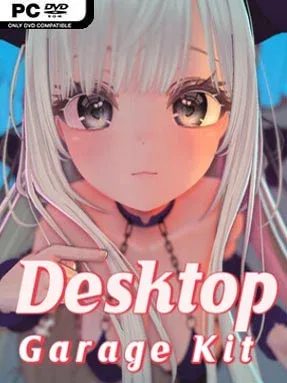
A stylized 3D companion sits directly on your desktop, turning idle computer time into a customizable virtual-figure display. Desktop Garage Kit leans into a bright anime look, with cel-shaded models, exaggerated charm, and adult-oriented wardrobe options rather than conventional levels, quests, or competitive challenges. The mood is playful and deliberately suggestive, built around collecting looks, arranging poses, and keeping a favorite character visible above your everyday windows.
Interaction revolves around choosing from a growing character-model library, swapping outfits and underwear pieces, then selecting poses and animated behavior to create the presentation you want. More than 160 poses and dozens of action sets give the figures a wider range than a static wallpaper, while hair, clothing, and character movement react through a physics system designed to add bounce and weight. The program can remain pinned over other applications, making it function as an animated desktop accessory instead of a separate full-screen experience. Visual adjustments such as lighting, shadows, and particle effects help sell the miniature-display feel, while a hidden mode adds extra interactions for players who want to experiment.
What separates it from typical live wallpapers is its emphasis on poseable 3D models and wardrobe-driven personalization. Its rendering aims for the polished, soft-edged anime presentation associated with modern character-collection games, though the focus stays on viewing and interacting with individual figures rather than action gameplay. Ongoing model additions give dedicated collectors a reason to revisit and refresh their setup, especially if they enjoy virtual photography or dressing up digital characters. It suits players looking for a light adult desktop toy with plenty of cosmetic variety; anyone expecting a traditional game with story, combat, or meaningful progression should know exactly what they are getting.
Installation
- Click the green button below to be redirected to UploadHaven.
- Wait 15 seconds, then hit “Free Download.” (Free downloads may be slower — upgrade to UploadHaven Pro for faster speeds.)
- Once downloaded, right-click the .zip file and choose “Extract to Desktop Garage Kit.” (You’ll need 7-Zip for this.)
- Open the extracted folder and run the game as administrator.
- Enjoy! 🎮 If you see missing DLL errors, check the <strong>_Redist</strong> folder inside and install what’s needed.
System Requirements
- Requires a 64-bit processor and operating system
- OS *: Windows 7 (with Aero), 8, 8.1, 10
- Processor: Intel i3 or equivalent
- Memory: 1 GB RAM
- Graphics: HD Graphics 4000 or above
- Storage: 20 GB available space
Setup Guide & Troubleshooting
How do I fix missing DLL errors for Desktop Garage Kit (v2.0.6 & Uncensored)?
After extracting Desktop Garage Kit (v2.0.6 & Uncensored), navigate to the _Redist or _CommonRedist folder inside the game directory and install DirectX, Vcredist, and any other dependencies included.
What should I do if the downloaded file is corrupted?
The full archive is 4.35 GB — make sure your download completed fully before extracting. Use 7-Zip to extract the files. If you still see a "file corrupted" error, re-download and try again.
Why should I run the game as administrator?
Right-click the game executable and select "Run as Administrator" to avoid save file issues and permission errors. This is especially important on the first launch.
How do I update my GPU drivers for this game?
Desktop Garage Kit (v2.0.6 & Uncensored) requires a HD Graphics 4000 or above or equivalent. Update your NVIDIA or AMD drivers to the latest version for the best performance.
The game won't launch — what should I try?
Try running in compatibility mode, install the latest DirectX runtime, or install the All-in-One VC Redist Package.
My antivirus is blocking the game — is it safe?
Antivirus false positives are common with pre-installed games. Temporarily pause your antivirus during extraction to prevent it from quarantining game files. You can re-enable it after the extraction completes.