
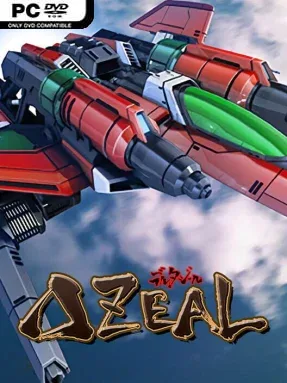
Game Overview
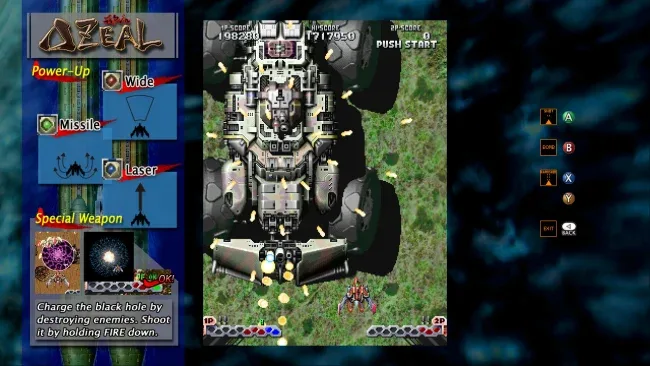
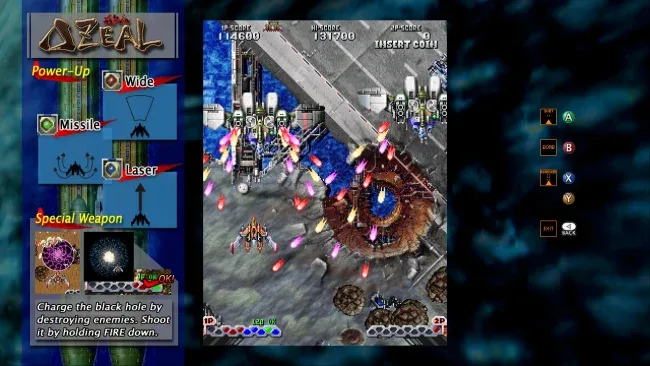
A no-nonsense vertical shoot-’em-up, DELTAZEAL channels the hard-edged energy of 1990s Japanese arcades without relying on nostalgia alone. You pilot a compact fighter through nine mechanized battlefields, where tank columns, aircraft formations, naval vessels, and colossal war machines turn every screen into a test of reflexes and pattern recognition. The mood is loud, sharp, and proudly old-school: crisp sprites explode into debris, enemy fire steadily tightens around you, and huge bosses dominate the screen with intimidating mechanical detail.
Runs revolve around choosing how your ship fights. Wide shots handle crowds, focused lasers punish durable targets, and guided missiles help control threats from awkward angles; mixing these weapons creates flexible setups, while investing in a single category produces a more powerful specialist build. Skilled play also means maintaining medal chains and charging the Void Bomb, giving score chasers another reason to take risks instead of simply surviving. Arcade Mode presents the full campaign in one run, while Score Attack lets players drill individual stages, with adjustable difficulty and vertical screen support making it approachable whether you use a standard monitor or an arcade-style display.
What separates DELTAZEAL from a straightforward retro shooter is its interest in route planning and experimentation. Branching paths, concealed enemies, and alternate encounters make repeated clears more than a matter of memorizing the same waves, while modular bosses reward players who identify and destroy dangerous components. Online rankings and replay sharing give high-score runs lasting value, especially for players who enjoy refining a route frame by frame. Fans of Cave-style score attacks, classic Toaplan shooters, or Triangle Service’s deliberately arcade-focused design find plenty to master here, while newcomers can use the forgiving options to learn its systems before tackling its tougher final challenge.
Screenshots
Installation
- Select the <strong>Download</strong> button at the top of this page to open UploadHaven.
- On UploadHaven, wait for any countdown, then select <strong>Free Download</strong>. Optional: UploadHaven Pro for faster downloads.
- When complete, extract the archive to a <strong>DELTAZEAL</strong> folder using 7-Zip.
- Open the extracted folder and start the game normally.
- For errors, check <strong>Setup Guide & Troubleshooting</strong> below. Keep your security software enabled.
System Requirements
- OS: Windows Vista/7/8/10
- Processor: Multicore CPU
- Memory: 512 MB RAM
- Graphics: GeForce 300 or Better
- DirectX: Version 11
- Storage: 50 MB available space
- Sound Card: DirectSound-compatible
Setup Guide & Troubleshooting
How do I fix missing DLL errors for DELTAZEAL (v1.01)?
After extracting DELTAZEAL (v1.01), navigate to the _Redist or _CommonRedist folder inside the game directory and install DirectX, Vcredist, and any other dependencies included.
What should I do if the downloaded file is corrupted?
The full archive is 80.55 MB — make sure your download completed fully before extracting. Use 7-Zip to extract the files. If you still see a "file corrupted" error, re-download and try again.
Why should I run the game as administrator?
Right-click the game executable and select "Run as Administrator" to avoid save file issues and permission errors. This is especially important on the first launch.
How do I update my GPU drivers for this game?
DELTAZEAL (v1.01) requires a GeForce 300 or Better or equivalent. Update your NVIDIA or AMD drivers to the latest version for the best performance.
The game won't launch — what should I try?
This game requires Version 11. Try running in compatibility mode, install the latest DirectX runtime, or install the All-in-One VC Redist Package.
My antivirus is blocking the game — is it safe?
Antivirus false positives are common with pre-installed games. Temporarily pause your antivirus during extraction to prevent it from quarantining game files. You can re-enable it after the extraction completes.