
Game Overview
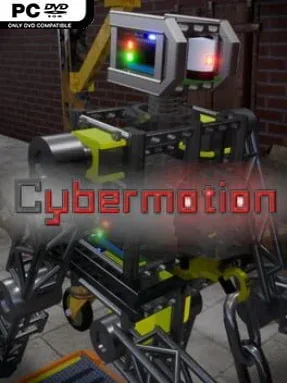
A humanoid robot turns every jump, stumble, and recovery into a small engineering problem in this demanding physics-driven indie challenge. Set around a university cybernetics project, Cybermotion puts players in control of an experimental machine built by students who need to prove it can navigate a hostile obstacle course like a person would. There is no sprawling plot to follow; the focus stays on beating the professor’s brutal tests, shaving seconds off runs, and keeping a mechanical body upright when gravity has other ideas. The mood is playful but punishing, with slapstick failures sitting right beside genuine satisfaction when a difficult movement sequence finally works.
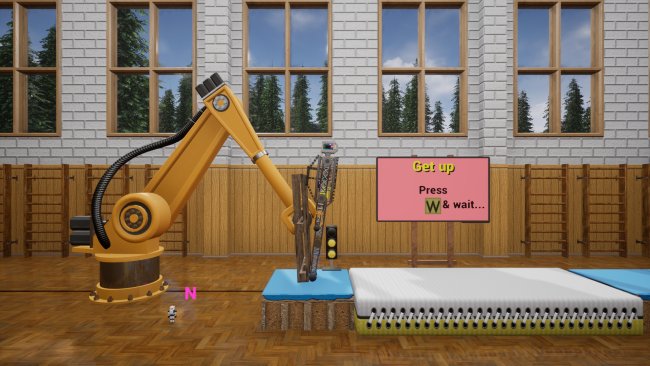
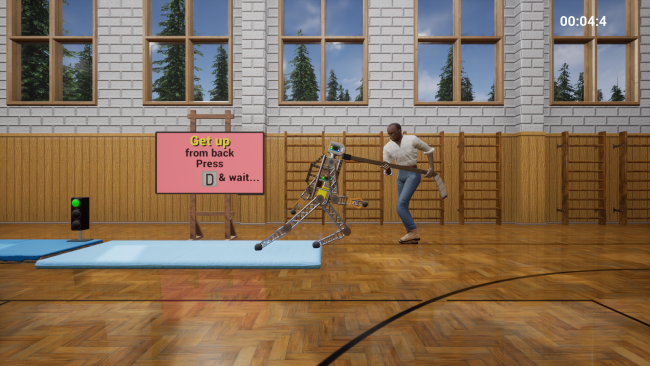
Rather than triggering canned character actions, players select body poses and movement animations mapped to controls inspired by operating a real humanoid robot. Internal servos attempt to carry out those commands, while weight, momentum, collisions, unstable footing, and moving hazards determine whether the robot walks cleanly, lurches forward, or collapses into a heap. Levels revolve around reaching the finish efficiently enough to earn medals, which unlock additional content and encourage repeated attempts at faster, cleaner runs. Between challenges, the robot can be modified with improved servos, batteries, armor, and new attachments, giving it more resilience and expanding what it can do in later courses.
Cybermotion stands apart through its insistence that animation has physical consequences instead of merely decorating movement. The result lands somewhere between the awkward experimentation of QWOP, the emergent chaos of Human: Fall Flat, and a robotics sandbox, though its timed level structure gives it a more focused arcade edge. Expect a learning curve, because success depends on reading momentum and choosing the right pose at the right moment rather than relying on perfect platforming controls. It suits players who enjoy mastering deliberately unusual control schemes, chasing medals, and laughing at spectacular mechanical wipeouts; anyone wanting smooth, conventional character movement may find its central idea more frustrating than rewarding.
Installation
- Click the green button below to be redirected to UploadHaven.
- Wait 15 seconds, then hit “Free Download.” (Free downloads may be slower — upgrade to UploadHaven Pro for faster speeds.)
- Once downloaded, right-click the .zip file and choose “Extract to Cybermotion.” (You’ll need 7-Zip for this.)
- Open the extracted folder and run the game as administrator.
- Enjoy! 🎮 If you see missing DLL errors, check the <strong>_Redist</strong> folder inside and install what’s needed.
System Requirements
- OS: Windows 7, Windows 10
- Processor: 3 GHz Dual Core
- Memory: 3 GB RAM
- Graphics: GTX 560
- Storage: 2 GB available space
- Additional Notes: Resolutions: 1280×720
Setup Guide & Troubleshooting
How do I fix missing DLL errors for Cybermotion?
After extracting Cybermotion, navigate to the _Redist or _CommonRedist folder inside the game directory and install DirectX, Vcredist, and any other dependencies included.
What should I do if the downloaded file is corrupted?
The full archive is 826.10 MB — make sure your download completed fully before extracting. Use 7-Zip to extract the files. If you still see a "file corrupted" error, re-download and try again.
Why should I run the game as administrator?
Right-click the game executable and select "Run as Administrator" to avoid save file issues and permission errors. This is especially important on the first launch.
How do I update my GPU drivers for this game?
Cybermotion requires a GTX 560 or equivalent. Update your NVIDIA or AMD drivers to the latest version for the best performance.
The game won't launch — what should I try?
Try running in compatibility mode, install the latest DirectX runtime, or install the All-in-One VC Redist Package.
My antivirus is blocking the game — is it safe?
Antivirus false positives are common with pre-installed games. Temporarily pause your antivirus during extraction to prevent it from quarantining game files. You can re-enable it after the extraction completes.