
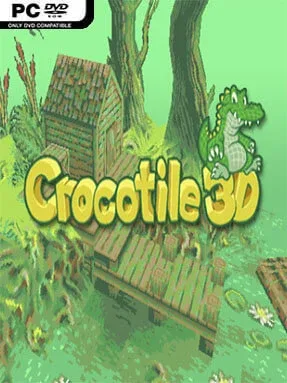
Game Overview
Crocotile 3D turns the familiar language of pixel-art tiles into an approachable way to build three-dimensional scenes. Rather than confronting you with the dense workflows of traditional modelling suites, it focuses on low-poly environments, chunky props, and retro-styled architecture assembled from 2D tilesets. The result feels less like engineering a mesh from scratch and more like painting a tiny game world into depth. Its tone is creative and practical, aimed at artists, solo developers, and hobbyists who want fast, readable results without a daunting technical barrier.
The core loop revolves around choosing tiles from a texture sheet and placing them onto geometry to form rooms, terrain, objects, and complete miniature levels. Editing tools let you alter tile placement and shape models as ideas evolve, so a simple blockout can become a finished pixel-art scene without constantly switching between applications. Because the visual language is deliberately low resolution, experimentation is quick: proportions, color choices, and silhouettes matter more than dense detail. Progress comes from learning how to reuse tiles intelligently and compose appealing spaces, whether you are prototyping assets for a game or making standalone renders and dioramas.
What makes Crocotile 3D notable is its direct bridge between 2D sprite work and 3D construction. It captures some of the immediate satisfaction of level editors and voxel builders, but preserves the crisp look of hand-authored tiles instead of relying on cubes alone. Its compact toolset is a strength for focused projects, though artists seeking high-end sculpting, animation, or realistic materials will need a more conventional package alongside it. Fans of pixel art, retro RPG environments, and stylized low-poly games will find it especially inviting, while modelling veterans can use it as a rapid concepting tool rather than a replacement for a full production pipeline.
Installation
- Click the green button below to be redirected to UploadHaven.
- Wait 15 seconds, then hit “Free Download.” (Free downloads may be slower — upgrade to UploadHaven Pro for faster speeds.)
- Once downloaded, right-click the .zip file and choose “Extract to Crocotile 3D.” (You’ll need 7-Zip for this.)
- Open the extracted folder and run the game as administrator.
- Enjoy! 🎮 If you see missing DLL errors, check the <strong>_Redist</strong> folder inside and install what’s needed.
System Requirements
- OS *: Windows 7, Windows 8, Windows 8.1, Windows 10 or later
- Processor: An Intel Pentium 4 processor or later that’s SSE2 capable
- Storage: 250 MB available space
Setup Guide & Troubleshooting
How do I fix missing DLL errors for Crocotile 3D (v2.3.9)?
After extracting Crocotile 3D (v2.3.9), navigate to the _Redist or _CommonRedist folder inside the game directory and install DirectX, Vcredist, and any other dependencies included.
What should I do if the downloaded file is corrupted?
The full archive is 197.97 MB — make sure your download completed fully before extracting. Use 7-Zip to extract the files. If you still see a "file corrupted" error, re-download and try again.
Why should I run the game as administrator?
Right-click the game executable and select "Run as Administrator" to avoid save file issues and permission errors. This is especially important on the first launch.
How do I update my GPU drivers for this game?
Update your NVIDIA or AMD drivers to the latest version for the best performance and compatibility.
The game won't launch — what should I try?
Try running in compatibility mode, install the latest DirectX runtime, or install the All-in-One VC Redist Package.
My antivirus is blocking the game — is it safe?
Antivirus false positives are common with pre-installed games. Temporarily pause your antivirus during extraction to prevent it from quarantining game files. You can re-enable it after the extraction completes.