
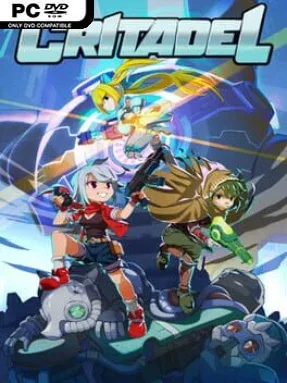
Game Overview
Critadel turns a towering sci-fi fortress into a fast, punishing roguelite run-and-gun adventure. Babel, a colossal mechanical tower controlled by the sinister Order of Noah, hides the kind of ancient secret powerful enough to promise immortality, but reaching it means surviving floor after floor of armed machines, traps, and towering bosses. Its chunky handheld-era pixel art and relentless techno energy give the action a sharp arcade feel, while the shifting routes keep the climb tense instead of familiar. The tone is colorful and stylish, but the challenge is serious: mistakes matter, and every room demands quick reactions.
Runs revolve around pushing deeper into Babel, clearing combat arenas, uncovering side chambers, and deciding which routes and rewards are worth the risk. A full-circle aiming system lets you fire in any direction rather than being limited to horizontal shots, making positioning as important as raw firepower when enemies attack from above and below. The dodge roll provides a brief window of safety, but its timing is crucial, especially during crowded encounters and boss patterns. Weapons appear through shops and random finds, while equipable artifacts add passive effects that can dramatically alter a build; crystals fund purchases during a run, and boss-earned orbs support longer-term improvement.
Three playable fighters give Critadel meaningful variety: Nox favors a direct combat approach, Ahnushu brings a more unusual cultist flavor, and android Alice offers her own starting kit and growth options. Each character has distinct upgrades, equipment possibilities, and unlockable looks, encouraging players to revisit the tower instead of treating one successful ascent as the end. Procedurally rearranged branches, randomized gear, two difficulty settings, and a dedicated Boss Rush mode give it more staying power than a straightforward action platformer. Fans of Dead Cells, 20XX, or classic Contra-style shooting who want a compact roguelite with precise movement and build experimentation find plenty to like, though newcomers should expect a demanding learning curve.
Installation
- Click the green button below to be redirected to UploadHaven.
- Wait 15 seconds, then hit “Free Download.” (Free downloads may be slower — upgrade to UploadHaven Pro for faster speeds.)
- Once downloaded, right-click the .zip file and choose “Extract to Critadel.” (You’ll need 7-Zip for this.)
- Open the extracted folder and run the game as administrator.
- Enjoy! 🎮 If you see missing DLL errors, check the <strong>_Redist</strong> folder inside and install what’s needed.
System Requirements
- OS: Windows 7 SP1
- Processor: Dual Core CPU 1.44GHz
- Memory: 1 GB RAM
- Graphics: Intel HD Graphics
- Storage: 500 MB available space
Setup Guide & Troubleshooting
How do I fix missing DLL errors for Critadel (v1.1.007b)?
After extracting Critadel (v1.1.007b), navigate to the _Redist or _CommonRedist folder inside the game directory and install DirectX, Vcredist, and any other dependencies included.
What should I do if the downloaded file is corrupted?
The full archive is 164.72 MB — make sure your download completed fully before extracting. Use 7-Zip to extract the files. If you still see a "file corrupted" error, re-download and try again.
Why should I run the game as administrator?
Right-click the game executable and select "Run as Administrator" to avoid save file issues and permission errors. This is especially important on the first launch.
How do I update my GPU drivers for this game?
Critadel (v1.1.007b) requires a Intel HD Graphics or equivalent. Update your NVIDIA or AMD drivers to the latest version for the best performance.
The game won't launch — what should I try?
Try running in compatibility mode, install the latest DirectX runtime, or install the All-in-One VC Redist Package.
My antivirus is blocking the game — is it safe?
Antivirus false positives are common with pre-installed games. Temporarily pause your antivirus during extraction to prevent it from quarantining game files. You can re-enable it after the extraction completes.