
Game Overview
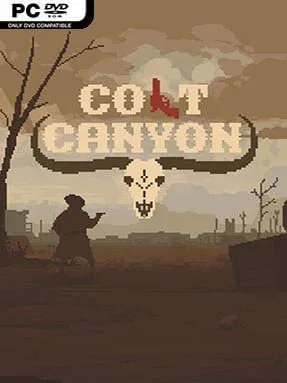
Dusty canyons, desperate gunfights, and a rescue mission with no margin for error define this compact Western roguelike. Colt Canyon casts you as a lone gunslinger tracking the bandits who have taken your partner, pushing through hostile territory packed with armed outlaws, wild animals, traps, and useful loot. Its pixel-art presentation looks simple at a glance, but the mood is grim, tense, and surprisingly brutal; every bullet matters, and a clean run can collapse in seconds. The goal is not merely to reach the captive, either, because bringing them back out alive creates an entirely new problem.
Runs take place across procedurally arranged areas where you scavenge firearms, ammunition, explosives, healing supplies, and money while searching for exits and secrets. Combat is top-down and deliberately weighty: revolvers, shotguns, rifles, bows, dynamite, and improvised tools all demand different positioning and ammunition discipline, while cover and destructible scenery can turn a losing encounter around. Death means starting over, but completed attempts and accumulated progress unlock a large roster of characters with different strengths, weaknesses, and starting gear. Rescued prisoners can become companions, although keeping allies alive—and making sure they do not wander into your line of fire—adds welcome chaos to the journey.
Colt Canyon stands out through the way it stretches its central objective into an escape challenge: finding your partner is only the midpoint, and the return trip forces you to protect a vulnerable companion through increasingly dangerous ground. Random weapons, branching choices, hidden caches, and character unlocks give the game solid replay value without turning each run into an endless grind. Its restrained visual style and harsh frontier atmosphere feel closer to a violent arcade Western than a sprawling open-world adventure, while the pacing carries the same repeat-run appeal as Nuclear Throne or Enter the Gungeon. It suits roguelike veterans who enjoy punishing, tactical shooters, but newcomers can also learn its systems through short, readable runs.
Installation
- Click the green button below to be redirected to UploadHaven.
- Wait 15 seconds, then hit “Free Download.” (Free downloads may be slower — upgrade to UploadHaven Pro for faster speeds.)
- Once downloaded, right-click the .zip file and choose “Extract to Colt Canyon.” (You’ll need 7-Zip for this.)
- Open the extracted folder and run the game as administrator.
- Enjoy! 🎮 If you see missing DLL errors, check the <strong>_Redist</strong> folder inside and install what’s needed.
System Requirements
- OS: Windows 7 or better
- Processor: CPU @ 2,2 GHZ
- Memory: 2 GB RAM
- Graphics: Intel HD Graphics or better
- DirectX: Version 11
- Storage: 300 MB available space
Setup Guide & Troubleshooting
How do I fix missing DLL errors for Colt Canyon (v1.3.1.2)?
After extracting Colt Canyon (v1.3.1.2), navigate to the _Redist or _CommonRedist folder inside the game directory and install DirectX, Vcredist, and any other dependencies included.
What should I do if the downloaded file is corrupted?
The full archive is 442.45 MB — make sure your download completed fully before extracting. Use 7-Zip to extract the files. If you still see a "file corrupted" error, re-download and try again.
Why should I run the game as administrator?
Right-click the game executable and select "Run as Administrator" to avoid save file issues and permission errors. This is especially important on the first launch.
How do I update my GPU drivers for this game?
Colt Canyon (v1.3.1.2) requires a Intel HD Graphics or better or equivalent. Update your NVIDIA or AMD drivers to the latest version for the best performance.
The game won't launch — what should I try?
This game requires Version 11. Try running in compatibility mode, install the latest DirectX runtime, or install the All-in-One VC Redist Package.
My antivirus is blocking the game — is it safe?
Antivirus false positives are common with pre-installed games. Temporarily pause your antivirus during extraction to prevent it from quarantining game files. You can re-enable it after the extraction completes.