
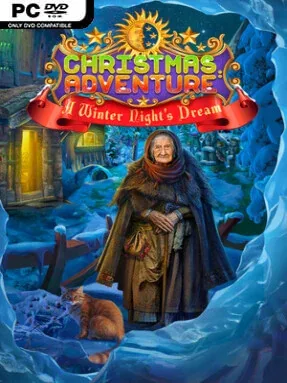
Game Overview
A spreading darkness threatens to smother Christmas before the celebrations can begin, sending an unlikely hero through snowy fantasy realms in search of a way home. Christmas Adventures: A Winter Night’s Dream combines a cozy holiday mood with a traditional hidden-object adventure structure, balancing twinkling decorations and cheerful music against an encroaching supernatural threat. Magic, ancient Viking lore, and seasonal folklore give its story more flavor than a simple hunt for lost presents. The result is a family-friendly mystery that treats Christmas as a world worth saving rather than merely a backdrop.
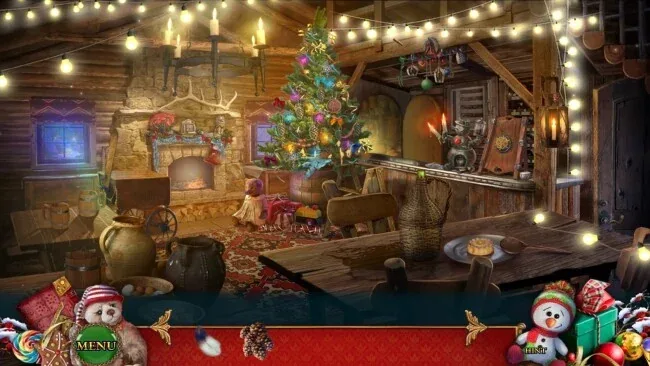
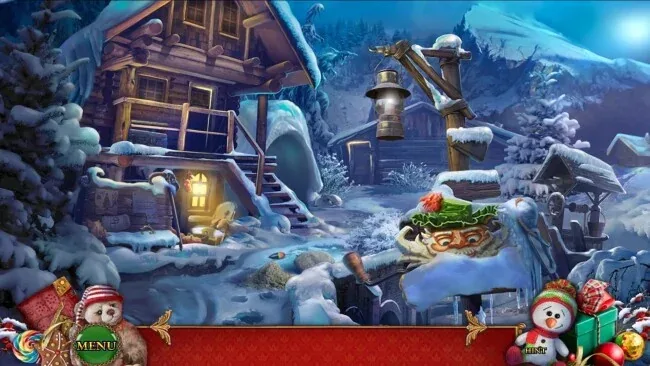
Players move between illustrated locations, examining scenes for useful items, uncovering clues, and completing inventory-based quests that open new paths. Hidden-object screens break up the adventure with lists of cleverly concealed objects, while standalone puzzles ask for pattern recognition, logic, assembling mechanisms, and careful observation. Progress depends on revisiting areas with newly acquired tools, so paying attention to environmental details matters as much as clearing each puzzle. Difficulty varies across the game’s conundrums, making it approachable for casual players while still providing enough friction for veterans of the genre who prefer to solve problems without rushing through hints.
Its strongest feature is the mixture of festive warmth and mythic adventure: one moment centers on bells, snow, and glowing village scenes, while the next involves artifacts and old sorcery used to resist the Darkness. The hand-drawn presentation suits the fairy-tale tone, and the game’s steady succession of searches, puzzles, and story scenes makes it easy to play in short sessions during the holiday season. Fans of Artifex Mundi-style point-and-click mysteries, especially lighter entries such as Christmas Stories, should feel immediately at home with its familiar but dependable formula. It is best suited to players looking for a relaxed seasonal puzzle adventure rather than demanding combat, deep exploration, or a highly branching narrative.
Screenshots
Installation
- Select the <strong>Download</strong> button at the top of this page to open UploadHaven.
- On UploadHaven, wait for any countdown, then select <strong>Free Download</strong>. Optional: UploadHaven Pro for faster downloads.
- When complete, extract the archive to a <strong>Christmas Adventures: A Winter Night's Dream</strong> folder using 7-Zip.
- Open the extracted folder and start the game normally.
- For errors, check <strong>Setup Guide & Troubleshooting</strong> below. Keep your security software enabled.
System Requirements
- Requires a 64-bit processor and operating system
- OS *: Windows XP
- Processor: 1.4 GHz
- Memory: 512 MB RAM
- Graphics: OpenGL 1.1 Capable Video with 512MB VRAM
- DirectX: Version 9.0
- Storage: 300 MB available space
- Sound Card: Any
Setup Guide & Troubleshooting
Is Christmas Adventures: A Winter Night’s Dream (Latest Full Build) free to download on Steam Unlocked?
Yes, Christmas Adventures: A Winter Night’s Dream (Latest Full Build) is available as a full-version direct download on Steam Unlocked with verified mirror links and complete release files.
How do I install Christmas Adventures: A Winter Night’s Dream without errors?
Download the complete archive from the mirror links, extract using 7-Zip or WinRAR into a path without special characters, install any required runtime redistributables, and launch the main executable.
Does this release of Christmas Adventures: A Winter Night’s Dream include the latest updates?
This listing provides build Latest Full Build of Christmas Adventures: A Winter Night’s Dream, tested for offline play and compatibility with modern operating systems and emulators.
What should I do if Christmas Adventures: A Winter Night’s Dream crashes on startup?
Verify that your GPU drivers and Visual C++ / DirectX runtimes are updated, run the executable as administrator, and ensure your antivirus did not block any extracted game files.