
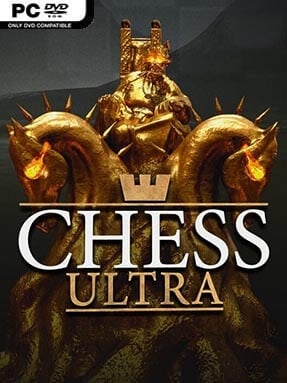
Game Overview
Polished wooden pieces, candlelit rooms, and sharply rendered boards turn every match into a surprisingly atmospheric contest of calculation. Chess Ultra presents classic chess without changing its rules, but gives the familiar duel a lavish digital stage built for monitors, 4K displays, and virtual reality headsets. The mood is calm rather than flashy: it is about reading threats, managing the clock, and enjoying the tension of a well-earned checkmate. Whether you want a quiet solo puzzle-like session or a serious ranked match, it treats chess with the ceremony it deserves.
Matches revolve around traditional play, with selectable computer opponents that range from forgiving practice partners to demanding Grandmaster-tuned challenges. Players can adjust time limits for long-form classical games, rapid blitz sessions, or drawn-out marathon matches, making it easy to fit a game into almost any schedule. Online and local multiplayer support head-to-head play, while ranked online competition uses an Elo-based system to track performance against other players. Cross-platform matchmaking broadens the pool of opponents, and VR support lets you sit at a virtual table and examine the board from a natural angle rather than simply viewing it as a flat screen.
What separates Chess Ultra from many digital chess clients is its presentation: detailed piece sets, varied scenic locations, and subtle visual polish make even routine openings feel more tactile. It does not try to replace dedicated analysis software or turn chess into an arcade spectacle; instead, it focuses on delivering a clean, attractive place to play the real game. The AI ladder gives newcomers room to learn fundamentals, while strong opponents and competitive time controls keep experienced players engaged. Fans of Chess.com-style online play who want a more cinematic, premium-looking offline and VR alternative will find plenty to appreciate here.
Installation
- Click the green button below to be redirected to UploadHaven.
- Wait 15 seconds, then hit “Free Download.” (Free downloads may be slower — upgrade to UploadHaven Pro for faster speeds.)
- Once downloaded, right-click the .zip file and choose “Extract to Chess Ultra.” (You’ll need 7-Zip for this.)
- Open the extracted folder and run the game as administrator.
- Enjoy! 🎮 If you see missing DLL errors, check the <strong>_Redist</strong> folder inside and install what’s needed.
System Requirements
- OS: Windows
- Storage: 4.81 GB available space
- License: Free
Setup Guide & Troubleshooting
How do I fix missing DLL errors for Chess Ultra (v1.13)?
After extracting Chess Ultra (v1.13), navigate to the _Redist or _CommonRedist folder inside the game directory and install DirectX, Vcredist, and any other dependencies included.
What should I do if the downloaded file is corrupted?
The full archive is 4.81 GB — make sure your download completed fully before extracting. Use 7-Zip to extract the files. If you still see a "file corrupted" error, re-download and try again.
Why should I run the game as administrator?
Right-click the game executable and select "Run as Administrator" to avoid save file issues and permission errors. This is especially important on the first launch.
How do I update my GPU drivers for this game?
Update your NVIDIA or AMD drivers to the latest version for the best performance and compatibility.
The game won't launch — what should I try?
Try running in compatibility mode, install the latest DirectX runtime, or install the All-in-One VC Redist Package.
My antivirus is blocking the game — is it safe?
Antivirus false positives are common with pre-installed games. Temporarily pause your antivirus during extraction to prevent it from quarantining game files. You can re-enable it after the extraction completes.