
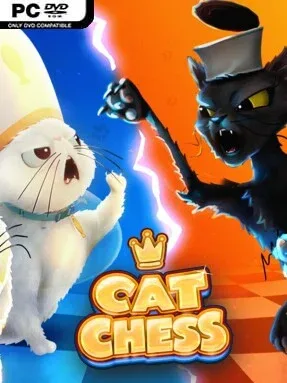
Game Overview
A familiar battle of kings becomes a lighthearted contest of paws, whiskers, and sharply calculated moves. Cat Chess keeps the full strategic framework of traditional chess while replacing the usual wooden armies with animated feline pieces, giving every capture and repositioning a little more personality. The mood is playful rather than competitive-serious, built around expressive cats and silly reactions without abandoning the tension of protecting your king. It is an easygoing indie presentation of one of gaming’s oldest tactical challenges.
Matches follow standard chess rules, so success still comes down to reading the board, developing pieces, creating threats, and recognizing when an opponent leaves an opening. Players choose between opposing cat-themed sides, with rebellious Stray Cats facing the poised, methodical House Cats, then command their pieces across the board as they would in a conventional match. Each unit corresponds to a chess piece but has its own breed, animation, and attitude, making routine moves feel more animated than a static digital board. During the other side’s turn, small interactions with the cats and humorous emotes help fill the downtime and keep short matches from feeling dry.
Cat Chess stands out through presentation rather than by trying to reinvent chess itself. The animated breeds give the board a toy-box charm, and the contrast between the scruffy Stray Cats and refined House Cats adds a bit of character to each side of the conflict. Because its foundation remains classic chess, it works as a casual way for newcomers to practice the basics while still offering experienced players the same familiar mind games, forks, pins, sacrifices, and endgame pressure they expect. Anyone who enjoys chess apps but wants something warmer and more whimsical—closer to a charming board-game adaptation than a formal tournament simulator—will find its feline theme doing most of the appeal’s heavy lifting.
Installation
- Click the green button below to be redirected to UploadHaven.
- Wait 15 seconds, then hit “Free Download.” (Free downloads may be slower — upgrade to UploadHaven Pro for faster speeds.)
- Once downloaded, right-click the .zip file and choose “Extract to Cat Chess.” (You’ll need 7-Zip for this.)
- Open the extracted folder and run the game as administrator.
- Enjoy! 🎮 If you see missing DLL errors, check the <strong>_Redist</strong> folder inside and install what’s needed.
System Requirements
- Requires a 64-bit processor and operating system
- OS: Windows 10 or later 64-bit (latest update)
- Processor: Intel Core i5-6600K or AMD Ryzen R5 1600 processor
- Memory: 3 GB RAM
- Graphics: NVIDIA GeForce GTX 1630 ||| AMD Radeon RX 560 ||| Intel Arc A310
- DirectX: Version 11
- Storage: 1 GB available space
Setup Guide & Troubleshooting
How do I fix missing DLL errors for Cat Chess (v1.0.0)?
After extracting Cat Chess (v1.0.0), navigate to the _Redist or _CommonRedist folder inside the game directory and install DirectX, Vcredist, and any other dependencies included.
What should I do if the downloaded file is corrupted?
The full archive is 923.98 MB — make sure your download completed fully before extracting. Use 7-Zip to extract the files. If you still see a "file corrupted" error, re-download and try again.
Why should I run the game as administrator?
Right-click the game executable and select "Run as Administrator" to avoid save file issues and permission errors. This is especially important on the first launch.
How do I update my GPU drivers for this game?
Cat Chess (v1.0.0) requires a NVIDIA GeForce GTX 1630||| AMD Radeon RX 560||| Intel Arc A310 or equivalent. Update your NVIDIA or AMD drivers to the latest version for the best performance.
The game won't launch — what should I try?
This game requires Version 11. Try running in compatibility mode, install the latest DirectX runtime, or install the All-in-One VC Redist Package.
My antivirus is blocking the game — is it safe?
Antivirus false positives are common with pre-installed games. Temporarily pause your antivirus during extraction to prevent it from quarantining game files. You can re-enable it after the extraction completes.