
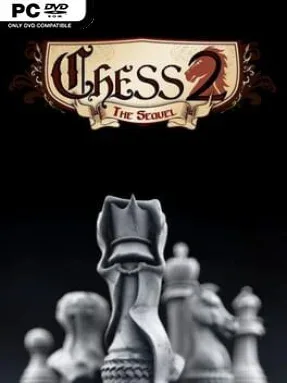
Chess 2: The Sequel Cover Art

Chess 2: The Sequel

INDIE 158.28 MB

Game Overview

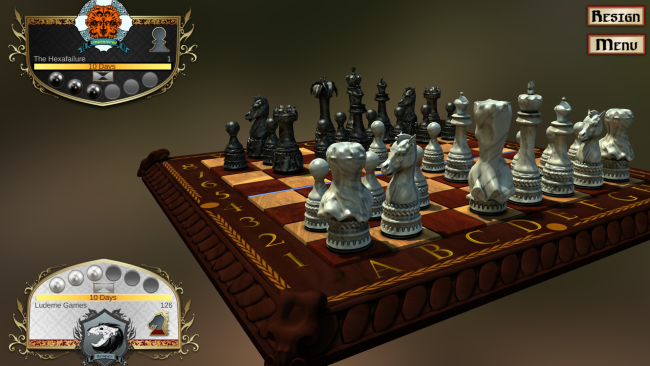
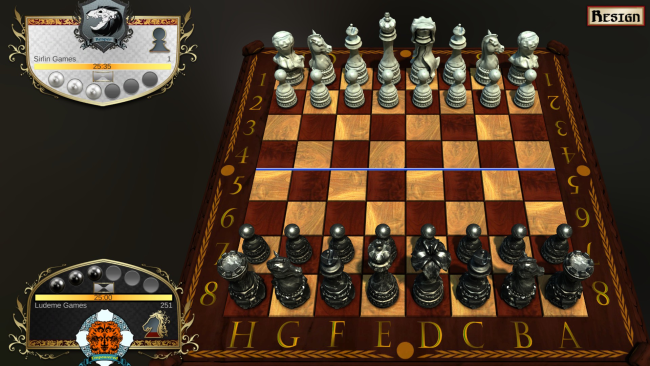
Chess stops being a solved ritual of familiar openings and becomes a sharp, experimental contest of armies in Chess 2: The Sequel. Built around the ruleset of traditional chess but willing to tear up its safest assumptions, it turns every match into a battle between radically different factions, from the recognisable Classic set to undead Reapers and aggressively strange Animals. The mood is cerebral but lively: a clean board game presentation masks a system designed to create immediate threats, hard choices, and unexpected reversals. Winning can mean eliminating the opposing king, but advancing your own king across the board’s central line also creates a daring alternative route to victory.

Matches begin by choosing one of six armies, each replacing standard piece behavior with a distinct strategic identity. The Two Kings faction fields a pair of mobile rulers, Empowered pieces borrow movement abilities from nearby allies, Nemesis units specialize in hunting kings, and Reaper forces introduce teleporting, hard-to-remove threats. Captures can trigger the game’s duel mechanic, letting players spend limited resources to influence whether an attack succeeds; this adds bluffing and risk management to positions that would be automatic exchanges in ordinary chess. Twenty-one army pairings and a large set of tailored opening positions keep players focused on board control and adaptation rather than simply reciting famous lines.

Its best feature is how clearly every army changes the language of chess without abandoning the importance of piece placement, tempo, and tactical calculation. Matches are often faster and more confrontational than classic chess, yet the alternative win condition prevents defensive players from locking down the board forever. The stylized presentation is functional rather than lavish, putting the emphasis squarely on competitive local or online play and the enormous matchup knowledge players can develop over time. Chess 2: The Sequel suits chess veterans who want a deeper, wilder variant, while newcomers who find conventional opening theory intimidating may appreciate an arena where creativity matters from move one.

Installation

  1. Click the green button below to be redirected to UploadHaven.
  2. Wait 15 seconds, then hit “Free Download.” (Free downloads may be slower — upgrade to UploadHaven Pro for faster speeds.)
  3. Once downloaded, right-click the .zip file and choose “Extract to Chess 2: The Sequel.” (You’ll need 7-Zip for this.)
  4. Open the extracted folder and run the game as administrator.
  5. Enjoy! 🎮 If you see missing DLL errors, check the <strong>_Redist</strong> folder inside and install what’s needed.

System Requirements

  • OS: Windows XP, 7, 8
  • Processor: 1 Gigahertz
  • Memory: 300 MB RAM
  • Graphics: 3D graphics card compatible with DirectX 9 or better
  • DirectX: Version 9.0c
  • Storage: 350 MB available space

Setup Guide & Troubleshooting

How do I fix missing DLL errors for Chess 2: The Sequel?

After extracting Chess 2: The Sequel, navigate to the _Redist or _CommonRedist folder inside the game directory and install DirectX, Vcredist, and any other dependencies included.

What should I do if the downloaded file is corrupted?

The full archive is 158.28 MB — make sure your download completed fully before extracting. Use 7-Zip to extract the files. If you still see a "file corrupted" error, re-download and try again.

Why should I run the game as administrator?

Right-click the game executable and select "Run as Administrator" to avoid save file issues and permission errors. This is especially important on the first launch.

How do I update my GPU drivers for this game?

Chess 2: The Sequel requires a 3D graphics card compatible with DirectX 9 or better or equivalent. Update your NVIDIA or AMD drivers to the latest version for the best performance.

The game won't launch — what should I try?

This game requires Version 9.0c. Try running in compatibility mode, install the latest DirectX runtime, or install the All-in-One VC Redist Package.

My antivirus is blocking the game — is it safe?

Antivirus false positives are common with pre-installed games. Temporarily pause your antivirus during extraction to prevent it from quarantining game files. You can re-enable it after the extraction completes.

Need more help? Browse our FAQ & Troubleshooting Guide for solutions to common issues.
Looking for something else? Explore all games on Steam Unlocked