
Game Overview
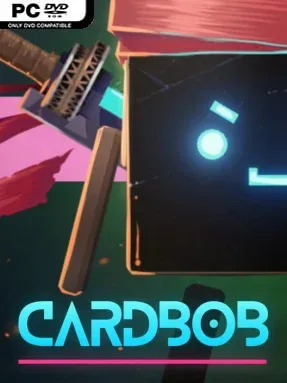
A neon-lit basement dungeon becomes the workplace of a cardboard robot with bigger ambitions than simply surviving another run. Cardbob blends light roguelite action with shop management, sending its hi-tech protagonist through a mysterious sci-fi labyrinth to recover strange loot and turn it into profit. The world has a playful handmade look, but its loop carries real tension: deeper rooms hold more valuable finds, tougher security machines, and the constant risk of leaving empty-handed.
Dungeon expeditions revolve around clearing distinct room types, fighting hostile robots, locating items, and sending your haul safely back home. Combat helps Cardbob grow stronger over repeated runs, while bosses and increasingly dangerous encounters push players to decide how far they can safely go before returning to the shop. Back at base, recovered goods are placed on display and sold through negotiations rather than simple menu transactions. Customers have readable stats that inform how aggressively to haggle, making every sale a small gamble between securing a deal and pressing for a better payout. Money earned from smart bargaining funds permanent upgrades, so even imperfect runs feed into long-term progress.
What makes Cardbob appealing is the way it connects its two halves: dungeon loot only matters because you must understand its market value, while a thriving shop directly improves future expeditions. Its cardboard robots, glowing city atmosphere, and compact room-based structure give it a scrappy indie personality instead of chasing the scale of a traditional action RPG. Players who enjoy the repeatable progression of Hades-style runs but want a more unusual merchant-focused reward loop should find plenty to like. It suits newcomers because the central goal is easy to grasp—fight, collect, sell, improve—while optimization-minded players can chase stronger builds, rarer stock, and sharper negotiations on the road to becoming the town’s best trader.
Installation
- Click the green button below to be redirected to UploadHaven.
- Wait 15 seconds, then hit “Free Download.” (Free downloads may be slower — upgrade to UploadHaven Pro for faster speeds.)
- Once downloaded, right-click the .zip file and choose “Extract to Cardbob.” (You’ll need 7-Zip for this.)
- Open the extracted folder and run the game as administrator.
- Enjoy! 🎮 If you see missing DLL errors, check the <strong>_Redist</strong> folder inside and install what’s needed.
System Requirements
- Requires a 64-bit processor and operating system
- OS: Windows 10
- Processor: Requires a 64-bit processor and operating system
- Memory: 6 GB RAM
- Graphics: GeForce 700 series or similar
- Storage: 200 MB available space
Setup Guide & Troubleshooting
How do I fix missing DLL errors for Cardbob?
After extracting Cardbob, navigate to the _Redist or _CommonRedist folder inside the game directory and install DirectX, Vcredist, and any other dependencies included.
What should I do if the downloaded file is corrupted?
The full archive is 276.34 MB — make sure your download completed fully before extracting. Use 7-Zip to extract the files. If you still see a "file corrupted" error, re-download and try again.
Why should I run the game as administrator?
Right-click the game executable and select "Run as Administrator" to avoid save file issues and permission errors. This is especially important on the first launch.
How do I update my GPU drivers for this game?
Cardbob requires a GeForce 700 series or similar or equivalent. Update your NVIDIA or AMD drivers to the latest version for the best performance.
The game won't launch — what should I try?
Try running in compatibility mode, install the latest DirectX runtime, or install the All-in-One VC Redist Package.
My antivirus is blocking the game — is it safe?
Antivirus false positives are common with pre-installed games. Temporarily pause your antivirus during extraction to prevent it from quarantining game files. You can re-enable it after the extraction completes.