
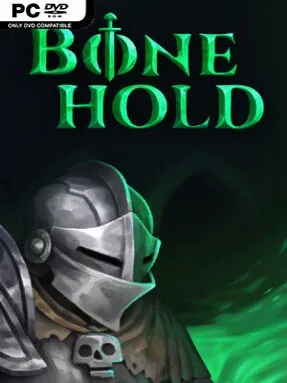
Game Overview
A cursed fortress full of restless dead provides the arena for a brisk, combat-heavy roguelike built around risky descents and improvised character builds. Bonehold combines the immediacy of an action RPG with the uncertainty of randomly assembled dungeon runs, sending players through shadowy halls crowded with skeletons, spirits, and stranger magical threats. Its atmosphere is dark without becoming overly grim, helped by an unusual visual approach that layers chunky pixel-art detail over painted 3D environments. The result feels like an old-school dungeon crawl viewed through a more modern action-game lens.
Each run begins by choosing one of seven classes, with options such as the durable Knight, hard-hitting Barbarian, flame-focused Scorcher, and flexible Spellblade pushing combat in different directions. Exploration means clearing rooms, surviving enemy groups, searching for better gear, and deciding how to adapt when a weapon, spell, or piece of armor changes the strengths of a build. Fast attacks and hack-and-slash pacing keep encounters active, but success also depends on positioning, ability use, and knowing when your current setup needs a different approach. Procedural layouts and shifting loot ensure that progress relies less on memorizing a fixed route and more on reacting to each dungeon attempt.
The strongest appeal lies in the way class identity and randomized equipment encourage experimentation instead of locking players into a single preferred strategy. Bonehold’s hybrid art style gives its fortress a distinct personality, with textured stonework and eerie foes that avoid the generic look of many fantasy roguelikes. Fans of games such as Hades, Diablo, or classic dungeon crawlers will recognize the satisfying loop of fighting, looting, dying, and returning with better knowledge. It suits action-RPG veterans looking for repeatable runs, while newcomers who enjoy learning through failure can find plenty of room to test classes and discover combinations.
Installation
- Click the green button below to be redirected to UploadHaven.
- Wait 15 seconds, then hit “Free Download.” (Free downloads may be slower — upgrade to UploadHaven Pro for faster speeds.)
- Once downloaded, right-click the .zip file and choose “Extract to Bonehold.” (You’ll need 7-Zip for this.)
- Open the extracted folder and run the game as administrator.
- Enjoy! 🎮 If you see missing DLL errors, check the <strong>_Redist</strong> folder inside and install what’s needed.
System Requirements
- OS: 7
- Processor: AMD Phenom(tm) 8450 Triple-Core Processor (3 CPUs), ~2.1GHz or Intel Core 2 Duo E8400 @ 3.0 GHz
- Memory: 4 MB RAM
- Graphics: Graphics: NVIDIA® GeForce GTX 470 (1Gb VRAM) / ATI Radeon TM HD 6870 (1Gb VRAM)
- Storage: 1 MB available space
- Sound Card: DirectX 11 sound device
Setup Guide & Troubleshooting
How do I fix missing DLL errors for Bonehold (v1.0)?
After extracting Bonehold (v1.0), navigate to the _Redist or _CommonRedist folder inside the game directory and install DirectX, Vcredist, and any other dependencies included.
What should I do if the downloaded file is corrupted?
The full archive is 205.48 MB — make sure your download completed fully before extracting. Use 7-Zip to extract the files. If you still see a "file corrupted" error, re-download and try again.
Why should I run the game as administrator?
Right-click the game executable and select "Run as Administrator" to avoid save file issues and permission errors. This is especially important on the first launch.
How do I update my GPU drivers for this game?
Bonehold (v1.0) requires a Graphics: NVIDIA® GeForce GTX 470 (1Gb VRAM) / ATI Radeon TM HD 6870 (1Gb VRAM) or equivalent. Update your NVIDIA or AMD drivers to the latest version for the best performance.
The game won't launch — what should I try?
Try running in compatibility mode, install the latest DirectX runtime, or install the All-in-One VC Redist Package.
My antivirus is blocking the game — is it safe?
Antivirus false positives are common with pre-installed games. Temporarily pause your antivirus during extraction to prevent it from quarantining game files. You can re-enable it after the extraction completes.