
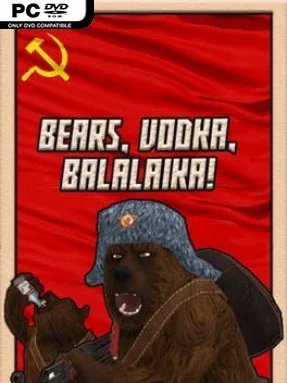
Game Overview
A deliberately over-the-top Soviet war fantasy, BEARS, VODKA, BALALAIKA! turns World War II into a loud, irreverent shooting gallery built around exaggerated Russian stereotypes. You play a nameless Soviet soldier defending the Motherland from Nazi forces, armed with an AK-47 that is knowingly far more at home in pop-culture mythology than strict historical accuracy. The mood is less grim military simulation and more rough-edged indie parody, where patriotic bravado, gunfire, vodka, and music share equal importance. Anyone looking for a serious recreation of the Eastern Front should look elsewhere; the appeal lies in its absurd, intentionally cartoonish premise.
Combat centers on shooting enemies and surviving long enough to keep the invasion at bay. The AK-47 serves as the star weapon, delivering the straightforward first-person action expected from a small-scale arcade shooter rather than a tactical military campaign. Pressing V lets your soldier drink vodka to recover health, turning healing into the game’s central joke as well as a practical survival tool. Pressing B brings out the balalaika, adding a musical flourish that reinforces the deliberately silly national-spirit presentation between firefights.
Its commitment to one gag is what makes BEARS, VODKA, BALALAIKA! memorable: nearly every element exists to sell a broad parody of Soviet action-movie iconography. There is no promise of deep strategy, detailed squad command, or authentic weapon handling, but the compact premise makes it easy to understand immediately. The crude humor and stripped-down shooting may appeal to players who enjoy novelty FPS games, meme-heavy indie projects, or the less serious side of titles such as Serious Sam. Veterans of realistic WWII shooters will likely find the historical liberties and simple design too shallow, while newcomers wanting a quick, bizarre distraction may appreciate its uncomplicated chaos.
Installation
- Click the green button below to be redirected to UploadHaven.
- Wait 15 seconds, then hit “Free Download.” (Free downloads may be slower — upgrade to UploadHaven Pro for faster speeds.)
- Once downloaded, right-click the .zip file and choose “Extract to BEARS, VODKA, BALALAIKA!.” (You’ll need 7-Zip for this.)
- Open the extracted folder and run the game as administrator.
- Enjoy! 🎮 If you see missing DLL errors, check the <strong>_Redist</strong> folder inside and install what’s needed.
System Requirements
- OS: Windows 7, 8, 10
- Processor: Dual-Core 2.4 GHz
- Memory: 2 GB RAM
- Graphics: DirectX® 9.0 compatible
- Network: Broadband Internet connection
- Storage: 200 MB available space
- Sound Card: DirectX® 9.0 compatible
Setup Guide & Troubleshooting
How do I fix missing DLL errors for BEARS, VODKA, BALALAIKA! (v0.1)?
After extracting BEARS, VODKA, BALALAIKA! (v0.1), navigate to the _Redist or _CommonRedist folder inside the game directory and install DirectX, Vcredist, and any other dependencies included.
What should I do if the downloaded file is corrupted?
The full archive is 78.52 MB — make sure your download completed fully before extracting. Use 7-Zip to extract the files. If you still see a "file corrupted" error, re-download and try again.
Why should I run the game as administrator?
Right-click the game executable and select "Run as Administrator" to avoid save file issues and permission errors. This is especially important on the first launch.
How do I update my GPU drivers for this game?
BEARS, VODKA, BALALAIKA! (v0.1) requires a DirectX® 9.0 compatible or equivalent. Update your NVIDIA or AMD drivers to the latest version for the best performance.
The game won't launch — what should I try?
Try running in compatibility mode, install the latest DirectX runtime, or install the All-in-One VC Redist Package.
My antivirus is blocking the game — is it safe?
Antivirus false positives are common with pre-installed games. Temporarily pause your antivirus during extraction to prevent it from quarantining game files. You can re-enable it after the extraction completes.