
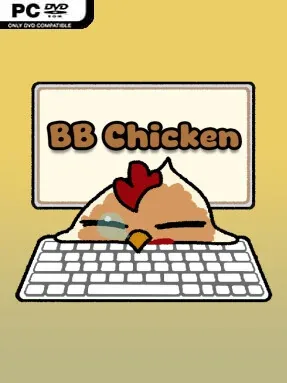
Game Overview
A round baby rooster turns an otherwise quiet desktop into a small, responsive comedy routine. BB Chicken is less a conventional game than an interactive productivity companion: it watches your typing, reacts with exaggerated physical gags, and offers a little encouragement during work or study sessions. The tone stays deliberately cute and silly, from sleepy idle behavior to frantic spins when your fingers race across the keyboard. It is built for players who enjoy desktop pets, low-pressure routines, and a bit of personality beside their apps rather than a deep challenge or story campaign.
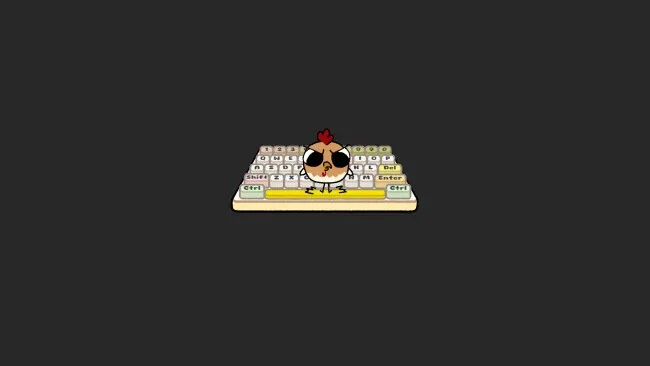
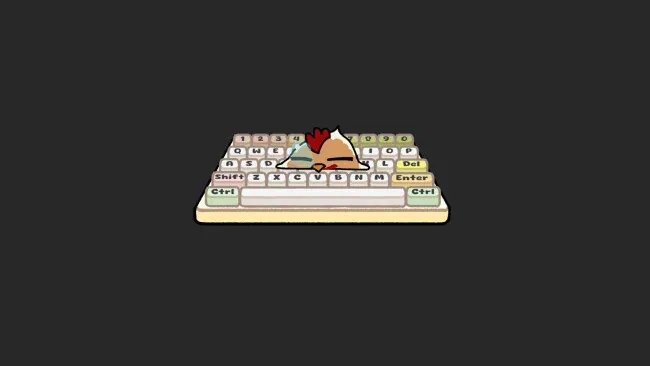
Most interaction comes from ordinary computer use. Each keystroke can prompt a different animation, while actions such as rapid typing or using backspace inspire more dramatic reactions from the clumsy chicken. A built-in Pomodoro mode supports focused 25-minute stretches, with the mascot tending an egg during the timer and celebrating when a session ends. Simple task-list tools let you add and complete goals, and basic daily statistics record typing volume and focus time, turning productivity data into friendlier, less clinical feedback.
Its appeal comes from how lightly it treats self-improvement. Rather than nagging users with alarms, streaks, or punishing missed objectives, BB Chicken makes routine work feel a touch more playful through visual feedback and absurd character animation. The minimalist presentation keeps it from competing with whatever you are actually doing, though anyone seeking a robust planner, serious habit tracker, or mechanically complex pet simulator will find its tools limited. Fans of cozy desktop companions and Pomodoro apps, especially those who like the whimsical spirit of virtual pets such as Tamagotchi, should get the most from it.
Screenshots
Installation
- Select the <strong>Download</strong> button at the top of this page to open UploadHaven.
- On UploadHaven, wait for any countdown, then select <strong>Free Download</strong>. Optional: UploadHaven Pro for faster downloads.
- When complete, extract the archive to a <strong>BB Chicken</strong> folder using 7-Zip.
- Open the extracted folder and start the game normally.
- For errors, check <strong>Setup Guide & Troubleshooting</strong> below. Keep your security software enabled.
System Requirements
- OS: win10
- Processor: Intel Core i3-2100
- Memory: 2 GB RAM
- Graphics: Intel HD Graphics 4000 / NVIDIA GeForce 8800 GT / AMD Radeon HD 6570
- Storage: 200 MB available space