
Game Overview
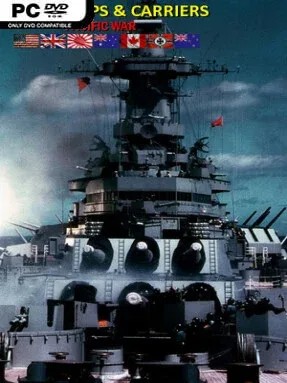
The Pacific theater becomes a brisk, board-game-like contest of carriers, submarines, destroyers, bombers, and coastal defenses. Battleships and Carriers – Pacific War favors readable turn-based strategy over dense simulation, letting players command Allied, Japanese, and even alternate-history German naval forces across famous wartime flashpoints. Its chunky 2D pixel presentation keeps the focus on positioning fleets and protecting vital sea lanes rather than admiring detailed ship models. The mood is historical but approachable, mixing recognizable battles such as Midway and Guadalcanal with speculative scenarios that let unusual naval matchups play out.
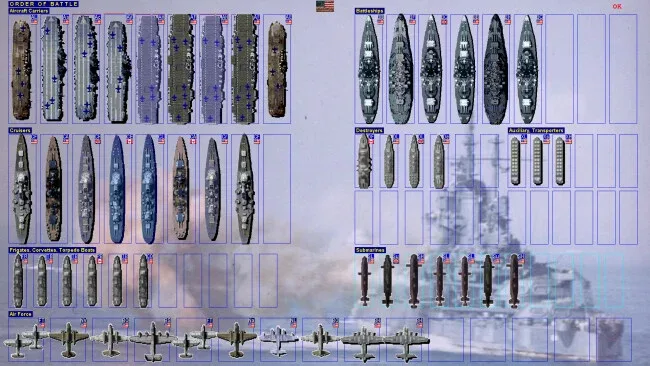
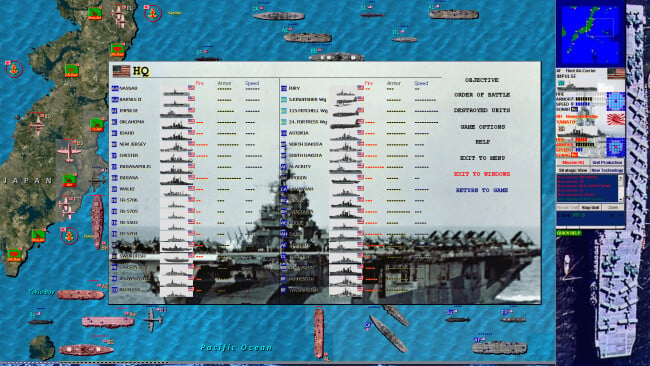
Each mission revolves around moving task forces across square-based maps, scouting for hidden threats, launching air strikes, engaging enemy vessels, and securing ports or convoys. Fleets can be grouped for quick handling, with large formations of ships moved together instead of requiring constant individual orders. Combat is deliberately straightforward, but the choices behind it are not: aircraft range, submarine ambushes, radar coverage, artillery, escorts, armor, and fleet composition all matter. Between and during operations, players produce reinforcements and research upgrades that improve speed, range, durability, and firepower, allowing a successful force to evolve around a preferred doctrine.
Ninety missions provide substantial variety, ranging from focused historical engagements to defense missions, invasions, convoy escorts, open-ended hunts, and lengthy campaign routes. More than fifty unit classes make carrier groups feel distinct from battleship lines, submarine packs, transport convoys, and radar-supported island defenses, while maps reach a considerable 90-by-90 tiles. The presentation is plain and the interface aims for function rather than spectacle, yet that simplicity makes it easy to finish a quick tactical battle without losing the wider strategic layer. Players who enjoy Panzer Corps-style accessible hex strategy, classic naval board games, or a lighter alternative to hardcore war simulations find plenty to chew on, while genre veterans can use the extended scenarios and research options for more demanding repeat runs.
Screenshots
Installation
- Click the green button below to be redirected to UploadHaven.
- Wait 15 seconds, then hit “Free Download.” (Free downloads may be slower — upgrade to UploadHaven Pro for faster speeds.)
- Once downloaded, right-click the .zip file and choose “Extract to Battleships and Carriers - Pacific War.” (You’ll need 7-Zip for this.)
- Open the extracted folder and run the game as administrator.
- Enjoy! 🎮 If you see missing DLL errors, check the <strong>_Redist</strong> folder inside and install what’s needed.
System Requirements
- OS *: Windows 7, 8, 10
- Processor: All standard processors
- Memory: 1 GB RAM
- Storage: 100 MB available space
- Additional Notes: Optimized for screen resolutions 1920×1080, 1600×900, 1680×1050, 1366×768, 1360×768, 1024×768
Setup Guide & Troubleshooting
How do I fix missing DLL errors for Battleships and Carriers – Pacific War (v1.27)?
After extracting Battleships and Carriers – Pacific War (v1.27), navigate to the _Redist or _CommonRedist folder inside the game directory and install DirectX, Vcredist, and any other dependencies included.
What should I do if the downloaded file is corrupted?
The full archive is 112.41 MB — make sure your download completed fully before extracting. Use 7-Zip to extract the files. If you still see a "file corrupted" error, re-download and try again.
Why should I run the game as administrator?
Right-click the game executable and select "Run as Administrator" to avoid save file issues and permission errors. This is especially important on the first launch.
How do I update my GPU drivers for this game?
Update your NVIDIA or AMD drivers to the latest version for the best performance and compatibility.
The game won't launch — what should I try?
Try running in compatibility mode, install the latest DirectX runtime, or install the All-in-One VC Redist Package.
My antivirus is blocking the game — is it safe?
Antivirus false positives are common with pre-installed games. Temporarily pause your antivirus during extraction to prevent it from quarantining game files. You can re-enable it after the extraction completes.