
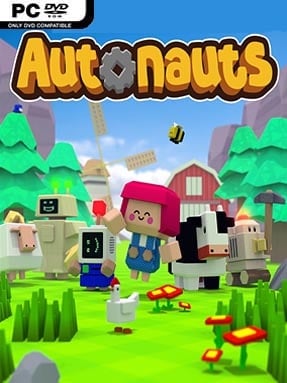
Game Overview
A quiet alien planet becomes a sprawling machine-run settlement in this approachable automation sandbox. Autonauts begins with the simplest survival chores—collecting sticks, stones, and food—but quickly turns them into a satisfying exercise in designing systems that run without you. Its cheerful low-poly look and bright colours keep the mood relaxed even as production chains grow increasingly elaborate. The appeal comes from watching a bare patch of wilderness become a functioning colony because of instructions you designed yourself.
You gather resources, craft tools and structures, then assemble workerbots that can be taught specific routines through an intuitive visual programming interface. Recording actions lets a bot repeat jobs such as chopping trees, transporting materials, farming crops, cooking meals, or constructing buildings; later, conditional commands, storage rules, and upgraded bot brains allow for much smarter operations. Expansion introduces colonists with needs for food, shelter, clothing, and other supplies, forcing players to build reliable automated pipelines rather than merely stockpile resources. There is no traditional combat focus or punishing survival pressure, so progress depends more on diagnosing inefficiencies, reorganising work areas, and refining programs when a production line breaks down.
What separates Autonauts from factory builders such as Factorio is its hands-on approach to automation: instead of connecting machinery with conveyor belts, you create a workforce and effectively write its behavior. Bots have visible limitations, from tool durability to inventory capacity and navigation, which makes clean layouts and specialised roles matter as much as raw resource output. The world is welcoming enough for newcomers curious about programming concepts, while later colony demands offer plenty for optimisation-minded veterans who enjoy untangling complex logistics. Anyone who likes the calm construction of Minecraft, the task management of RimWorld, or the escalating production puzzles of Satisfactory will find a clever, charming automation game that rewards patience and experimentation.
Installation
- Click the green button below to be redirected to UploadHaven.
- Wait 15 seconds, then hit “Free Download.” (Free downloads may be slower — upgrade to UploadHaven Pro for faster speeds.)
- Once downloaded, right-click the .zip file and choose “Extract to Autonauts.” (You’ll need 7-Zip for this.)
- Open the extracted folder and run the game as administrator.
- Enjoy! 🎮 If you see missing DLL errors, check the <strong>_Redist</strong> folder inside and install what’s needed.
System Requirements
- OS: Windows 7, 8, 8.1, 10 x64
- Processor: Intel Core i5-6600K (4 * 3500) or equivalent/AMD FX-9370 (8 * 4400) or equivalent
- Memory: 8 GB RAM
- Graphics: GeForce GTX 750 (2048 MB) or Radeon HD 7870 (2048 MB)
- Storage: 1 GB available space
- Sound Card: Any
- Additional Notes: Low Settings on massive dense worlds
Setup Guide & Troubleshooting
How do I fix missing DLL errors for Autonauts (v140.2)?
After extracting Autonauts (v140.2), navigate to the _Redist or _CommonRedist folder inside the game directory and install DirectX, Vcredist, and any other dependencies included.
What should I do if the downloaded file is corrupted?
The full archive is 439.77 MB — make sure your download completed fully before extracting. Use 7-Zip to extract the files. If you still see a "file corrupted" error, re-download and try again.
Why should I run the game as administrator?
Right-click the game executable and select "Run as Administrator" to avoid save file issues and permission errors. This is especially important on the first launch.
How do I update my GPU drivers for this game?
Autonauts (v140.2) requires a GeForce GTX 750 (2048 MB) or Radeon HD 7870 (2048 MB) or equivalent. Update your NVIDIA or AMD drivers to the latest version for the best performance.
The game won't launch — what should I try?
Try running in compatibility mode, install the latest DirectX runtime, or install the All-in-One VC Redist Package.
My antivirus is blocking the game — is it safe?
Antivirus false positives are common with pre-installed games. Temporarily pause your antivirus during extraction to prevent it from quarantining game files. You can re-enable it after the extraction completes.