
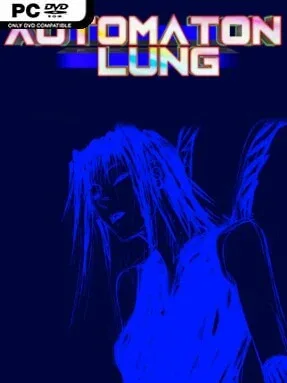
Game Overview
A lonely, hostile landscape turns simple movement into a form of investigation, and that uncertainty is Automaton Lung’s greatest strength. This experimental third-person adventure drops you into a strange world with little guidance, asking you to read its architecture, follow half-understood clues, and decide which dangers are worth confronting. Its mood is deliberately unsettling rather than conventionally scary: every new room, distant structure, and cryptic encounter suggests that the world is hiding rules you have not yet learned. With more than 40 distinct areas, the journey feels like a surreal expedition through places that constantly challenge your assumptions.
Traversal drives the experience as much as exploration. Your character gains unusual tools that allow skating across terrain, firing weapons, and taking to the air, opening alternate routes and changing how you approach unfamiliar spaces. Progress comes from reaching new locations, testing abilities against the environment, and piecing together information that the game rarely explains outright. Combat and movement demand awareness rather than brute force, while the revised lock-on aiming and control adjustments make encounters easier to manage without removing the original’s rough-edged tension. The PC version also supports rebinding controls and a broad selection of display settings, including the original Nintendo 3DS-style resolution for players who want the intended low-resolution presentation.
What stands out is its commitment to mystery over exposition. Automaton Lung does not build its appeal around a huge checklist of quests or constant rewards; it relies on curiosity, atmosphere, and the satisfaction of finding a path that initially seems impossible. The stark environments and strange mechanics give it the feel of an obscure cult adventure, somewhere between the exploratory freedom of older 3D action games and the dreamlike unease of experimental indie projects. Achievements add another reason to revisit overlooked corners of the world. Players who enjoy being lost on purpose, decoding environmental storytelling, and mastering unconventional movement systems should find plenty to like, while anyone needing clear objectives and polished hand-holding may find its opacity frustrating.
Installation
- Click the green button below to be redirected to UploadHaven.
- Wait 15 seconds, then hit “Free Download.” (Free downloads may be slower — upgrade to UploadHaven Pro for faster speeds.)
- Once downloaded, right-click the .zip file and choose “Extract to Automaton Lung.” (You’ll need 7-Zip for this.)
- Open the extracted folder and run the game as administrator.
- Enjoy! 🎮 If you see missing DLL errors, check the <strong>_Redist</strong> folder inside and install what’s needed.
System Requirements
- Requires a 64-bit processor and operating system
- OS *: Windows 7 and beyond
- Processor: Intel Core 4 CPU or better
- Memory: 4 GB RAM
- Graphics: NVIDIA GT/s 4xx or Equivalent
- DirectX: Version 10
- Storage: 1 GB available space
Setup Guide & Troubleshooting
How do I fix missing DLL errors for Automaton Lung (v2023.08.10)?
After extracting Automaton Lung (v2023.08.10), navigate to the _Redist or _CommonRedist folder inside the game directory and install DirectX, Vcredist, and any other dependencies included.
What should I do if the downloaded file is corrupted?
The full archive is 185.86 MB — make sure your download completed fully before extracting. Use 7-Zip to extract the files. If you still see a "file corrupted" error, re-download and try again.
Why should I run the game as administrator?
Right-click the game executable and select "Run as Administrator" to avoid save file issues and permission errors. This is especially important on the first launch.
How do I update my GPU drivers for this game?
Automaton Lung (v2023.08.10) requires a NVIDIA GT/s 4xx or Equivalent or equivalent. Update your NVIDIA or AMD drivers to the latest version for the best performance.
The game won't launch — what should I try?
This game requires Version 10. Try running in compatibility mode, install the latest DirectX runtime, or install the All-in-One VC Redist Package.
My antivirus is blocking the game — is it safe?
Antivirus false positives are common with pre-installed games. Temporarily pause your antivirus during extraction to prevent it from quarantining game files. You can re-enable it after the extraction completes.