
Game Overview
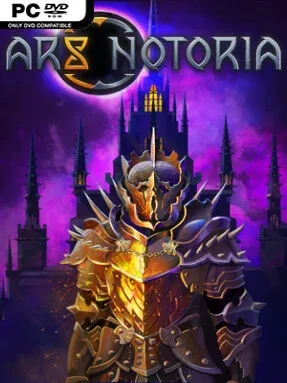
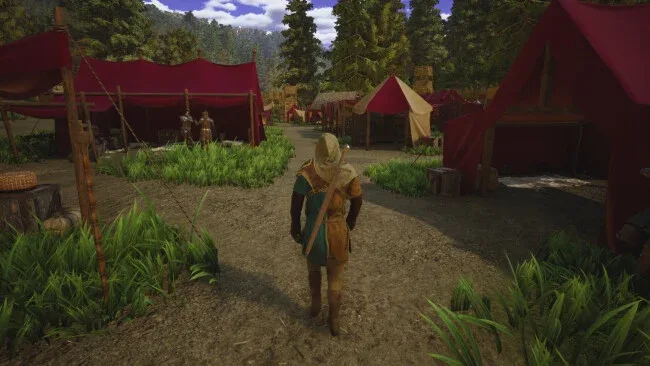
A corrupted fantasy kingdom becomes a survival sandbox where every expedition can feed a growing settlement or end in a desperate fight against the Enthralled. Ars Notoria mixes the resource pressure and base-building appeal of modern open-world crafting games with a heavier emphasis on magic, party management, and dangerous exploration. Enchanted woods, ice-bound caves, abandoned ruins, and dungeon depths give the world a classic high-fantasy texture, while colossal bosses provide clear high-risk targets beyond simple scavenging. The mood sits between adventurous discovery and looming darkness, especially when the landscape’s magical beauty gives way to corrupted monsters and shadowy interiors.
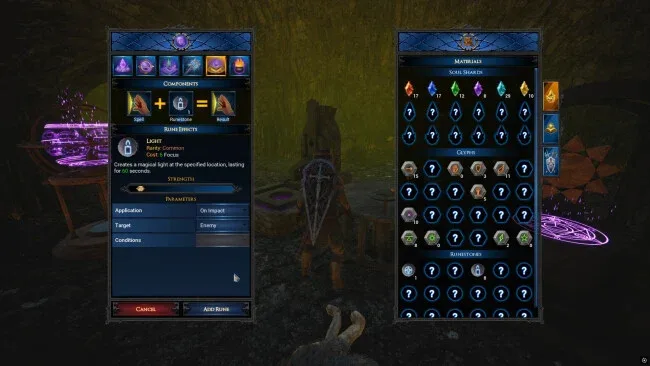
Survival begins with gathering materials, crafting equipment, raising defenses, and upgrading a home base, but the loop expands into controlling a broader network of adventurers. Players can switch between squad members with different weapons and combat roles, allowing fights to reward positioning, team composition, and preparation rather than relying solely on one character’s build. Six magic disciplines—Fire, Frost, Poison, Lightning, Chaos, and Holy—support distinct approaches, and spellcrafting lets players combine sigils and traits into more specialized abilities. Elemental gear upgrades, tamed creatures, summoned companions, faction quests, and automated gathering systems add layers of progression as a small camp grows into a more efficient operation.
What separates Ars Notoria from a typical crafting survival game is the attempt to connect settlement automation with flexible spell design and a multi-character combat roster. Global resource storage reduces some of the busywork common to the genre, while faction advancement and assignable workers give exploration and questing a purpose beyond collecting the next crafting ingredient. Online co-op lets a group divide responsibilities between building, harvesting, dungeon runs, boss encounters, and experimenting with complementary magical builds. Players who enjoy Valheim-style survival but want more overt fantasy spellcasting and party tactics should find plenty to like, while newcomers benefit from focusing on one magic school and a dependable base before chasing the world’s tougher threats.
Screenshots
Installation
- Select the <strong>Download</strong> button at the top of this page to open UploadHaven.
- On UploadHaven, wait for any countdown, then select <strong>Free Download</strong>. Optional: UploadHaven Pro for faster downloads.
- When complete, extract the archive to a <strong>Ars Notoria</strong> folder using 7-Zip.
- Open the extracted folder and start the game normally.
- For errors, check <strong>Setup Guide & Troubleshooting</strong> below. Keep your security software enabled.
System Requirements
- OS: Windows 10 or later
- Processor: Intel Core i7-6700K / AMD Ryzen 7 1700 or higher
- Memory: 16 GB RAM
- Graphics: NVIDIA GeForce GTX 1060 / AMD Radeon RX 580 or higher
- DirectX: Version 11
- Storage: 20 GB available space
- Additional Notes: SSD is recommended for faster loading times.
Setup Guide & Troubleshooting
How do I fix missing DLL errors for Ars Notoria (v0.4.0.0)?
After extracting Ars Notoria (v0.4.0.0), navigate to the _Redist or _CommonRedist folder inside the game directory and install DirectX, Vcredist, and any other dependencies included.
What should I do if the downloaded file is corrupted?
The full archive is 7.56 GB — make sure your download completed fully before extracting. Use 7-Zip to extract the files. If you still see a "file corrupted" error, re-download and try again.
Why should I run the game as administrator?
Right-click the game executable and select "Run as Administrator" to avoid save file issues and permission errors. This is especially important on the first launch.
How do I update my GPU drivers for this game?
Ars Notoria (v0.4.0.0) requires a NVIDIA GeForce GTX 1060 / AMD Radeon RX 580 or higher or equivalent. Update your NVIDIA or AMD drivers to the latest version for the best performance.
The game won't launch — what should I try?
This game requires Version 11. Try running in compatibility mode, install the latest DirectX runtime, or install the All-in-One VC Redist Package.
My antivirus is blocking the game — is it safe?
Antivirus false positives are common with pre-installed games. Temporarily pause your antivirus during extraction to prevent it from quarantining game files. You can re-enable it after the extraction completes.